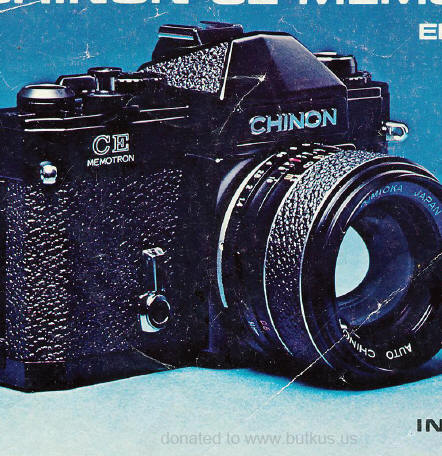
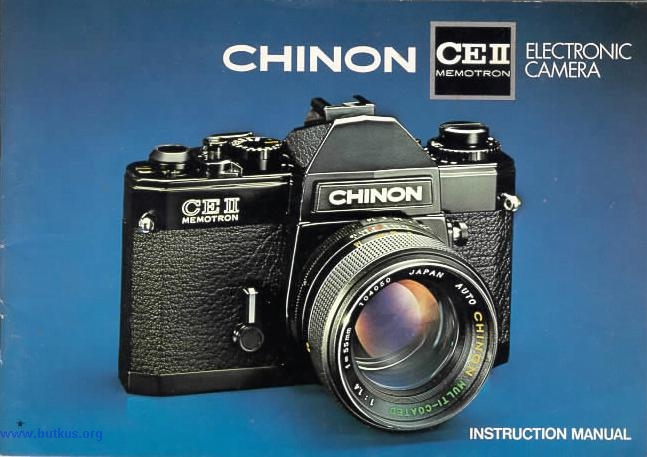
Chinon CEII Memotron
HTML Translations - German
- Italian
- French
- Spanish
- Others
These links will not translate any PDF
files
This camera manual library is for reference and historical purposes,
all rights reserved.
This page is copyright© by
, M. Butkus, NJ.
This page may not be sold or distributed without the
expressed permission of the producer
I have no connection with Chinon Co., Japan
On-line camera manual library
This is the full text and images from the manual.
This may take 3 full minutes for all images to appear.
If they do not all appear. Try
clicking the browser "refresh" or "reload button" or right click on the
image, choose "view image" then go back. It should now appear.
To print, try printing only 3 or 4 pages at a time.
Back to main on-line manual page
If you find this manual useful, how about a donation
of $3 to: M. Butkus, 29 Lake Ave., High Bridge, NJ 08829-1701
Most other places would charge you $7.50 for a electronic copy or $18.00
for a hard to read Xerox copy.
This will allow me to continue to buy new
manuals and pay their shipping costs. It'll make you feel better,
won't it?
If you use Pay Pal, use the link below. Use the above address for a check, M.O. or cash.
Click here for PDF version - Better printing

Type 35mm Single Lens Reflex Camera with electronically controlled exposure system, fully automatic aperture-priority type.
Picture size 24mm x 36mm.
Film 35mm cartridge film.
Lens mount Pentax/Praktica mount.
Viewfinder visibility 92% of negative size.
Mirror Quick return system.
Shutter Metal focal plane, vertical path, electromagnetically controlled.
Shutter speeds Auto 2 sees - 1/2000 sec (stepless).
Manual B,1 sec-1/2000 see, and "X".Exposure meter TTL center weighted measuring system employing two Silicon blue cells.Mechanical shutter operation at ''X" (1/90 see).
Automatic exposure range of EV 0-19 with ASA 100 (2 sees at f/1.4 to 1/2000 see at f/16).ASA range 25 - 3200.www.4.butkus.org
Film wind Single stroke in an arc of 134° with 20° play.
Film counter Automatically indicates number of exposures and resets to zero when the camera back is opened.
Self-timer 6-10 seconds.
Exposure memory Push button with lock in conjunction with shutter release button.
Indication by agreen signal lamp. (click on image below to enlarge)
Film rewind Folding crank type.
Accessory shoe Built in hot shoe.
Synchronization FP and X (X=1/90 see).
Multiple exposure Multiple exposure provision.
Power source 6V silver oxide battery (Eveready No. 544 or equivalent). 4www.butkus.org
Viewfinder blind Built in viewfinder blind to prevent extraneous light from affecting the meter reading when the camera is used away from the eye.
Battery test Indication by a green signal lamp.
Dimensions (Body only) 145mm (W) x 97mm (H) x 54.5mm (D).
Weight (Body only) 760 gr. (click on image below to
enlarge image)
BASIC PROCEDURES
To install battery: (CLICK ON FIGURE LINKS TO SEE THE IMAGES)
1. Using a coin, unlock the battery chamber cover by turning it counterclockwise.
2. Place the 6V silver oxide battery with the minus ( - ) side facing upwards as indicated by the symbol in the battery chamber (Fig. 1).
3. Replace the battery compartment cover by turning fully clockwise (Fig. 2).
Note:
Clean the battery with a dry cloth or paper before inserting and thereafter
at regular intervals. Make sure that the battery is inserted correctly,
i.e. check polarity.
The shutter will operate only when a battery is installed, except for
the ''X'' (1/'90 sec.) position.
To test battery:
Test the battery when:www.4.butkus.org
A new battery is installed.
The camera is not used for a long period of time.
The camera is being used continuously for many hours.
To test the battery, set the shutter speed dial to the "Auto" position (Fig. 3). Wind the film advance lever and press the shutter release button half way. If the battery is in good condition, the green lamp in the viewfinder frame will go on. When the green lamp does not go on, replace the battery (Fig. 4, 5).
Note:
Every time a photograph is taken in the auto mode, the green lamp should
go on, indicating that the battery is still in good condition. When the
indicator lamp fails to go on, replace the battery at once.
Use 20 or 36-exposure 35mm film.
1. Pull out the film rewind knob until the camera back is released,
(Fig.
6) then swing the camera back fully open.
2. Keep the film rewind knob pulled all the way out, insert the film
cartridge into the film chamber with the protruding end towards the base
of the camera. Push in the film rewind knob (Fig. 7)
It may be found necessary to turn the knob slightly so that the rewind
shaft engages the film cartridge spool. Insert the trimmed end of the film
into the slot of the take up spool. Holding the film lightly down onto
the transport sprockets, operate the film advance lever. Having checked
that the upper and lower film perforations have engaged the transport sprockets.
close the camera back firmly (Fig. 8).
Note: Do not load or unload the camera in bright sunlight.
To make sure the film has been loaded properly, operate the film advance
lever through a full stroke
(Fig. 9).
Now turn the rewind knob clockwise until resistance is felt. Do not force
it. Keep observing film rewind knob; it should turn counterclockwise
every time the film is advanced.
Operate the film advance lever and release shutter until figure "1
" is opposite the pointer in the frame counter window. The camera is now
ready for the first exposure (Fig. 10).
Note: When the shutter release button lock lever is engaged, the shutter cannot be released. Turn the lever to the left to unlock (Fig. 11).
Important:
Set the shutter speed dial to the "X" position when making two blank
exposures to dispose of the first few inches of film which were exposed
during loading. After the film counter indicates you are ready to take
the first exposure, be sure to return the shutter speed dial to the "Auto''
position.
The ASA/DIN speed of the film is indicated on the film box or in the instruction sheet packed with the film. Select the desired ASA/DIN speed the ASA selection pin until the appropriate ASA number appears in the ASA dial window, (Fig. 12) and then align the ASA/DIN number with the white index line on the camera top cover by turning the ASA/DIN dial.
The CHINON CE II memotron camera is equipped with an electromagnetically controlled shutter for either automatic or manual exposure control.
To set the camera for automatic shutter speed selection rotate the shutter
speed dial until the ''Auto" mark is opposite the index line on the camera
body (Fig. 13). To set it
for manual exposure control, turn the shutter speed dial until the desired
shutter speed is lined up with the index mark on the camera body.
The aperture is set in the usual way by rotating the lens aperture ring
until the required F-stop is set against the red diamond index, mark on
the lens barrel (Fig. 14).
With the shutter speed dial set at "Auto" the electronic metering system
will set the corresponding shutter speed to ensure correct exposure of
the film.
Set the AM (Auto/Manual) Scale focusing
The distance scale may also be used for focusing.
Estimate or measure the camera-to-subject distance in feet or meters, then
set the focusing ring to this figure
(Fig. 19).
The meter on/off switch is incorporated in the winding mechanism. It
is therefore necessary to advance the film advance lever before proceeding.
Set the shutter speed dial to ''Auto" (Fig.
20) and select the aperture according to your purpose for shooting
the picture. Focus the subject. Depress the shutter release button as slowly
and smoothly as possible. When the shutter release button is half way depressed,
the exposure meter needle will indicate the correct shutter speed figure
according to the light value which corresponds to the chosen aperture value
(Fig.
21). Further depression of the shutter release button will release
the shutter at the shutter speed indicated in the viewfinder.
Exposure Meter Needle 1. Over exposure:
Over exposure will be indicated by the meter needle moving into the
upper striped area of the viewfinder scale (Fig. 22). Should this occur
the lens aperture must be reduced until the needle enters the shutter speed
scale. If the needle will still not enter the scale a neutral density filter
must be used.
2. Correct exposure:
While the exposure meter needle stays within the scale (arrow marked)
correct exposure will result.www.4.butkus.org It will be found when handling the camera
that automatic shutter speed selection is a function of the aperture and
the ASA values chosen. As the lens aperture is altered the shutter speed
will alter accordingly. Therefore if the camera selects a speed that is
considered unsuitable for the subject to be photographed, altar the aperture
until a suitable shutter speed is selected.
3. Under exposure:
Under exposure will be indicated by the meter needle moving into the
lower striped area of the viewfinder shutter When the red figure " 20 " or " 36 " (20 or 36 exposures) appears against
the index mark in the frame counter window, the end of the film has been
reached.
Steps for Unloading the Camera:
1. Press in the rewind release button on the camera bottom (Fig.
25).
2. Lift up the rewind crank on the rowing knob
3. Turn the rewind crank in a clockwise direction (Fig.
26). Tension will be felt as the film is being rewound into
the cartridge. Stop rewinding when the tension ceases. Open the camera
back by pulling out the rewind knob all the way and lift out the film cartridge
(Fig.
27). The rewind button on the camera bottom will snap back into
position when the film advance lever is next operated. Have the fun.www.4.butkus.org
The CHINON CE11 Memotron is equipped with a screw mount which accepts
any interchangeable lens with the Pentax/Practica screw mount. To remove
the lens, keep turning the lens counter clockwise until it is separated
from the camera body (Fig. 28, 29).
Note: Do not remove or replace the lens while camera is functioning.
In normal use the CHINON CE II Memotron will produce perfectly
exposed photographs, due to the automatic exposure system incorporated
in the camera.
However some lighting conditions will occur that could misguide the
system. Subjects with very high contrast or strongly back-lit are examples.
Such misguidance occurs with electronic shutter cameras since the exposure
system continuously
follows the fluctuations of light intensity up until the very instant
that the exposure is made. To overcome these conditions a memory lock has
been incorporated.www.4.butkus.org
Steps for using the exposure memory:
1. Focus the subject. Make sure that the shutter speed dial is set at
the "Auto" position.
2 Press the shutter release button half way and measure the light
on the main part of the subject you want to shoot. excluding all unnecessary
light from the side or background
(Fig.
30, 31, Fig. 32). Then press
the exposure memory button which will instantly memorize the light value
on the subject
(Fig, 33)
and twist the memory button backward until it is locked. When the memory
button is locked, the green lamp in the viewfinder will go on.
After the exposure return the memory button to its original position.
When the memory button is released the green lamp is turned off.
3. With the exposure memory button locked compose the subject in the
viewfinder as you desire (Fig. 35).
and press the, shutter release button all the way to take the photograph.
Note: The exposure memory system will be erased by releasing
the exposure memory button before shooting. The memorization only functions
by simultaneous operation of the shutter release button and the exposure
memory button.
For special purposes such as multiple exposure, exposure compensation
can be accomplished by resetting the ASA/DIN dial. The following guide
will be found useful in determining the correct length of exposure (Fig.
38)
(1) white index 2/3 over exposure
(2) white index 1/3 over exposure (Fig.
36)
(3) red index 1x correct exposure
(4) white index 1/3 under exposure
(5) white index 2/3 under exposure (Fig.
37)
As an example if over exposure to the extent of x 2/3 is required, set
100 ASA to the red index (1). With this method it is possible to compensate
from 40 to 250 ASA (Fig. 38).
After the exposure has been made the ASA number must be returned to the
red index mark.
By moving the shutter speed dial off the "Auto'' setting manual shutter
speeds are set. There are two methods of selecting the correct exposure.
1. Set the required shutter speed on the dial. While depressing the
shutter release button observe the meter in the viewfinder. Rotate the
lens aperture ring until the needle aligns with the corresponding shutter
speed figure on the scale in the viewfinder (Fig. 39).
2. Set the required aperture on the lens. Slightly depress the release
button and observe which shutter speed is indicated in the viewfinder.
Set this speed on the shutter speed dial.
The Manual shutter speeds can be used for:
2. Exposure compensation.www.4.butkus.org
3. '' B " (" Time'' exposures longer than that possible in the Auto
mode).
4. Flash synchronization (''X'').
Caution: Get into the habit of immediately returning the shutter speed
dial to the "Auto'' position after using the manual mode to avoid possible
future incorrect exposures (Fig. 40).
Mechanical shutter operation:
Since the "X'' (1/90 see) position employs a mechanical shutter, it
is usable even when the battery is dead. Setting the shutter speed dial
to the "X'' position whenever loading the camera with film or operating
the shutter in an unloaded camera will also save unnecessary battery retrain:
Depress the shutter release to make a Depth of field designates the nearest and furthest limits of the area
that will be sharp in the picture in front of and beyond the subject. Depth
of field is controlled by the f/stop. The larger the lens opening (f/stop),
the shallower is the depth of field. The smaller the lens opening, the
greater the depth of field will become (Fig.
42, 43).
Visible check in the viewfinder:
Set the lens at selected lens opening on the F stop ring. Depress the
shutter release button half way and observe the subject through viewfinder.
This will enable you to preview the area of sharpness in the picture before
shooting.
Depth of field scale:
The depth of field scale indicates (after focusing) the approximate
area that will be sharp in the picture. Locate on the depth of field scale
the corresponding pair of f/stop figures. The distance between these two
f/stop figures on the focusing ring will be the area of sharpness in your
picture. (Fig. 44)
To operate, move the self-timer lever counterclockwise as far as it
will go. Advance the film transport lever. Upon pressing the shutter release
button the self timer mechanism will start to operate. (Fig
45, 46). If the self-timer is used in the "Auto'' mode, turn
the viewfinder blind lever clockwise, closing the viewfinder system and
thereby preventing extraneous light from influencing the metering system
(Fig. 47).
It is advisable to use flash when the exposure meter indicates that
the light level is too low, such as indoors, at night time, or in daylight
where the subject is too dark to provide adequate exposure (Fig.
48, 49).
Electronic flash units as well as conventional flash units using flashbulbs
may be utilized. The CHINON CE II Memotron has a hot shoe (accessory shoe
with built-in flash contact) together with standard
P.C. outlets for ''X'' and '' FP'' synchronization. (Fig.
50)
Electronic and conventional flash units having a foot with built-in
contact may be used without a connecting cord. As the hot shoe has ''X
''type synchronization, it can be used with electronic flash at ''X'' (1/90)
(Fig.
51) or at slower shutter speeds, the lens aperture is determined
by the calculation table indicated on flash units.
To use infra-red film an extra focusing adjustment must be made. After
focusing note the figure that is adjacent to the red diamond on the distance
scale then move that figure over to the red " R " marked to the right side
of the red diamond. (Fig. 52) This
adjustment is only required for black and white infra-red film. When using
color infrared film, focus in the normal way.
Your CHINON CE II Memotron Single Lens Reflex Camera is a precision
instrument. Used with care, it will provide years of service.
Protect our camera from dirt, rain, dampness, and excessive heat. Avoid
touching the lens. To clean the lens wipe it gently with a soft,
lintless cloth or tissue. Do not use eyeglass cleaners as they might damage
the lens coating.
CHINON Interchangeable Lenses
F/3.5 f=21mm AUTO
F/2.8 f--35mm AUTO
F/2.8 f=100mm AUTO
F/2.8 f=135mm AUTO
F/1.8 f=135mm AUTO
F/3.5 f=200mm AUTO
F/4.5 f=300mm AUTO
F/8 f=500mm (Mirror)
F/5.8 f=90-190mm AUTO*
F/3.5 f=75-205mm AUTO*
F/4.5 f=70-230mm AUTO
F/4.5 f=55-300mm AUTO
CHINON Standard Lenses
F/1.7 f = 55mm
F/1.4 f = 55mm
F/1.2 f = 55mm
*With a single control ring for zooming and focusing.
CHINON Accessories
Auto-Extension rings
Mini-Copy stand
Table tripod
Angle finder
Bellows
Rubber eyepiece
Rubber lens hood (52mm)
Rubber lens hood (55mm)
Wrist strap
Filter (52mm) IA, UV, Y2, ND`, PL
Filter (55mm) IA, UV, Y2, ND`, PL
Cable release (20 inch)
Cable release (13 inch)
Eyepiece adaptor --2.5 Dioptor
Eyepiece adaptor +1.0 Dioptor
Eyepiece adaptor +3.5 Dioptor
Body cap
Lens mount cap
Because we continually strive to improve our product we may change specifications
without prior notice.
Should the meter needle move below 1/30 sec. then the use of a tripod
is recommended, providing that a larger aperture cannot be set (Fig.
23).

If for special purposes it is necessary to either under or over expose
the photograph, proceed by either of the previous methods. Then rotate
the lens aperture ring to bring the meter needle above the shutter speed
indicated in the viewfinder. This will produce over exposure.
Conversely if the needle is brought below the indicated shutter speed
then under exposure will result.
1. A particular shutter speed that is required and beyond the coupling
range of the meter, e.g. 1 sec exposure at 3200 ASA.
When desired, the shutter can be cocked without transporting the film.
This feature enables making double or multiple exposures
on a single frame of film.
Take the first picture in the normal way. Before moving the film advance
lever, slide the multiple exposure switch to the left, as far as it will
go (Fig. 41). A red signal
appears in the window indicating that the film advance lever can be wound,
but it will only cock the shutter and not transport the film.
This device, when set, trips the shutter mechanism after a delay of
6 10 seconds. It is necessary if the photographer wishes to be in the picture,
and is useful for tripping the shutter at a slow shutter speed if a cable
release is not available.
When using the self-timer the camera must of course be mounted on a
tripod, or a solid support of some kind.
F/2.8 f=2.8mm AUTO