and historical purposes, all rights reserved.
This page is copyright© by
 ,
M. Butkus, NJ.
,
M. Butkus, NJ.This page may not be sold or distributed without
the expressed permission of the producer
I have no connection with any camera company.
This camera manual library is for reference
and historical purposes, all rights reserved.
This page is copyright© by ,
M. Butkus, NJ.
This page may not be sold or distributed without
the expressed permission of the producer
I have no connection with any camera company.
On-line camera manual library
If you find this manual useful,
Back to main camera manual page
Click
here for Chinon AP600s / 300s PDF
Trouble Shooting
Flash "ready" indicator doesn't light:
Specifications
Film: Advanced Photo System cartridge film.
Lens: 24mm, F4.5 Glass lens.
Focusing: Two steps infrared system auto focus.
Focusing range: 0.8m to infinity.
Shutter: Electronic programmed shutter EV100 - EV/ISO 200.
Film speed: ISO 100 and ISO 200 (ISO 400 useable).
Photograph modes:
1. Auto flash mode
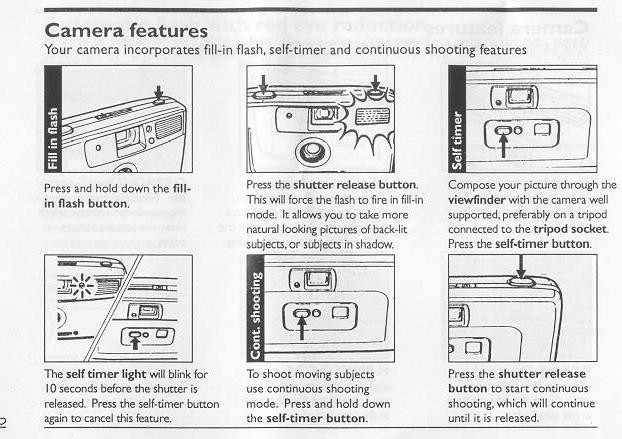
3. Self-timer mode - 10 seconds delay
4. Continuous shooting mode.
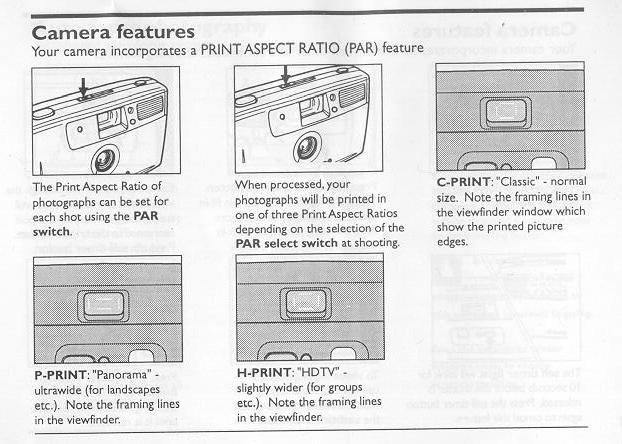
Viewfinder: Bright frame viewfinder with H. P and C interchangeable frames.
Picture area: over 75% Magnincation:0.57.
Partmaster, our accessories and spares service, can provide accessories. spares and replacement instruction books for this. and virtually any other domestic electrical item you may have -with most items being
dispatched within 24 hours!
So, whatever your requirements. simply telephone 000-0000 and we'll give you a free quotation.
how about a donation of
$3 to:
M. Butkus, 29 Lake Ave.,
High Bridge, NJ 08829-1701
and send your e-mail
address
so I can thank you.
Most other places would charge
you $7.50 for
a electronic copy
or $18.00 for a hard to read Xerox copy.
This will help me to continue to host this site,
buy new manuals, and pay their shipping costs.
It'll make you feel better, won't it ?
If you use Pay Pal, use the link below.
Use the above address for a check, M.O. or cash.
version - Better printing
(webmaster: I received both cameras with the same booklet.
Cameras were identical except for the AF statement on the camera body of the AP600s.
This is an APS camera. The last time film was made was in 2006. The
cameras were a big disaster. The processing cost more, the images needed to be
blow-up more. So there is not much for this camera to do but sit on a
shelf. Greed was the cause of the APS system.
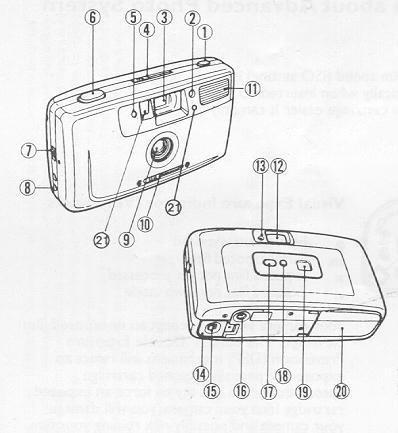
1. Fill-in flash button
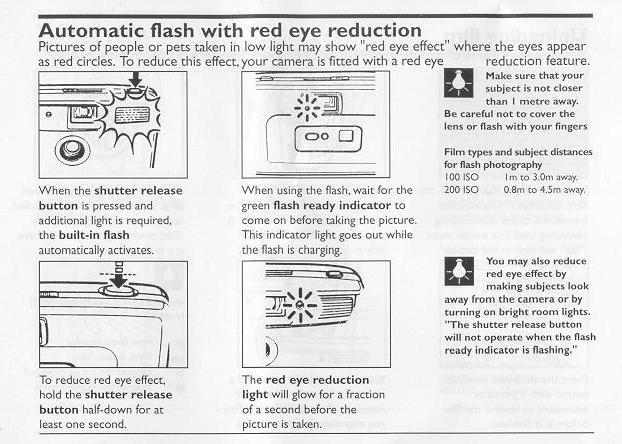
2. Self timer/Red-eye reduction light
3. Viewfinder window
4. Print Aspect Ratio (PAR) select switch
5. Auto exposure sensor
6. Shutter release button
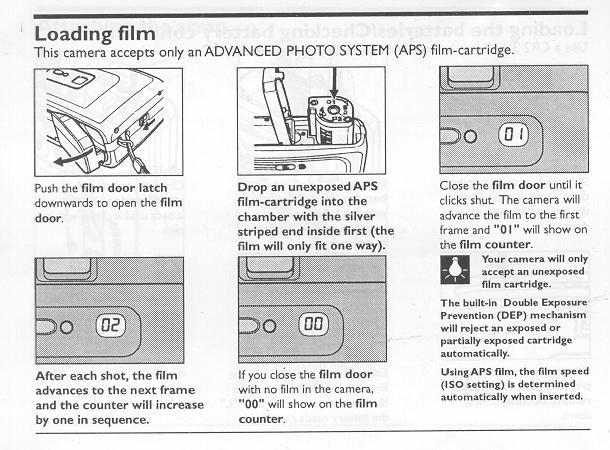
7. Film dour latch
8. Wrist strap attachment point
9. Lens/Lens cover
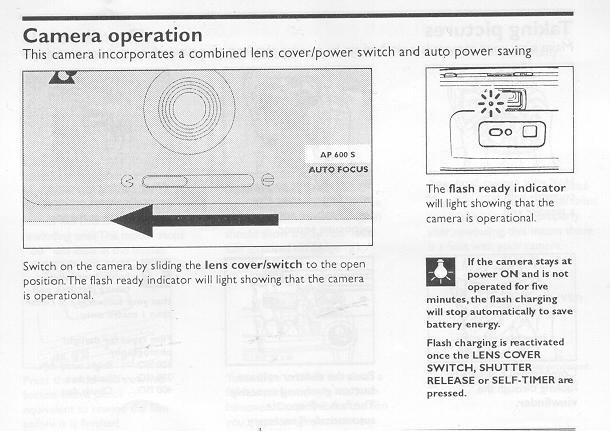
10. Lens cover release/Power switch
11. Built-in flash
12. Viewfinder eyepiece
13. Flash ready indicator
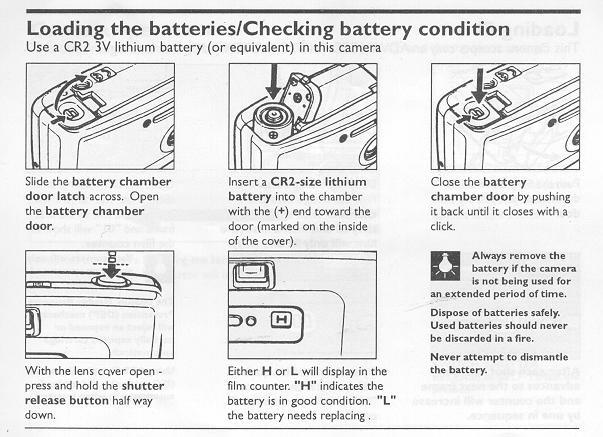
14. Battery chamber door
15. Battery chamber door latch
16. Tripod socket
17. Self-timer button
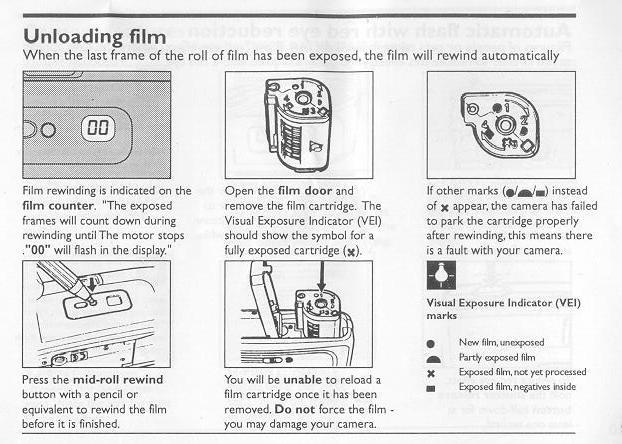
18. Mid-roll rewind button
19. Film counter
20. Film door
21. Auto-focus sensors/Sensor windows
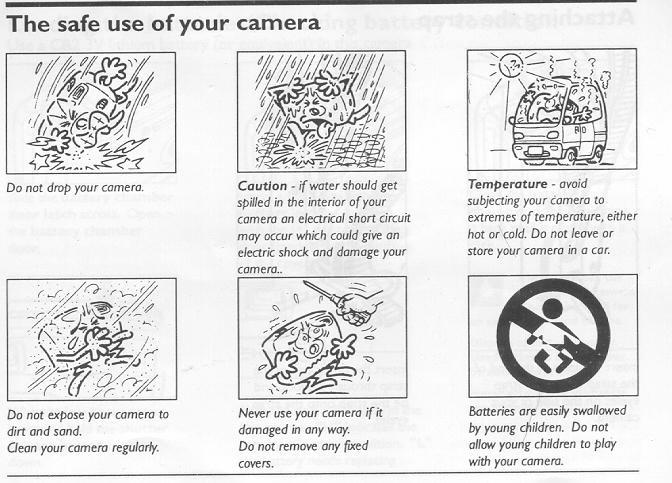
Safe
use of Camera
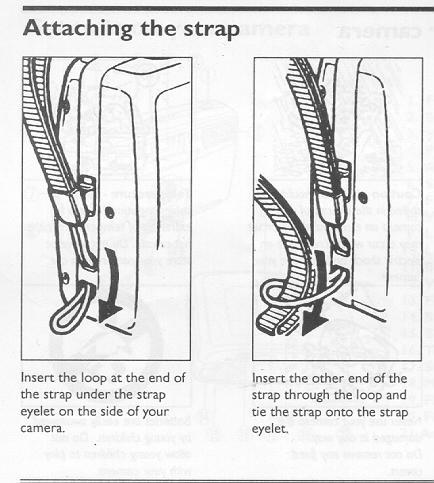
Attaching
the strap
Loading
battery
Loading
film
Camera
operation
Taking
pictures
Unloading
film
Automatic
Flash
Print
Aspect Ratio
Fill
in flash/self timer
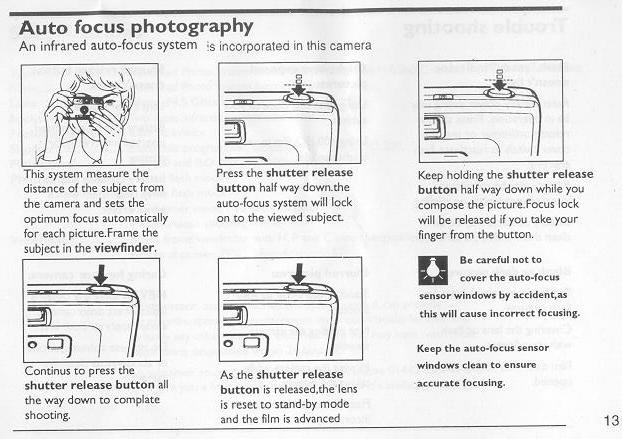
Auto
Focus
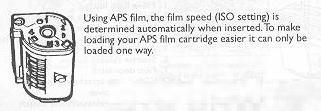
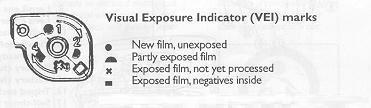
Film cartridge
Film exposure cartridge
Auto battery power saving may be in operation. Press shutter release, self-timer or the lens cover switch to reactivate flash charging.
Battery may be exhausted, inserted incorrectly, or missing.
Battery contacts may be dirty, clean them with a pencil eraser.
Blank or dark pictures:
Too far from your subject for flash pictures.
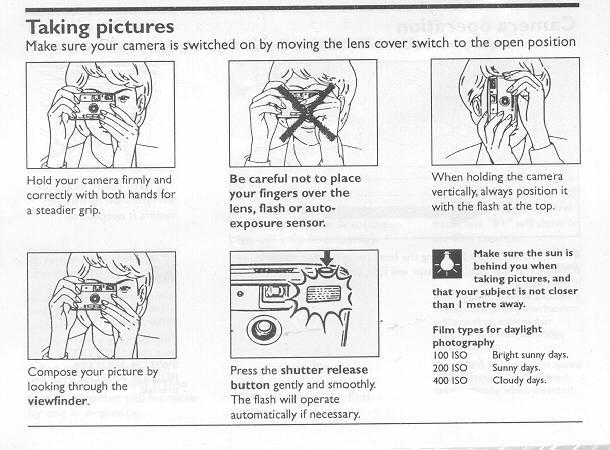
Covering the lens or flash with your fingers.
Film door was accidentally opened.
Bright over exposed pictures:
Using flash too close to your subject
Using 400 ISO film in very bright sunlight
Blurred pictures:
Standing too close to your subject
Not holding the camera steadily
Moving the camera while taking the picture.
Fixed focus has been set incorrectly.
Shutter release button doesn't work:
Lens cover closed.
Battery may be exhausted, inserted incorrectly, or missing.
Battery contacts may be dirty, clean them with a pencil eraser.
Caring for your camera NEVER apply any cleaning liquid direct onto camera, always apply to cloth first Do not use solvents, alcohol or abrasives to clean the camera
Type: Advanced Photo System motorized camera with with and C selectable Print Print Ratios.
2. Fill-in flash mode.
Remember - if it's available - we'll get