If you find this manual useful,
how about a donation of
$3 to:
M. Butkus, 29 Lake Ave.,
High Bridge, NJ 08829-1701
and send your e-mail
address
so I can thank you.
Most other places would charge
you $7.50 for
a electronic copy
or $18.00 for a hard to read Xerox copy.
This will help me to continue to host this site,
buy new manuals, and pay their shipping costs.
It'll make you feel better, won't it ?
If you use Pay Pal, use the link below.
Use the above address for a check, M.O. or cash.
CLICK HERE FOR
PDF
DIRECT FROM MANUAL
CLICK HERE TO CONTINUE TO
PDF
MADE FROM THIS PAGE
- Better Printing
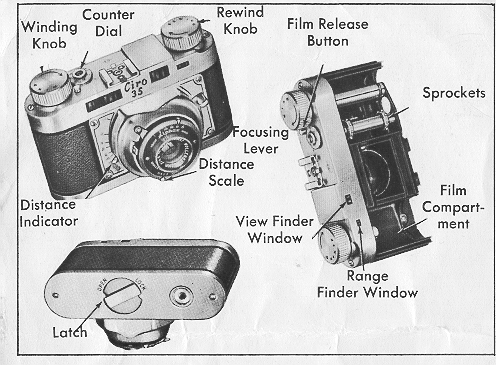
1. OPEN THE CAMERA
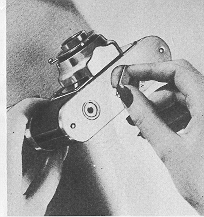 |
On the bottom of the camera you will find a latch marked "Open" and "Lock."
Turn the latch counter clockwise to "Open"
position. |
2. REMOVE CAMERA BACK
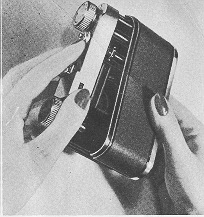 |
Hold camera in left hand, as shown.
With the fingers and thumb of the right hand gripping the bottom edge, slide out the
camera back.
|
3. INSERT FILM
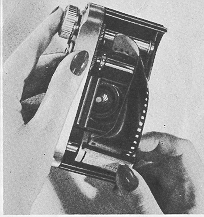 |
Insert film cassette in the film compartment. Make sure fork on end of winding shaft engages cross member in spool.
When
film is drawn out the film perforations should engage sprockets. |
4. THREAD FILM
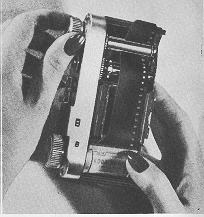 |
Thread the end of the film into slot in the take-up spool.
Push sufficient film. through so that it will lock
securely in position when the spool is turned.
|
5. START FILM
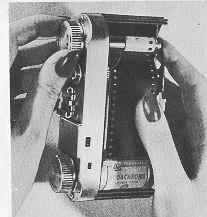 |
Push down film release button and turn "Wind" knob until both sprockets engage the film as shown.
If necessary, push button dawn the second time, and turn until film is secure on take-up spool.
|
6. REPLACE CAMERA BACK
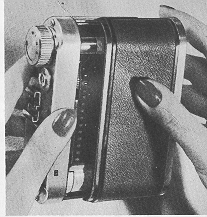 |
Place the camera back in position as shown. Make sure edges are in the run ways and that the spring on inside of back
clears the film.
Push the back into position and lock. |
7. ADVANCE FILM
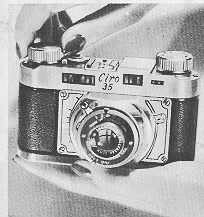 |
To bring film into position for the first picture:
1. Turn "Wind" knob until it stops.
2. Push down film release button and turn
"Wind" knob until it stops again.
3. Push down release and "Wind" once more. |
8. SET EXPOSURE COUNTER
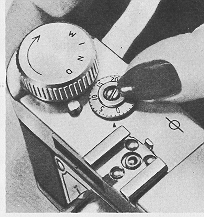 |
Set exposure counter dial by rotating it until the first notch following "0" is opposite the index mark.
Thereafter the counter
will, automatically turn with the "wind" knob, to show the number of the next picture. |
9. SET LENS APERTURE
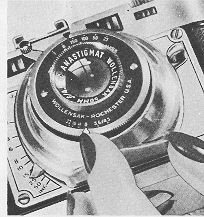 |
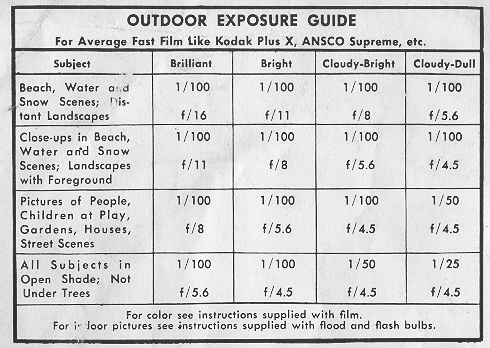
On the bottom edge of the shutter is on indicator which controls the size of the lens opening. Study the exposure guide on
page 8, and set indicator for the desired speed.
|
10. SET SHUTTER SPEEDS
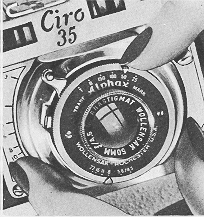 |
On the top edge of the shutter there's an indicator and numbers which straw the various shutter speeds ("T" stands for Time,
"B" for Bulb exposure).
Study Exposure Guide on page 8, and set indicator for proper shutter speed. |
11. FOCUS THE CAMERA
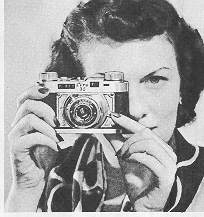 |
Holding the camera about 2 or 3 inches from the eye, sight the subject through the small
window.
Move the focusing lever up or down until the split-image merges.
|
12. FOCUS CAMERA
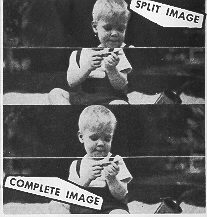 |
When the image you see through the small window is split as shown above the lens is out of
focus. Adjust the focusing lever until the two sections of the image form on unbroken outline.
|
13. FOR HORIZONTAL PICTURES
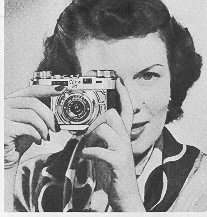 |
Use Range Finder as in Steps 11 and 12.
Hold camera horizontally as shown. |
14. FOR VERTICAL PICTURES
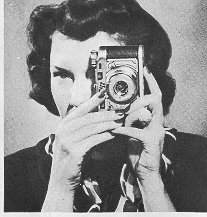 |
Use Range Finder as in Steps 11 and 12.
Hold camera vertically as shown.
Models R and S are equipped with Alphux self-winding shutters and you have only to flip the shutter release to take a
picture.
Model T is equipped with Rapax set-and-release type shutter and there is a Set lever which must be pushed up before
snapping the release lever. |
15. REWIND FILM
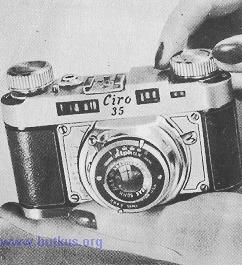 |
After all exposures are made rewind the | film into the original cartridge. First lift the "Wind" knob and turn slightly until it
stays up.
Turn the "Rewind" knob in the direction of the arrow. Film is all rewound when the counter dial stops turning.
|
16. REMOVE FILM
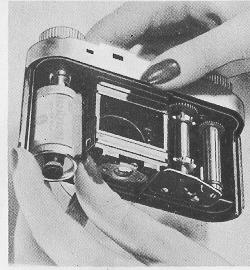 |
To remove the film cartridge from the camera, just reverse the loading procedure.
When replacing camera back, always
place it half-way up on camera to engage the edges properly.
|
17. USE TRIPOD SOCKET
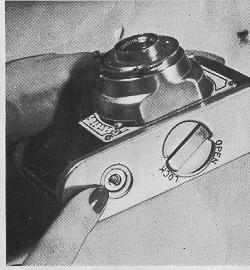 |
On the bottom of the camera is a threaded tripod socket.
For time and bulb exposures, a tripod or other solid support is necessary to prevent blurred pictures.
|
18. USE CABLE RELEASE
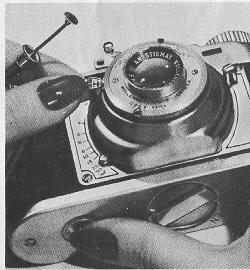 |
The cable release screws into the shutter and is recommended for use when camera
is on a tripod.
Use the regular
shutter trip when the camera is hand held.
|
Ciro Cameras use 'Wollensak Lenses exclusively. These lenses are of the highest quality and are coated
for maximum
efficiency..
It is important that they be kept free from dust and dirt. Clean gently with lens tissue; avoid touching the glass
with your fingers.
19. ATTACH THE FLASH
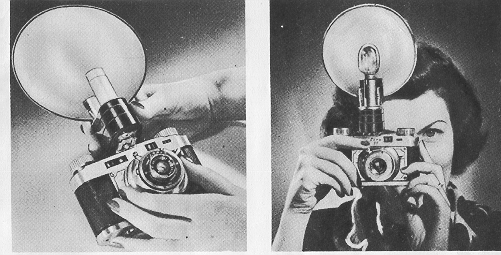 |
The accessory clip on the top of the camera accommodates the flash gun.
Slip it on or take it off in a jiffy as shown. |
20. TAKE FLASH PICTURES
Goad flash pictures are easy. With the loaded gun in position on camera, snap just as you would for regular pictures.
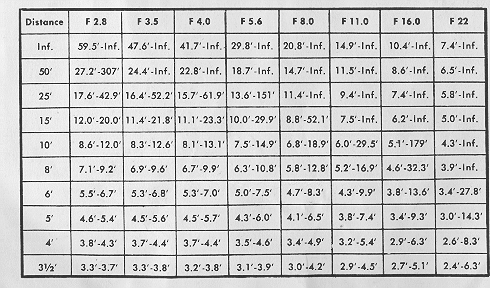
FOR SUPER-ACCURATE FOCUSING
On all photographic work requiring extreme accuracy, it is advisable to follow the
attached chart closely. Under ordinary circumstances simply use the indicator on
camera.
DEPTH OF FIELD TABLE FOR 2" FOCUS LENSES (50.8 mm.)
MINIATURE CAMERAS CIRCLE OF CONFUSION 1/500 INCH.
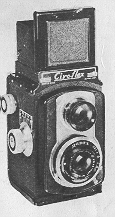 |
Illustration below shows one of the five famous Ciroflex models, made by the makers of Ciro 35. |

 , M. Butkus, NJ.