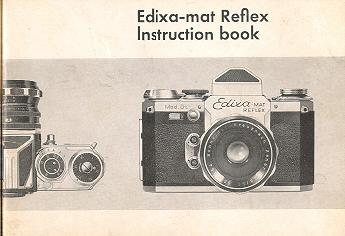
Edixa-mat Reflex
On-line users manual
This camera manual library is for reference and historical purposes, all
rights reserved.
This page is copyright© by
, M. Butkus, NJ.
This page may not be sold or distributed without the expressed
permission of the producer
I have no connection with any camera company
On-line camera manual library
This is the full text and images from the manual. This may
take 3 full minutes for all images to appear.
If they do not all appear. Try clicking the
browser "refresh" or "reload button" or right click on the image, choose "view
image" then go back. It should now appear.
To print, try printing only 3 or 4 pages at a time.
If you find this manual useful, how about a donation of $3 to: M. Butkus,
29 Lake Ave., High Bridge, NJ 08829-1701
This will help me to continue to host this site, buy new manuals, and pay their shipping costs. It'll make you feel better, won't it?
If you use Pay Pal, use the link below. Use the above address for a check, M.O. or cash.
![]() |
Contents:
| 2 Introduction
3 For attention 4--6 Description of the camera bode 7--10 Loading the film 11 Rewinding the exposed film 11--12 Setting the shutter speeds 12--13 Setting shutter speeds (2--9 sec.) and self timer of Mod. D 14--15 Waist level viewfinder 15 Prism viewfinder 16 To exchange 17 The lenses of the Edixa-mat
|
18--19 How to use lens and depth-of-field scale
20 The split-image rangefinder 21 Intentional double exposures 22--24 Extension rings 25 Double cable release 26 Edixa bellows extension and cable release 27 Edixa accessory shoe 27--28 Flash synchronization 29 Microscope adapter
|
Introduction
Congratulations! You are now the proud owner of the Edixa-mat Reflex camera. The Edixa-mat is a precision instrument, manufactured in Germany in the finest tradition of German camera craftsmanship. The elegance and beauty of the Edixa-mat design . . . the unique significant features . . . the unusual optical qualities of its optics . . . assure you that you have the ultimate in 35mm single lens reflex cameras.4.butkus.org
Your Edixa-mat will give you a lifetime of pleasure, and Edixa-mat pictures will top anything you've ever done before! Edixa-mat owners who read German are invited to ask for the "EDIXA POST", the magazine for Edixa owners. The ,EDIXAPOST" is published in German, approximately four times a year.
Should you, at any time, find that your camera is
not operating properly, or if it should require
servicing, it is suggested that you send it to us for
checking and examination, and for any
adjustments that may be You will not be charged for work during the
Guarantee period. At other times, all repair and
adjustment work will be charged on a nominal
basis.
Please read the instructions which follow,
carefully, before attempting to operate your
camera.
CAMERAWORKS - WIRGIN BROS. - WIESBADEN,
WEST-GERMANY
Loading the film Push the latch for the back upwards; open
camera back. Insert the beginning of the film in the
slit of the take-up spool;
rotate spool 11/2 turns in the direction of the arrow.
The teeth of the film transport sprocket will then
engage the perforation holes of the film.
Pull up the rewind knob. And set the film-type
indicator scale.
Then insert the film cartridge and push down rewind
knob. The cartridge must
lie straight, but move to and fro easily.4.butkus.org
The film-type indicator scale helps to remind you
what type of film is in the camera. It can be set for
DIN and ASA speeds, daylight or artificial light color film.
means: camera not loaded. To set the scale,
place your finger under the pulled-out knob:
there will be a slight click. Then simply turn the
rewind knob until the desired figure, or "Col T"
(daylight) or "CoI K" (artificial light) appears in the
window.
Close the back and press latch downwards.
Turn rapid-wind lever fully. This also Important: Observe that at same time the rewind knob must be turning. If it
isn't, your film is
not properly engaged in take-up spool. Therefore
repeat film-loading operations.
This locks the shutter release knob.
And now:
When the frame-counter scale indicates "36" (or "20"
with 20-exposure cartridges), you can take one last picture; then the
film is completely exposed. Depress the knob in the
camera base and at the same time turn the rewind
knob until a sudden resistance, followed by a snap
and the freeing of the knob indicates that rewinding is
completed. The film must then be rewound in the
camera, from the take-up spool back into the
cassette. Open the camera and take out the film
cartridge.
Fast speeds from 1, 30 sec. to 1/1000 sec., also "B" (with "B" setting
the shutter remains open as long as pressure is
maintained on the release knob). With Models
Standard, Flex and Kadett from 1/30 sec. to 1/500
sec., and "B". Lift speed-setting knob and set desired
shutter speed opposite the index mark; Allow setting
knob to click back into position. Window of slow-speed lever must indicate "0".
Set speed-setting knob to 1/30 sec. Then turn
slow-speed lever so that its window is over the
desired shutter speed. Illustration shows setting
for V4sec.
Important!
Shutter speeds can be set both before and after
operating the rapid-wind lever. The camera can
be left tensioned for as long as you like.4.butkus.org
has an extended range of shutter speeds from 2 sec. to 9 sec.
Set fast shutter-speed knob to "B"; turn slow-speed
lever to set window to "0". Set lever "a" to "L" (long
exposure mechanism). Turn tensioning disc
indirection of arrow until index is opposite desired shutter speed. Illustration shows
correct setting for 6 seconds.
Always perform operations in this sequence!
Note:
the tensioning disc may -- after winding -- be turned back, either part-way
(until the desired time is set) or all the way. To do this, press lever "a" in
direction "R" (Return).
has a built-in self-timer
with delay period adjustable between 2 and 9 sec.
The delay can be used with shutter speed from 1
sec. to 1/1000 sec.
Set the shutter speed. Set lever "a" to "S" (self-timer). Turn tensioning disc in direction of arrow
until index points to desired delay-period before release of shutter.
The viewfinders:
Waist level finder: For use at chest level, or with 4x magnifier held at
eye level.
Image appears right way up, but laterally
reversed. To open finder hood: press with finger
tip.
To raise magnifier, press with finger tip. To lower
magnifier, simply fold it downwards. To close
finder hood, press down on engraved cap.
Io lift off finder hood: press both locking knobs
outwards and lift finder upwards. To replace,
repeat operations in reverse sequence.
Important: small lug on finder must engage in
groove on front plate of camera.
Prism viewfinder:
For use at eye level. Image appears right way up, laterally correct and magnified 4 times.
Note: never stand finder on glass side, always put it
straightaway in its case. We strongly advise you to
complement your camera with a prism viewfinder.
To exchange the ground-glass screen
first remove the viewfinder. Then press inwards
with your finger-nail the free ends of one or both of
the visible retaining springs (see illustration No.
20). The interchangeable frame will then spring up
and can be lifted out, together with the screen.
Beneath the screen are rectangular spacers,
which must be left undisturbed.
To re-insert the interchangeable frame, proceed in
the reverse sequence. The screen frame must be
inserted with the side bearing a white mark facing
the lens, and then pressed home firmly.
The EDIXA-KADETT
has no interchangeable frame, but the frame of
the KADETT can be removed, and the ground
glass screen interchanged by unscrewing the 4
small screws found on the frame, after which the
frame should be securely replaced.
The lenses oft the EDIXA-MAT are interchangeable.
They are provided with a screw thread and are
screwed in by turning them clockwise and
removed by turning in the opposite direction.
The following groups of lenses are obtainable:
Focal length Aperture
Standard tenses50-- 55 mm f/1.9 ff2.0 f/2.8
Wide-angle lenses24-- 40 mm f/2.8 ff3.5 ff4.0
Portrait lenses80 - 100mm ff1.5 ff3.5 ff4.5
Telephoto and distance
lenses135--1000
mm ff2.8 ff3.5
ff4.0 f/4.5 f,5.5
ff6.3
Special lenses:
Enna ZOOM lens85--250mmf4
Kilfitt Makro-Kilars40 and 90 mm ff2.8
(Please ask for special brochure)
Distance-setting and focusing:
To focus the lens, turn the distance-setting ring
while observing the image formed by the taking
lens and reflected on to the ground-glass screen
by the reflex mirror. Depth-of-field scale: the lens depicts a sharp image of objects within a
zone parallel to the film plane: this zone is deeper the further it is from the
camera, and the smaller the lens aperture. This
effect can be observed on the focusing screen.
A warning signal appears in the viewfinder after exposure, reminding you that the rapid-wind lever must be operated.
If you want to determine or measure the depth-of-field zone, use the depth-of-field scale, which is
engraved on every lens. Some new fully-automatic
lenses are equipped with an automatic depth-sharpness scale.4.butkus.org
The split-image rangefinder
The normal ground-glass screen can be
exchanged for a screen incorporating a split-image rangefinder. This shortens and simplifies
focusing of the image. In the centre of the ground-glass screen is a circle, divided into two. When
the lens is not focused correctly, the images in the
two half-circles are displaced relative to each
other; When the lens is focused, the two partial
images coincide. Note:
The split-image rangefinder is designed for use
with apertures of f/2.8 or larger (i. e. ff1.9). At
smaller apertures (i. e. ff8), the rangefinder
sections may become obscured and
blackened.
Intentional double exposures
can be made; this facility is also useful if your
flashgun misfires.
After making one exposure, just turn the shutter-speed setting knob clockwise until it stops.
The shutter is then re-cocked, without winding
on the film.
NEW! The ever-bright focusing screen of the EDIXA-MAT.
The new fully-automatic lenses permit you to view the
finder image at full aperture all the time. Only while the shutter is actually running-off is
the diaphragm stopped-down to the pre-set stop. You scarcely notice any change in the image! You can also disengage
the automatic diaphragm to check depth-of-field visually in the viewfinder (lever set to "A" = Automatic or "M" = Manual
setting). You do not have to tension the spring diaphragm before release.21
The superiority of the focusing mechanism of the
EDIXA-MAT is proved beyond doubt by the ground-glass screen image which shows the exact field of
view, definition and available depth of field, even at
the shortest camera subject distance. For taking
close-ups, it is only necessary to increase the
distance between the subject and the focal plane, by
using extension rings. A set of extension rings
provides you with various possibilities for camera extension. The
scope of your photographic ambitions will be
widened considerably if you try your hand at taking
photographs of small objects. Flowers and small
plants, insects and other small animals, postage
stamps and innumerable other things are rewarding
subjects. Copying from books, news papers or
documents are also among the close-up activities
which you can master with the aid of extension
rings. The lack of
depth of field in close-up photography
necessitates highly accurate focusing, which
can be suitably controlled by distance
adjustment. However, the slight loss of light
caused by the increased camera extension,
should be compensated for by increased
exposure, the values of which are computed as
shown in the following equation.
Increase of exposure = Example:
(50 + 40)(9o\21,82 \50 /\40)
=1.8 . 1.8 = 3.24
Double cable release
This replaces the internal release mechanism for lenses with semi- or fully-automatic spring diaphragms, which is rendered ineffective when the extension (distance between camera body and lens) is increased by fitting bellows or extension
tubes.
The double cable release supplies the necessary connection between camera and lens to ensure correct release of the spring-diaphragm mechanism and the camera shutter.4.butkus.org
(See also special instructions).
The EDIXA Bellows Cable release
For use when taking pictures from a tripod or other
rigid support.
Particularly for slow shutter speeds and time
exposures ("B"). The EDIXA special cable release
has a clamping nut, which can be screwed over the
threaded release knob. A locking disc on the cable
release makes it possible to make long time
exposures (as on "T" setting).
EDIXA Accessory Shoe for the Prism Viewfinder
The EDIXA Accessory Shoe is designed to hold
flashguns and other accessories directly above the
Prism Viewfinder. The accessory part slips into the
track and is positioned directly in the center of the
EDIXA. The "Shoe" which attaches to the eye-piece
of the Prism Viewfinder, can be removed instantly.
This accessory eliminates the need for brackets.
Flash contacts are fitted on all EDIXA-MAT cameras for
flashbulbs and electronic flash tubes (speed lamps).
is an accessory with a strong hinge by which the
camera can be attached to the microscope. Its top
part is screwed into the camera as if it were a lens.
Then the ocular of the microscope should be
removed and the camera/micro-adapter combination slipped
over the ocular tube, after which the ocular is
replaced. The micro-adapter is then fixed around
the ocular tube by tightening the milled screw of
the adapter. Be sure to dust all accessible parts inside as well as outside with a soft brush. Keep all lens
surfaces and glass components clear. Use a soft,
often-washed linen cloth. Buy a copy of the "Edixa-Reflex-Guide" by W. D. Emanuel; it is obtainable
from photo dealers and bookshops. You will find in
it all you need to know about using your camera.


1.
2.

3.
4.

5.
6.

7.
Press the shutter release knob. Repeat
operations 6 and 7 once again.4.butkus.org
8.
Turn frame-counter disc to 1 (in direction of
arrow). Your EDIXA-MAT is now ready to take
your first picture.
Note: Along side the release knob you will see "safety catch".

9.
Rewinding the exposed film
10.
Setting the shutter speeds:

11.
Slow Speeds from 1/8 to 1 sec.
12.
Model "D"

13.
Always perform operations in this sequence; then
release the suffer.
14.
Model D

15.
16.

17.
18.
Removal and replacement as for waist level finder.

19.
20.

21.
22.

23.
The lens
24.

25.
Unfocused image -- diffuse
26.
Focused image sharp

27.
28.

29
30


31
32
(image distance / focal length
Image distance = focal length (50 mm) + length of extension (40
mm). Thus Increase of exposure =
which means that an increase of 3.24 or
approximately 3/2 times is required.
Click here for Table with
Close-up Rings

33

34
35

36
37
There are two flash synchronization sockets
Q = M contact
=X contact


38
The Microscope Adapter
What will not agree with your EDIXA-MAT
Your camera will give you maximum performance if
you use it properly. Keep your camera in a leather
case when possible. This will protect it from knocks.
Avoid keeping the camera in strong sunlight and
above all, keep it protected on the beach.