Exakta RTL1000
Camera Manual
posted 12-8-'02
HTML Translations - German
- Italian
- French
- Spanish
- Others
These links will not translate any PDF
files
This is the full text and images from the manual. This may
take 3 full minutes for all images to appear. If they do not all appear. Try
clicking the browser "refresh" or "reload button".
This camera manual library is for reference and historical purposes, all
rights reserved.
This page is copyright by
, M. Butkus, N.J.
This page may not be sold or distributed without the expressed
permission of the producer
I have no connection with any camera company
If you find this manual useful, how about a donation of $3 to: M. Butkus,
29 Lake Ave., High Bridge, NJ 08829-1071
and send me your e-mail address so I
can thank you. Most other places would charge you $7.50 for a electronic copy
or $18.00 for
a hard to read Xerox copy.
This will allow me to continue to buy new manuals and pay their shipping
costs. It'll make you feel better, won't it?
If you use Pay Pal, use the link below. Use the above address for a check, M.O. or cash.
To main Chinon/Ricoh manual site
CLICK HERE TO CONTINUE TO PDF MANUAL
MADE FROM THIS PAGE
EXAKTA RTL1000
The EXAKTA RTL 1000, maintaining the use of the world-renowned quick-change bayonet and
offering plenty of valuable innovations to up-to-date miniature photography, continues the great
traditions of this high-performance camera. These innovations are based on the well-approved
principle of the true single-lens reflex camera with its always parallax-free correspondence of
reflex image and photograph. These are the most important features of your EXAKTA RTL
1000:4.butkus.org
Simple arrangement of all operating controls. Interchangeable viewfinder systems: Finder Hood,
Penta Prism, one TTL Penta Prism for the automatic exposure timing with internal measurement,
the lens being stopped down or fully opened. Focal-plane shutter made of metal laminate
and
destined for the complete series of shutter speeds from 8 seconds to 1/1000 second, 1 second to
1/1000
second with built-in delayed-action release. B setting for
any long shutter speeds. Right-hand and left-hand release. Quick tensioning with a 30° preliminary elevation for series of
photographs. Instant return mirror. Synchronizing switch for electronic flash units and flashbulbs:
electronic flash units being synchronized with approximately 1/125 second, fast-burning flashbulbs
with 1/30 second. Automatic film loading system with free selection of film. Frame counter
automatically returning to its initial position. Rewind release catching in interchangeable
lenses
with original EXAKTA quick change bayonet and automatic diaphragm mechanism with internal
r4lease. On the left-hand release there can be employed any earlier EXAKTA lenses with
automatic diaphragm mechanism. Accessories for any field of application.
|
We are delighted that you have chosen an EXAKTA
RTL 1000 and we wish you every success with your new camera. We would like
to advise you, however, to read this instruction manual carefully before you
start using your camera. In this way you will obtain the greatest possible
service from it, since you will eliminate from the outset the possibility of
operating it incorrectly, and possibly damaging the mechanism. The EXAKTA
RTL 1000 is a high-quality precision instrument which can naturally only be
expected to answer all your requirements when it is always hand led
correctly.
|
Contents
Page
Operating controls of the
EXAKTA RTL 1000
4
Preparations for use
6
Film loading
7
Operating the shutter
11
Operating the lens
15
Using the Finder Hood
22
Using the Penta Prism
24
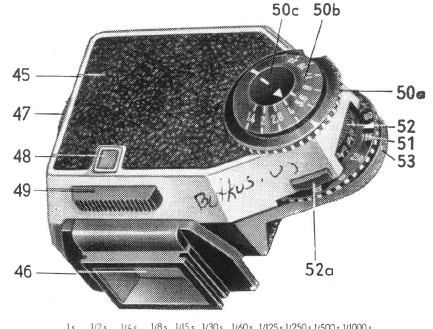
Using the TTL Penta Prism
26
Interchanging the viewfinder
systems
27
Exchanging the focusing screen
27
Changing the film
28
Flash photography
30
Care of the camera and its
accessories
32
Accessories
cover
|
|

|
|
Operating controls of the EXAKTA RTL 1000
1 = Tensioning lever of mechanism for low shutter speeds
2 = Shutter-speed setting knob for 2 seconds to 8 seconds
(mechanism for low shutter speeds)
3 = Release knob of preset timing
mechanism (relayed-action release)
4 = Release lock on the right-hand
release
5 = Right-hand release |
6 = Eyelets for carrying strap or cord
7 = Frame counter
8 = Film-type reminder disc
9 = Rapid-wind lever
10 = Shutter-speed setting knob for second to 1 second and B setting
11 = Finder hood
12 = Red aligning dot on the camera
(for lens changing)
|
|
 |
13 = Red aligning dot on the lens
(for lens changing)
14 = Rewind crank with knob and fixture
for attaching the accessory shoe
15 = Film-sensitivity reminder ring
16 = Left-hand release (with connection
for cable release)
17 = Aperture-setting ring
18 = Depth-of-field scale
19 = Lens locking lever
20 = Flash nipple |
21 = Distance-setting ring
22 = Lens
23 = Knob for stopping down the lens
24 = Knob for opening the finder hood
25 = (Swing-up) focusing magnifier
26 = Cover of finder hood
27 = Rewind arbor (with carrier)
28 = Cassette chamber
29 = Film channel
30 = Film gate
|
| 31 = Film-guide runners
32 = Film-wind sprocket
33 = Film rest
34 = Take-up spool (with catch bows)
35 = Mark
36 = Film-pressure plate
37 Camera back (hinged)
38 = Rewind declutching button
39 = Tripod thread
40 = Diaphragm switch (for disengaging
the automatic diaphragm mechanism)
41 = Penta Prism
42 = Eyepiece of Penta Prism
43 = Unlocking knobs for the viewfinder
system
44 = Driver pin for the coupling of the
TTL Penta Prism (page 26)
|
 |
 |
Preparations for use
The Finder Hood (11) is opened by pressing on the knob (24). To close the hood, press the cover
of the Finder Hood (26) backwards until it locks in position. The focusing magnifier (25) can be
swung either forward into the position of rest in the cover of the Finder Hood (26) or backwards
into the working position. For further information on the use of the Finder Hood see page 22.
Swing the release lock (4) to the stop on the right (marking dots ore staggered): the shutter can
be released by pressing on the right-hand release (5). When you have finished taking pictures,
swing the release lock (4) to the stop on the left (the marking dots are opposite each other) : now
it will be impossible to release the shutter, which means protection against unintentional
exposures. (No locking in case of the left-hand release (16))
|
| Film loading
Loading and changing the film must not take place in direct sunlight! -- The EXAKTA RTL
1000 uses standard 35 mm miniature film, in standardized, commercial cassettes of 12, 20 or 36
exposures, to make negatives 24 mm x 36 mm the beginning of the film having a shape according
to the illustration. Perfect film transport requires faultless film cassettes. Daylight loading spools
should only be inserted in capsules made by the same manufacturers.
1. Pull out the knob of the rewind crank (14) as far as the second stop: now the camera back (37)
will open.4.butkus.org
|
 |
 |
2. Place the cassette containing the unexposed film in the cassette chamber (28). Push the knob of
the rewind crank (14) backwards, twisting it gently: the carrier of the rewind arbor (27) must
engage with the cassette core.
3. Pull the beginning of the film (29) as far as the green mark (35), and push it with its (lower)
perforation from above under the film rest (33) and, accordingly, over the film-wind sprocket
(32). The catch bow of the take-up spool (34) must not stand upwards! |
| 4. Closing camera back (37) by pressing it lightly home, the locking taking place automatically.
5. Now swing the rapid-wind lever (9) right up to its stop and let it return. Release the shutter by
means of the right-hand release (5) or by means of the left-hand release (16). Repeat these
operations until the figure "1" in the automatic frame counter (7) will be below the mark.
|
 |
|
= black-and-white film
= reversible color film for daylight
= reversible color film for artificial light
= negative color film for daylight
= negative color film for artificial light
 |
6. A special setting of the frame counter is not necessary since the latter, springing automatically
back as soon as the camera back is opened, will begin to operate when the camera back is closed.
-- Afterwards the frame counter will indicate the number of photographs already taken on the
film placed in the camera.
7. When film is loaded, set the film-type reminder disc (8) and the film-sensitivity reminder ring
(15) as reminders of the type and sensitivity of the film that is in the camera. Turn the disc and the
ring in either direction until the appropriate references will be opposite the
orange-colored
triangles. On the film-sensitivity reminder disc (15) the figures from 9 to 33 are DIN values,
whereas the figures from 6 to 1600 denote ASA values. The film-type symbols on the reminder
disc (8) have the following meaning:
The EXAKTA RTL 1000 is now ready for action! |
| Operating the shutter
1. The shutter is tensioned and the film wound on by operating the rapid-wind lever (9). This lever
should always be swung right up to its stop, and will then spring back of its own accord. -- The
tensioning of the shutter and the transportation of the film are coupled (avoiding unintentional
double exposures and blank frames). It is impossible to release the shutter before it has been fully
tensioned and the film wound on. It is also impossible to release the shutter in intermediate
positions of the rapid-wind lever (9).
In order to enable users to work in quick succession e.. g. in case of series of photographs) the
rapid wind lever (9) can be employed with preliminary elevation: intermediate position at
approximately 30" after the position of rest.
|
 |
 |
2. The image in any of the viewfinder systems (Finder Hood, Penta Prism, and TTL Penta Prism)
will be visible even after the shutter has been released (instant return mirror). The red warning
signal in the image in the viewfinder system indicates that the camera is not yet ready for action,
and that the rapid-wind lever (9) must be cocked before the shutter is ready for release (See illustration: image seen through the Penta Prism).
3. Setting the shutter speeds.
You will safely succeed in taking photographs with shutter speeds from 1/1000 second to 1/30
second (white figures on the shutter-speed setting knob (10) "by hand", i.e. without the use of a
tripod. For any exposure times from 1/15 second to 1 second (orange-colored figures on the
shutter-speed setting knob (10) and for still longer exposure times with the B setting, the camera
should be screwed on to a tripod and a cable release be employed. |
Tripod thread (39) at the
bottom of the EXAKTA RTL 1000, thread for the cable release in the left-hand release (16). All
setting operations can be effected before and after tensioning the shutter.
| Selection of exposure times from '/1000, sec. to 1 second and B setting
Turn the shutter-speed setting knob (10) until the desired figure or the B will be at the
orange-colored triangle. The figures from 2 to 1000 represent fractions of seconds (e. g. 1/125 sec.).
Intermediate speeds cannot be set. In case of the B setting the shutter will remain opened as long
as the pressure on the right-hand release (5), on the left-hand release (16) or on a cable release
screwed into the left-hand release (16) (important for exposure times longer than 8 seconds)
continues. Accordingly, the B setting will permit any exposure times you like (e. g. for taking
night and indoor exposures).4.butkus.org
|
 |
For working with the B setting a cable release with time-exposure lock can be recommended:
After depressing the cable release, operate the time exposure lock. The shutter will remain opened
without having to keep ones finger constantly on the release (also eliminating camera shake) until
the time-exposure lock is disengaged.
 |
Selection of exposure times from 2 seconds to 8 seconds
Turn the shutter-speed setting knob (10) until the B is in line with the
orange-colored triangle.
Swing the tensioning lever of the mechanism for low shutter speeds (1) in the clockwise direction
to the stop. (This operation may be performed before or after tensioning the shutter). Turn the
shutter-speed setting knob (2) of the mechanism for low shutter speeds until the desired exposure
time (2 sec., 4 sec.. or 8 sec.) will be opposite the mark on the tensioning lever of the mechanism
for low shutter speeds (1). Release the shutter by means of the right-hand release (5) or of the
left-hand release (16).
Selection of exposure times from 1/1000 sec.
to 1 sec. with delayed-action release
Turn the shutter-speed setting knob (10) until the desired exposure time will be opposite the
orange-colored triangle Swing the tensioning lever of the mechanism for low shutter speeds (1)
in the clockwise direction to the stop ( tension the preset timing mechanism; this operation may
be performed before or after tensioning the shutter).
Release the shutter only with the release knob of the preset timing mechanism (3). Exposure will
take place after 8 seconds. |
| Operating the lens
1. The lenses of the EXAKTA RTL 1000 are equipped with internal release of
the fully-automatic pressure diaphragm. Select the desired aperture number by
turning the aperture-setting ring (17): the desired aperture number must be
opposite the orange-colored triangle.
The smaller aperture numbers, e. g. f 1.8. 2, 2.8, 4 indicate relatively
large diaphragm openings: these permit brief exposures, but give only shallow depth of field. The
larger aperture numbers, e. g. 16, 22, indicate relatively small diaphragm
openings requiring longer exposure times, but giving great depth of field,
Further information on the depth of field will be found on page 19.  |
 |
 |
2. For critical focusing according
to the image in the viewfinder system the lenses
with internal release of the fully-automatic
pressure diaphragm are fully opened. Owing to an
energy store incorporated in the camera the
automatic pressure diaphragm becomes the higher
value "automatic spring diaphragm". The lens is
stopped down automatically as soon as the shutter is
released. In case of all the longer exposure times
and of exposures taken by means of the
delayed-action release the lens is also fully opened
only after exposure. For focusing trials and in
order to check the depth of field stop the lens down
by way of trial by means of the stop-down knob (23).
The automatic diaphragm mechanism is disengaged by
means of the diaphragm switch (40) (white mark =
engaged, orange-colored mark = disengaged). Then
the lens is stopped down manually by operating the
aperture-setting ring (17). This is important for
the use of the TTL Penta Prism and for close-ups by
means of extension-increasing accessories. |
| The lens is focused by turning the
distance-setting ring (21) and by checking the
definition of the image in the viewfinder system.
After focusing, the correct camera-subject distance
will be in line with the orange-colored triangle.
The lower values on the distance scale indicate meters, whilst the larger values possibly arranged
above them represent feet. All distance are measured
from the back of the camera to the subject.
Focusing for infra-red photography: When using
infra-red film, first focus the image in the
view-finder system normally, then note the distance
indicated by the orange-colored triangle (either in
feet or in meters or the infinity symbol), and turn
the focusing ring to set this distance against the
orange-colored dot, the so-called infra-red setting
mark which is to the right of the normal setting
mark. By doing this, the image produced by the
infra-red rays will be brought into sharp focus in
the film plane of the camera and consequently will
appear sharp in the negative. |
 |
 |
|
|
Focusing with focusing system (Fresnel screen):
Image-brightening Fresnel screen Circular mark Pointer of measuring device Annular field in the
ground-glass screen Microprism
The EXAKTA RTL 1000 may optionally be supplied with a focusing system in all its viewfinder
units. With this focusing system, a sharp image is mainly obtained using the annular field in the
ground-glass screen (for moving subjects, photographs taken with a magnifier, and
photomicrographs). To increase the accuracy of focusing or In case of slowly moving and
stationary subjects focusing is performed by means of a microprism field. In case of incorrect
focusing the microprism field will show an image which in blurred to a greater degree (the blurred
image "flickers"). The lens will be correctly focused when the image in the microprism Is at its
sharpest (i.e. no flicker effect). It is however, absolutely necessary to focus with a large
diaphragm opening (small aperture number) (this is important above all in case of lenses without
internal release). 4.butkus.org
|
| With apertures of 5.6 and smaller, the image in the microprism field will appear relatively sharp, even with the
lens incorrectly focused. This, of course, will lead to unsatisfactory results. For extreme close-ups
of magnifications greater than 1: 1 and for photomicrogrophy, the microprism cannot be used.
The rest of the image in the viewfinder (Fresnel field) does not serve for focusing the lens. Reading off the depth of field: When the depth of field is great, objects at widely varying distances
from the camera will form a sharp image. After focusing the precise extent of this sharp zone will
be indicated by the depth-of-field scale (18) on the lens: on either side of the
orange-colored
setting mark (triangle) you can read off from the distance scale where the depth-of-field zone
begins and ends for any specific aperture setting. If the relevant aperture number on one side of
the central distance-setting mark is in line with the infinity symbol (oo) or -- beginning from the
center -- even beyond it, then the depth of field will extend right up to infinity.
On the right above one example:
Distance setting 3 meters, aperture f 8 depth of field extends from something more than 2
meters to 5 meters.
|

|
 |
 |
Changing the lens (22) : Press the locking lever (19) towards the lens. Then turn the lens to the
left until the orange-colored dots (12 and 13) ore in line. Lift the lens out towards the front, --
To insert a lens, proceed in the reverse sequence: line up the orange-colored dots, and turn the lens to the right until it locks in place.
In the EXAKTA RTL 1000 there can be used special purpose lenses with focal lengths ranging
from the shortest to the longest. All lenses for the earlier EXAKTA and EXA models can be used.
However, in order to be able to operate their automatic diaphragm mechanism (external release),
you have to screw an adapter into the left-hand release (16).
|
 |
Using the Finder Hood
The image in the Finder Hood (11) of the EXAKTA RTL 1000 may be used both for
selecting or framing the subject, and also for focusing and checking the depth of field, by
provisionally stopping down the lens. Generally, a large enough image for normal
view finding purposes will be obtained when using the image field; for critical focusing, however, we
recommend the additional use of the Swing-up Focusing Magnifier (25), The latter will spring
into its working position when the Finder Hood is opened, but can be folded back out of the way
when operated as described at page 6,
Normally, the EXAKTA RTL 1000 is held at chest or shoulder level when using the Finder Hood.
When the pivoted supplementary Focusing Magnifier (25) is also used, the camera must be held
close to the eye. When taking vertical pictures with the Finder Hood it is possible to shoot at right
angles. This is particularly useful for working inconspicuously since the photographer can remain
in concealment. |
|
|
|

|

|
| The image in the Finder Hood (11) can also be observed from below when the camera is held above the head. This will
prove very useful when taking pictures over walls or over the heads of
crowds. |
Users who normally wear spectacles should use their distance glasses for focusing with the Finder
Hood. For interchanging the Finder Hood, see page 27. |
Using the Penta Prism
The Penta Prism (41) serves the same purpose as the Finder Hood, with the
exception, that the image in the viewfinder will invariably be upright and
laterally-correct no matter whether the camera is held horizontally or
vertically; this is particularly useful when taking pictures of moving subjects,
since the image in the viewfinder will move in the same direction as the subject
itself. With very rapidly-moving subjects the camera can thus be ,,panned" by
swinging it gently in the direction of motion of the subject, as for example,
with racing cars.
When employing the Penta Prism (41) the camera should always be held at eye
level. Viewing the image through the eyepiece (42) may be effected with either
eye. This is the most advantageous way to use the EXAKTA RTL 1000 with Penta
Prism: The camera should be focused with the thumb and index finger of the left hand, the right index finger being used for releasing the shutter.
|

|
|
 |
|
 |
Photographers who normally wear spectacles should use their distance glasses for
focusing with the Penta Prism. For fitting and removing the Penta Prism see page 27.
An invaluable accessory for use with the Penta Prism is the flexible eyepiece cup:
this is fitted on to the eyepiece (42) of the Penta Prism and shields it from distracting stray light. It is also helpful for
spectacle wearers since
vision-correction senses made by ones optician can be inserted into the revolving mount, making
it possible to focus without wearing glasses. |
|
|
|
 |
TTL Penta Prism
(Automatic exposure timing with internal measurement)
The TTL Penta Prism provides the EXAKTA RTL 1000 with an automatic exposure timing on the
basis of internal measurement through the lens (Through The Lens = TTL). This automatic
system, taking into account film sensitivity, exposure time, and aperture number, will always
measure only the light being effective for the photograph to be taken, This method of
measurement is of greatest importance above all when employing special-purpose lenses (angle of
view equal to the angle of measurement) as well as when working with extension-increasing
accessories and filters (the exposure factors are automatically included in the measurements).
The use as a viewfinder unit is identical to that of the Penta Prism: always upright and laterally-correct image in the viewfinder. Photographers who normally wear spectacles should use their
distance glasses. For fitting and removing the TTL Penta Prism as well as for exchanging its
image field screens, see next page. -- For the use of the automatic exposure timing (internal
measurement) a detailed instruction leaflet is joined to the Penta Prism.4.butkus.org
|
| Interchanging the viewfinder systems
Each of the viewfinder systems of the EXAKTA RTL 1000 (Finder Hood, Penta Prism, and
III Penta Prism) can be exchanged. -- When any of the viewfinder units is being removed from the
camera, the two unlocking knobs (43) must be pressed downwards with thumb and index finger
of the left hand, and the viewfinder unit withdrawn upwards with the right hand without tilting.
On replacing a viewfinder unit, it must be inserted squarely and vertically and be pressed
downwards until it clicks into position. Never use force!
Exchanging the focusing screens
The focusing screen of the viewfinder units of the EXAKTA RTL 1000 can be exchanged so that,
if desired, one of the special focusing screens can be used. -- Remove the viewfinder unit from
the camera. The focusing screen should be gripped by the long sides, and withdrawn
frame the
viewfinder unit. To refit the focusing screen it should again be held by the long sides (do not
touch the mat surface) and pressed Into the frame of the viewfinder unit.
|
 |
|
 |
Changing the film
When the frame counter (7) indicates the maximum of exposures to be taken with the film with
which the camera is loaded (12, 20 or 36), the film should now be rewound into its cassette.
1. Press the rewind declutching button (38) into the camera.
2. Swing the rewind crank (14) out, and turn it with the right hand evenly and slowly in the
direction of the arrow (clockwise direction) until it is felt that it turns more easily, which means
that the film has now been rewound. (If the film is rewound at too great a speed, static electricity
will cause discharge marks to appear on the negatives.)
|
| 3. Swing the rewind crank (14) inwards and
withdraw the knob of the rewind crank to the stop.
4. Open the camera back (37). Remove the cassette containing the rewound film from the camera.
Depress the knob of the rewind crank (14) back. On the next tensioning of the shutter the rewind
declutching button (38) will automatically return into its normal position.
|
 |
|
 |
Flash Photography
The EXAKTA RTL 1000 is equipped with an X synchronization for electronic flash units and
flashbulbs. The synchronizing cable of standard or electronic flashguns should be connected to the
flash nipple (20). By means of an accessory shoe which has to be attached below the knob of the
rewind crank (14), flashguns can be fastened directly to the camera.
The accessory shoe is also adapted for flashguns with central contact except that in this case the
flash nipples of the camera and of the accessory shoe must be connected by means of the special
cable delivered with the flashgun.
|
In case of electronic flashguns turn the
shutter-speed setting knob (10) until the flash symbol will be
in line with the orange-colored triangle. The shutter speed
set in this way is approximately 1/125 sec. Lower shutter
speeds (1/60 sec., 1/30 sec., 1/15 sec. etc.) can also be set,
for example 1/15 sec. or 1/8 sec. in case of electronic
flashguns without storage condensers, designed for mains
operation only.
In case of fast-burning miniature flashbulbs (for example NARVA Xl,
Osram AG 3 B. XM 1 B, XM 5 B as well as AG 3 B Super, PF 1 B,
PF 5 B) turn the shutter-speed setting knob (10) until the
flashbulb symbol and, accordingly, the fig. 30 will be in line
with the orange-colored triangle. This means that the shutter
speed 1/30 sec. has been set.
In case of longer-burning flashbulbs set 1/15 sec. or any
lower shutter speed.
For all flashlight sources used with the EXAKTA RTL 1000 the effective
exposure time will be approximately equal to the duration of the flash, and not
to the time that the shutter remains open (this is important when taking
photographs of moving objects).
|
 |
Care of the camera and lenses
Always keep the camera in its ever-ready case with the lens (or lens cap) and viewfinder unit in
position; alternatively it may be kept wrapped in a fluff-free cloth. All parts which are easily
accessible from the outside should be kept clean and dusted with a soft brush. This applies
particularly to the film channel (29) with the film-guide runners (31) and the film-wind sprocket
(32), the cassette chamber (28), the film rest (33), the take-up spool (34) and also the camera
back (37) including the pressure plate (36). The reflex mirror should only be dusted when
absolutely necessary, using a clean soft brush without applying any pressure. Protect the camera
against moisture, dust, wind-borne sand, etc. Never touch the glass surfaces of the lenses, the
focusing screens or the eyepieces of the two Penta Prisms or the mirror with the fingers. These
glass surfaces should be cleaned when necessary only with a soft, fluff-free linen cloth. It is highly
inadvisable to attempt to interfere with the mechanism of the camera; repairs should be
undertaken only by authorized servicing agencies.
| Accessories
Finder Hood
Penta Prism
TTL Penta Prism for internal measurement
Eyepiece cup for Penta Prisms
Ever-Ready Case
Counter-light Lens Hood with screw-in mount M 49 x 0.75
Accessory shoe
Angular viewfinder for Penta Prisms
Focusing telescope for Penta Prisms Bayonet rings and tubes as well as Two-in-one ring for
close-ups
Adapter rings with tappet 12.5 mm and 25 mm for lenses with internal release (for close-ups)
Miniature Bellows Attachment Auto couple Extension Release for lenses with external release
Special ring with socket for cable release
Special adopter ring with double cable release
Multi-Purpose equipment for close-ups, reproductions and photomicrography, etc., consisting of
the following parts:
Large Bellows Attachment
Transparency Copying Attachment
Copying Stand for direct fastening of the camera
|
Repro Unit (with Large Bellows Attachment, with
Lighting equipment, if required) and others
lighting equipment for Copying stand and Repro Unit
Special-purpose lens 1 2.8/50 from Jena, in sunk
mount far Large Bellows Attachments
Lens Reversal Rings
Adapter Rings for using photomicrography lenses
Special Focusing Screens
Lens Magnifier insert with Top Lens
Macro-Micro Photometer
Ring flash Units RB 1 and RB 2
Kolpofot
Endoscope Attachment
Spectroscope Adapter Ring and Sleeve
Adapter far Astrophotography
Microscope Attachment
Universal tripod
Focusing slide
|
|
Should you want further information, we shall be pleased to send you any special leaflets. The
illustrations in this manual may differ in certain details from the actual appearance of the camera
and its accessories.
|