On-line camera manual library
This is the full text and images from the manual. This
may take 3 full minutes for all images to appear.
If they do not all appear. Try clicking the
browser "refresh" or "reload button" or right click on the
image, choose "view image" then go back.
It should now appear.
To print, try printing only 3 or 4 pages at a time.
If you find this manual useful, how about a donation of $3
to: M. Butkus, 29 Lake Ave., High Bridge, NJ 08829-1701
and send your e-mail
address so I can thank you.
Most other places would charge you $7.50 for a electronic copy or $18.00 for
a hard to read Xerox copy.
![]() |
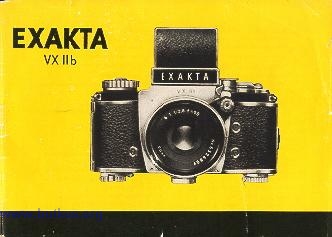
The important operating controls of the EXAKTA VX llb
| 1 = Knob for opening 2 = Camera-back lock (can be operated only with knob 1) 3 = Shutter release knob 4 = Pivoted shutter-release lock 5 = Eyelets for carrying strap or cord 6 = Frame counter 7 = Frame-counter setting knob 8 = Rapid-wind lever for tensioning shutter and advancing film 9 = Rewind declutching button 10 = Small shutter-speed setting knob (for speeds from 1/2 to 1/1000 sec., T and B) 11 = Friction dog of rapid-wind lever |
12 = Flash contact "X" (primarily for electronic flash units)
14 = Front of Finder Hood 15 = Swing-up focusing magnifier
20 = Indicator disc for checking film advance 21 = Hinge-pin knob (camera-back hinge) 22 = Flash contact "FP" (for flashbulbs)
|
| CLICK HERE TO SEE FRONT VIEW | CLICK HERE TO SEE TOP AND BOTTOM VIEW |
| CLICK HERE TO SEE BACK VIEW |
|
23 = Red aligning dot on camera (for changing lenses) 24 = Depth-of-field scale or automatic depth-of-field indicator 25 = Distance-setting (focusing) ring 26 = Aperture-setting ring 27 = Release knob or rocker of lens 28 = Lens 29 = Red aligning dot on lens (for lens changing) 30 = Lens locking lever 31 = Flash contact "F" (for flashbulbs) 32 = Take-up spool 33 = Chamber for take-up spool or cassette |
34 = Film-wind sprocket 35 = Film guide runners 36 = Film gate with blind 37 = Film-cutting knife4.butkus.org
38 = Knob of film-cutting knife
39 = Rewind crank
40 = Dog of rewind crank
41 = Chamber for cassette containing unexposed film
42 = Hinged, detachable camera back
43 = Exchangeable film pressure plate
44 = Tripod bush
45 = Penta Prism
46 = Eyepiece of Penta Prism |
We are delighted that you have chosen an EXAKTA VX and we wish you every success with your new camera.
We would like to advise you however, to read this instruction manual carefully before you start using your camera. In this way
you will obtain the greatest possible service from it, since you will eliminate from the outset the possibility of operating it
incorrectly, and possibly damaging the mechanism. The EXAKTA VX is a high-quality precision instrument which con
naturally only be expected to answer all your requirements when it is always handled correctly.
Fold out the opposite page to the left to reveal the itemized guide to the camera controls; in this way you can keep constantly
referring to this first illustration whilst you are reading the text.
We recommend you first to get thoroughly familiar with the EXAKTA VX by
practicing with the camera unloaded before you
insert a film. Get used to the operation of the shutter, the technique for opening and closing the camera, selecting the subject
and focusing it, with both the Finder Hood and also the Pent Prism. Handle the camera just as you would if it contained a film. Lastly practice inserting a new film; here it is advisable to
get accustomed to the technique by using an old, scrap film.
The EXAKTA VX operates on the single-lens reflex principle, which was first introduced into miniature photography by
Ihagee. Inside the camera there is a small, pivoted mirror which up to the moment of pressing the release button reflects the
image formed by the taking lens on to the focusing screen. Only in this way is it possible to eliminate all parallax between the
reflex image and the final picture and so be able to select your subject and focus the image
with complete confidence by means of the reflex viewfinder alone.
Keep in touch with your photographic dealer so that he can keep you constantly informed about all the latest developments in
our production range. Naturally, we are always ready to give you any advice and information you may need, whenever you
require our assistance on particular points regarding the use of the EXAKTA.
IHAGEE KAMERAWERK AG
Opening and closing the camera back
![]() |
Pull out knob (1) as shown in Fig. 5 turn it either to the right or left disengage the catch and then swing open the camera back
(42). To close the back (42), gently press it |
Opening and closing the Finder Hood
The Finder Hood (13) is opened by pressing on the lever (17). To close the hood, press the front (14) backwards until it
locks. The focusing magnifier (15) can be swung into either the working or rest position by means of handle (16). For further information on the use of the Finder Hood see page 13. The
image will only be visible on the ground-glass focusing screen in the Finder Hood when the shutter is tensioned. See next
section for instructions on tensioning the shutter.4.butkus.org
Shutter and film advance
![]() |
These are coupled together, eliminating double exposures and blank frames. Swing the shutter release lock (4) out of the way, then release the shutter either by pressing directly on the shutter release knob (3) or indirectly by depressing the release knob or rocker arm (27) on the lens. |
The shutter is tensioned and the film wound on by operating the rapid-wind lever (8). This lever should always be swung right
up to its stop (Fig. 6) and will then spring back of its own accord. It is impossible to release the shutter before it has been
tensioned fully and the film wound on. Neither can the film be wound on until the shutter has been released it will not be possible to operate the shutter release when the rapid-wind lever
(8) is at an intermediate point of its travel. Never force the rapid-wind lever back to its rest position or the mechanism will be
damaged. Should the lever not spring back automatically Operating the shutter
Shutter speeds from 1/30 to 1/1000 sec.: Lift the smaller shutter-speed setting knob (10)-- see Fig. 7--, turn it in the
direction of the arrow until the desired speed value is opposite the setting dot on the central disc and then
allow the knob (10)
to spring back. This operation may be performed either before or after tensioning the shutter.
The figures represent fractions of seconds: for example 30 = 1/30 sec. Intermediate speeds cannot be set. Exposures from
1/30 to 1/1000 sec. can safely be taken with a hand-held camera i.e. without a tri pod. Longer
exposu res (see next paragraph) should only be taken when the camera is placed on a tripod or other firm support.
Using the self-timer (delayed action release)
Operating the lens
Focusing is performed by turning the distance setting ring (25); where the ring bears two engraved scales, the lower
numerical values indicate meters, the larger values feet. The focus definition is checked by observing the ground-glass
screen in the Finder Hood or Penta Prism: When using the Fresnel Lens, critical focusing is done by means of the patterned
ring, situated in the important image center, which don't show the fine structure lines of the viewfinder-field. When the
definition of the reflex image appears at its sharpest, then the distance of the focused subject (in feet or meters) will be
opposite the red index mark on the scale. This distance is measured from the subject to the camera back. Cameras fitted
with a Fresnel Lens also permit to use for sharp Focusing the microprism field, and obtain with him a double focusing-security. Details see on page 16.
If the aperture figure on one side is opposite the infinity symbol (00) or even beyond it (reading outwards from the center),
then the depth-of-field zone extends to infinity. The f 2/50 mm Pancolar lens from Jena is equipped with automatic depth-of-field indicators.
Two examples
The automatic diaphragm mechanism is disengaged as follows: press the mount of the lens release knob (27) in the direction
of the camera and turn it to the left (looking at the camera from the front); when the release knob and its mount have been
pressed back into the release mechanism housing and locked in this position, then the diaphragm can be stopped down (i.e.
a numerically-larger f/No. selected by turning the diaphragm-setting ring (immediately in front of the camera body). The
diaphragm will then remain stopped down according to the amount by which the ring is rotated (this is important for time and
delayed-action exposures). The diaphragm-setting ring has click stops at all aperture values, including the intermediate
values which are not engraved on the scale. The desired aperture value must be set opposite the red mark.4.butkus.org
The Pancolar f 2/50 mm lens from Jena is provided with an automatic depth-of-field indicator (see Fig. 12). After the aperture
and distance settings adjusted, the have been adjusted, the two red pointers will indicate the extent of the depth-of-field range. Observe the
positions of the red indicators and note whether they are in the center of the alternate black and white guide bands or at the
division between two bands. Then follow the appropriate band until it meets the distance scale the distance figure on the left
will show where the depth of field begins whilst the figure on the right shows where the zone ends. Practice this operation by
setting your own lens as follows: aperture f 8 distance 5 meters (approx. 15 ft) = depth-of-field range extends from less than
3 metros (approx. 9 ft) to over 15 meters (actually 23 meters or 76 feet).
(Fig. 15). This is particularly useful for working inconspicuously since the photographer can remain in concealment (Fig. 16).
The Penta Prism (see next section) makes it possible to take vertical pictures with a direct line of vision and also provides a
laterally-correct and upright viewfinder image. The image on the ground-glass screen of the Finder Hood (13) can also be observed from below
when the camera is held above the head. This will prove very useful when taking pictures over walls or the heads of a crowd.
Using the Penta Prism
When you have finished taking pictures, swing the shutter-release lock (4) so that it covers the shutter release knob (3).

Time exposures of any
desired length: Set the smaller shutter-speed setting knob (10) to either T or B (either before or after tensioning the shutter).
T = the shutter will open when the release knob (3) or the release mechanism on the lens is operated and will close again
upon a second pressure. B = the shutter will remain open so long as pressure is maintained upon
the shutter release knob (3) or on the release mechanism of the lens. Lenses with fully-automatic diaphragms should be
adjusted for normal manual aperture setting; otherwise the diaphragm will open prematurely. When taking time exposures
with the f 2.8/50 mm Domiplan lens, use either the B setting and if necessary a cable release with locking device, or the T
setting and an additional locking knob for the release rocker. For further details see the sections dealing with the various
lenses pages 7. . .12. The Band T settings are very important for taking night and indoor exposures.
Shutter speeds from 1/8 to 12 sec.: Tension the shutter. Set the smaller shutter-speed setting knob (10) to T or B. Turn
the larger shutter speed setting knob (18) in a clockwise direction--see Fig. 8--until it stops; this tensions the speed-regulating mechanism. Then lift the outer ring of the shutter-speed setting knob (18), turn it until the red mark is opposite the
desired black speed value and then let the outer ring spring back. The small figures 8,4 and 2 signify fractions of seconds,
e.g. '/a, 1/4 and 1/2 sec. The larger figures from figure 1 to 12 represent whole seconds.
After a fairly brief exposure (e.g. 1/8 sec.) has been used, the speed-regulating mechanism will be only slightly run down;
despite this it should always be wound right up by turning the knob as far as it will go. Lenses with fully automatic diaphragms
should be set for normal manual aperture adjustment, to prevent premature opening of the diaphragm. Use an additional
release-rocker locking knob with the Domiplan f 2.8/50 mm lens.
(a) At shutter speeds from 1/4 to 6 sec.: tension the shutter. Set smaller shutter-speed setting knob (10) to T or B. Turn the
larger shutter speed setting knob (18) as far as it will go and select the desired red shutter-speed setting as
described above. The small figures 4 and 2 represent fractions of seconds, 1/4 and 1/2 sec. respectively. The larger figures from
1 to 6 signify whole seconds (the 3-second setting is represented merely by a dot).
(b) Shutter speeds from 1/30 to 1/1000 sec.: tension the shutter. Do not set the smaller shutter-speed setting knob (10) to T or
B. but to the desired shutter e.g. '/'as sec. Then rotate the large speed setting knob (18) as far as it will go and set it to any of the red figures as
described above.
The black figures on the larger shutter-speed setting knob (18) indicate "immediate" exposure settings, whereas the red
figures represent delayed-action exposures (with which the shutter opens approximately 12 seconds after pressing the
release).4.butkus.org
Whenever delayed-action exposures are made with lenses which have fully-automatic diaphragms, these should be set for
normal manual aperture adjustment in order to prevent the diaphragm from opening prematurely. With the f2.8/50mm
Domiplan lens an additional locking knob for the release rocker must be employed.
For all shutter speeds of 1/8 sec. and slower, a tripod should be used or else the camera should be placed on a firm support
(table wall). The camera should also be supported suitably to eliminate shake when taking delayed-action exposures. The
tripod bush (44) is in the base of the EXAKTA VX.
Cable releases (with long plunger) may be screwed into the shutter release knob (3) on the camera or into the release
mechanism on the lens. This is particularly important when using shutter speeds of '/e second and slower and virtually
indispensable when employing the B setting.
Although unintentional double exposures cannot occur; it is, however, possible to take double exposures on purpose (e.g.
for trick photography). After the first exposure, the shutter can be re-tensioned without winding on the film as follows: turn the
smaller shutter-speed setting knob (10) as far as it will travel in the direction of the arrow, without lifting it; the knob should be
held to prevent it from springing back. The frame counter (6) always indicates the number of exposures and will, therefore,
record two exposures for an intentional double exposure.

The lens (28) is exchangeable: press the
The aperture is adjusted by means of the aperture-setting ring (26). The numerically-smaller aperture values, e.g. 2.8,4,
represent relatively large lens openings these permit fast shutter speeds but give only limited depth of field. The larger
aperture values, e.g. 16, 22 conversely indicate relatively small lens openings, which require longer exposure times but give greater depth of field.

What does "depth of field" mean? Briefly, the situation in which objects at varying distances from the camera appear
uniformly sharp in the picture. More precise information is provided by the depth-of-field scale (24) on the EXAKTA
VX lenses: on either side of the red distance setting index mark will be found a series of aperture values (f/Nos.). The
distance figures on the feet (or metro) scale which are in line with the aperture values corresponding to the lens opening
actually used indicate where the depth-of-field "sharp zone" begins and ends.4.butkus.org
Distance setting 00, aperture f 8 = depth of field extends from about 24 fl (7 m) to infinity; see Fig. 10.
Distance setting 8 ft (2.5 m), aperture f 16 = depth of field extends from about 5 ft (1.5 m) to
approx. 36 ft (11 m); see Fig. 11.
Use a large lens opening (= lowest aperture value) for focusing on the reflex image in
order to obtain a brilliant finder image, and then stop down immediately before taking the
picture. This operation does not involve lowering the camera from the taking position, since the lens is provided with a fully-automatic spring or pressure diaphragm.
The fully-automatic pressure diaphragm of the Domiplon f 2.8/50 mm lens (Fig. 10):
The fully-automatic pressure diaphragm is used at full aperture for focusing and observing. Preselect the desired smaller
diaphragm aperture by turning the diaphragm-setting ring. The appropriate numerically-larger aperture value must be
opposite the red triangular mark. It is also possible to set intermediate values between any two f/stop figures. By pressing on
the release rocker the lens is stopped down automatically; when the release rocker is released, the diaphragm opens up to
the maximum aperture. The rocker should not, however, be released until the shutter has closed (most important when using
the slower "instantaneous" shutter speeds). For longer
a) Screw a cable release with a long plunger and time-exposure lock into the release rocker. In this way pressure can be
maintained on the release rocker or body shutter release for any desired period without having to keep one's finger constantly
on the release (also eliminating camera shake).
b) Alternatively, a special locking knob (available as an accessory) can be screwed into the release rocker; by propping up the
lower part of the rocker the automatic diaphragm mechanism will be disengaged. The lens is then stopped down (i.e. a
numerically-larger aperture value is selected) by turning the aperture setting ring. The lens opening will remain stopped down
according to the extent to which the ring is rotated.
Operating the fully-automatic spring diaphragm of the T f 2.8/50 mm (Fig. 11) and Pancolar f 2/50 mm lenses from Jena (Fig.
12):
Focusing is performed by turning the front, distance-setting ring.

Set the lens either for fully-automatic spring diaphragm or normal diaphragm setting. When using the fully-automatic spring
diaphragm the release knob (27) on the lens must project, together with its mount, by about 1 cm or 1/4 in. in front of the
black housing. If necessary press the mount of the release knob gently in the direction of the camera body and turn it to the
right (looking at the camera from the front): the mount and the release knob will then lock into the "automatic" position.
In order to ensure that the release button on the camera is always depressed sufficiently, an adjusting screw is provided on
the lower side of the lens release plunger so that the latter can be set to the required length by means of
a screwdriver. If this adjusting screw should foul any part of the camera when the lens is being inserted or removed, then the
lens need only be reset to "Automatic".
When employing the fully-automatic spring diaphragm, the lens is always used at its full aperture for focusing and observing
the reflex finder image. It can then be stopped down to the pre-selected smaller aperture (numerically larger f/No.) just by
pressing the release. This aperture value, at which the exposure is to be made, is selected by means of the diaphragm
setting ring. By pressing the release knob (27) on the lens, first the diaphragm closes down to the pre-selected smaller
aperture and then the camera shutter is released. By taking your

For checking the depth of field during focusing when the lens is set for automatic diaphragm operation, the release knob (27)
on the lens should be depressed just far enough to close the diaphragm down to the desired aperture without releasing the
shutter.
Focusing when using infra-red film
When using infra-red-sensitive film first focus the image on the ground-glass screen. Then note the indicated subject
distance (in meters or feet, or infinity) and rotate the distance setting ring so as to move the subject-distance figure from the
normal red index mark to the red dot either to the right or to the left of it.
Using the Finder Hood
Upon looking into the Finder Hood (13) of the EXAKTA VX you will see a brilliant, upright and enlarged image on the ground-glass screen. This image can be used both for selecting and framing the subject and also for focusing and checking the
depth of field by provisionally stopping down the lens. The magnifying ground-glass screen fitted in the Finder Hood will
generally give a large enough image for normal view finding purposes, but for accurate focusing it is advisable to employ
the additional focusing magnifier. The pivoted focusing magnifier (15) will spring into its working position when the Finder
Hood is opened, but can be folded back out of the way by operating handle (16); see also page 2. For the use of the Fresnel
Lens see page 16.

Normally, the EXAKTA VX is held at chest or shoulder level (Fig. 13). The method of holding the camera when using the
supplementary focusing magnifier is shown in Figs. 14 and 15. When taking vertical pictures with the Finder Hood it is
possible to shoot at right angle.
The EXAKTA VX is a multiple-system camera: the Finder Hood can be detached, allowing the Penta Prism (45) to be fined
red--as explained above. There is also the Lens Magnifier for close-up photography and photomicrography and the
"Stereflex" Stereo View Finder for 3-dimensional photography; see pages 33 and 35. When exchanging viewfinder units, the
Finder Hood (13) must first be closed. Lift off the Finder Hood by pulling it smoothly upwards (Fig. 17). When re-inserting the
Finder Hood, it must be introduced so that it is exactly vertical and then pushed down until it locks, never employ force.
Users who normally wear glasses should use their close-up (reading) spectacles for focusing with the Finder Hood.

The Penta Prism (45) (see Fig. 1), is the other principal focusing system of the EXAKTA VX and is primarily intended for
taking pictures of moving subjects such as sporting events (for which it is virtually indispensable).
The Penta Prism (45) is inserted into the camera and removed in exactly the same way as the Finder Hood. The camera is
always held at eye level when using the Penta Prism; the eyepiece (46) can be put to either the left or the right eye.
The reflex
image on the ground glass screen will invariably be upright and laterally-correct no matter whether the camera is held
horizontally or vertically; this is particularly useful when taking pictures of moving subjects since the image in the viewfinder
will move in the same direction as the subject itself.
With very rapidly-moving subjects the camera can thus be "panned" by
swinging it gently in the direction of motion of the subject (as for example, with racing cars).