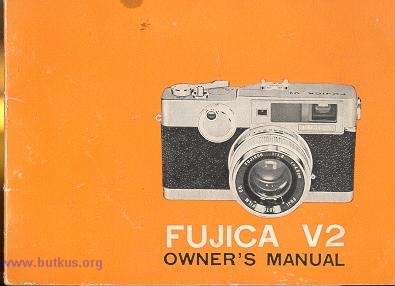
Fujica V2
Posted: 4/28/03
HTML Translations - German
- Italian
- French
- Spanish
- Others
These links will not translate any PDF
files
This is the full text and images from the manual.
This may take 3 full minutes for all images to appear. If
they do not all appear,
try clicking the browser "refresh" or "reload button".
This camera manual library is for reference and historical purposes, all
rights reserved.
This page is copyright by
, M. Butkus, N.J.
This page may not be sold or distributed without the expressed
permission of the producer
If you find this manual useful, how about a donation of $3 to: M. Butkus,
29 Lake Ave., High Bridge, NJ 08829-1701
Most other places would charge you $7.50 for a electronic copy or $18.00 for
a hard to read Xerox copy.
This will allow me to continue to buy new manuals and pay their shipping
costs. It'll make you feel better, won't it?
If you use Pay Pal, use the link below. Use the above address for a check, M.O. or cash.
![]() |
FUJICA'S BROAD BAND LIGHT SENSING SYSTEM. . . automatically extends your picture-taking~ Pleasure.
![]() |
| Previous to the Fujica V2, if you wanted to take correctly exposed pictures under all kinds of lighting conditions, from the very dim to
the very bright, you needed two things.. . a good hand held light meter and a relatively expensive camera. You would "read the light" with
your meter and then manually set the shutter speed and lens opening in the camera. The Fujica V2 eliminates this procedure and at the same time extends the range of your picture-taking ability into the extremes of light
situations. This capability is called the Fujica Broad Band Light Sensing System.4.butkus.org This exclusive Fujica system has the newest type of CdS (Cadmium Sulphide) photo electric cell built in. It not only automatically
"reads the light" from dim to bright, but also automatically sets the correct lens opening for the selected shutter speed. Since the CdS electric eye is extra sensitive to low light, you'll find your Fujica still capable of taking pictures automatically where the
usual automatic would have to switch to |
![]() |
| Your picture-taking ability is further expanded with Fujica's range of shutter
speeds from 1 full second right up to 1/500th. If you are technically minded, the following explains how the Fujica differs from other cameras.
The versatility of an automatic camera may be judged by the range of the Light Values to which it will respond, since this indicates the number of different lighting and picture situations it can handle. Many automatics operate within a Light Value band of LV 6 to LV 17. This is a good range, and covers most picture situations.4.butkus.org But. . .your Fujica V-2 covers a band of LV
2 to LV 18! That's why its automatic exposure system is referred to as "Broad Band". In practical terms, this means a far greater range of
automatic picture-taking opportunities.
While most of your picture-taking will probably not require the use of your Fujica's extreme capabilities, when the great picture opportunities happen under difficult conditions, it's wonderful to know that your Fujica will respond...automatically! |
|
FUJICA'S VISIBLE CONTROL CENTER Simplifies Operation This unique Fujica feature shows you at a glance all of the factors that make up the picture when you look through the viewfinder. It
permits you to make adjustments, if you wish, without removing the camera from your eye.
4. Focusing is adjusted by means of the rear Focusing Wheel, and is indicated in the golden square in the center of the frame...and
parallax is corrected automatically. See page 13 for details. In addition, if the light is too bright or too dim for correct exposure, a red warning flag appears over the column of lens opening numbers at the right. This is your signal not to shoot and to " dial " a different shutter speed. See page 10 for the simple details |
SHOWS ALL SETTINGS
Both Speed and Lens Openings

THE PRECISION FEATURES OF YOUR FUJICA V2

| 1. Automatic or Manual Operation Lens opening selector ring Accessory Shoe |
| 2. Red dot guide mark for automatic or manual operation |
| 3.
|
| 4. Shutter speed selector ring |
| 5. Film speed setting ring, ASA or DIN |
| 6. Fujica's ultra sensitive electric eye is behind the small, round window on the front of this ring. Do not cover it with your fingers when shooting. |
| 7. Shutter release button and close-up light lock |
| 8. Exposure counter. Resets itself to " S" (start) when camera back is opened |
| 9. Distance scale in both feet and meters. Rotates as you rotate rear focusing wheel |
| 10. Single stroke film advance lever4.butkus.org |

![]() |
Rear focusing wheel (also numbered 10 on Top View picture on page 6 and 7)
Rewind button (depress after entire roll is exposed before rewinding into original film cartridge)
Standard tripod socket
Mercury battery cover
|
| 4 SIMPLE STEPS show you how easy your Fujica is to handle
|
| DO NOT FORGET TO PLACE THE MERCURY BATTERY IN THE COMPARTMENT. (MERCURY BATTERY IS PACKED IN THE CORNER OF
STYROFOAM PACKING) Webmaster: see my main page (www.butkus.org/chinon) on
replacement mercury batteries.
(1) Set the ASA number of your film in the Film Speed Setting Ring (No. 5) by rotating the Ring Am/ until the desired ASA number appears at the top, aligned with the red dot on the camera
body. ASA numbers are the large black numerals on the outside of the Ring. The small red numerals on the inside are DIN (European) equivalents. For example, set the Ring at ASA 64, as
shown above.4.butkus.org
(2) Set your Fujica for fully automatic operation by turning the Selector Ring (No. 1) to AUTO. Select a shutter speed by turning the Shutter Speed Selector Ring (No. 4) until the desired
speed aligns with the Guide Mark (No. 3). For example, set the Selector at "250" as shown above.
(3) Hold the camera to your eye. The Focusing Wheel (No. 10) will fall naturally under your right thumb. Rotate the Wheel until the golden square in the center of the frame shows a single
image...sharp and clear. Further information on focusing is given on page 13.
Practice these simple steps a few times until you get the "feel" of your new Fujica. |
|
HOW TO USE THE FUJICA V2's AUTOMATICALLY CORRECT EXPOSURE CONTROL Set the CdS meter for the ASA number of the film you're using (ASA number is always indicated on the instruction sheet packed with the
film). Set the Fujica for automatic operation by turning the Selector Ring to AUTO position, both as previously described.
|
| If the light is dim, release the Shutter Release button and move the Shutter Speed Selector Ring one position slower (for example, from
1/250 second to 1/125 second). The new speed will be seen in the lower left corner of the viewfinder. Depress the Shutter Release button
again. If the red flag appears again shift the speed from 1/125th to 1/60th and so on until the red signal does not appear when you press the
button. If you reach 1 second, and the red signal still appears, this is your signal to switch to Flash (see page 19) or to Time Exposure. If the light is extremely bright and the red signal shows when the button is depressed, increase the shutter speeds to faster instead of slower (for example, from 1/125 second to 1/250 second or from 1/250 to 1/500). It would be an extremely rare situation if the red signal still showed at 1/500 of a second. |
![]() |
HOW TO USE THE FUJICA V2 CLOSE-UP LIGHT LOCK
| This extremely useful feature lets you capture perfectly exposed pictures under unusual lighting situations. Most typical is the "
backlighting " situation as shown in the illustration on this page.
Normally, the Fujica's Broad Band Light Sensing System takes into account ALL the light in the scene for best overall exposure. In this
case, however, better exposure will result from selectively exposing for the girl's face, because the brilliant backlight could cause an
underexposure of facial detail.
Bring the camera to within a few inches of the important area of the subject. Look through the viewfinder, aim the camera at this area and
press the Shutter Release Button until the black bar rises to indicate a lens opening. Don't press the button all the way, or you'll make an
accidental exposure.
Hold the button in the partway-down position and back up to your shooting position. Aim, focus and press the button all the way down to take the picture. The girl's features will be correctly exposed, and you'll get the lovely "halo" of backlight that makes this kind of picture so delightful.4.butkus.org
|
![]() Other Situations in which the Close-up Light Lock Is Useful Strong Front light-Dark Background Follow the same procedure as described in the example at left.
Strong Side lighting
|
FOCUSING IS SIMPLE

When you look through the Fujica's viewfinder, you'll see a When the camera is out-of-focus for a particular subject, a double image appears within the golden square. In the out-of-focus illustration
at the left, part of the mast of the boat appears as two images. To focus the camera, rotate the Focusing Wheel with your thumb until the two
images in the golden spot merge into one sharp, clear image, as in the in-focus illustration.
Rotating the Focusing Wheel also rotates the Distance Scale (No. 8) on the top
of the camera. You'll find this scale convenient should you wish to determine
depth-of-field (see page 2L) or setting the camera for flash exposures (see page
19). Automatic Parallax Correction
When the Focusing Wheel is rotated, you can observe that the Golden Frame shifts downward and to the right in the Viewfinder Window.
Just keep your subject or scene within this Golden Frame and you'll Ret exactly what you see in the finished picture. This feature eliminates
chopped off heads or feet and is very helpful when taking portraits or close-ups of objects.4.butkus.org
Fujica's Broad Band Light Sensing System can be a very helpful guide for manual settings of shutter speeds and lens openings.
This feature is useful two ways. First, with the camera mounted on a tripod, it lets you get into the picture yourself.
Secondly, with long exposures when no tripod is available, it gives you a chance to brace yourself steadily before the shutter is released,
adding greatly to picture sharpness.
To set the Fujica for manual control of exposure, select a shutter speed in the same manner as for automatic exposures. To select a lens
opening, move the Selector Ring (No. 21) off AUTO position to the desired lens opening number.
You have a very broad range of settings: shutter speeds from 1 second to 1/500 second, plus " B " for time exposures, and lens openings
from f/1.8 to f/22.
Use the Broad Band Light Sensing System as a check
After you have decided on a combination of shutter speed and lens opening to be set manually, you can switch the Fujica back to automatic
operation if you wish to check your settings. Point the camera at your subject and press the Shutter Release button partway down. The black bar will rise and indicate what lens opening will result in correct exposure based on the
shutter speed you selected. If for some reason you wish to deliberately overexpose or underexpose, the automatic system gives you the
correct starting point for making your own settings.
Note: The black bar has limited movement when the camera is used manually, and does not indicate the lens opening you have set.
Use Broad Band Light Sensing for "bracketing"
Many photographers prefer to "bracket" their pictures to have a choice of effects. To do this, make the first exposure with the camera set
for automatic exposure. Note the lens opening number indicated by the black bar in the viewfinder. Then, set the camera manually one lens
opening higher, and make another exposure. Make a third exposure with the camera set manually one lens opening number lower. Choose
the slide or negative that gives the most pleasing effect.
After the Film Advance Lever has been actuated the shutter will remain open as long as the Shutter Release Button is depressed. It will
close as soon as the Button is released.
HOW TO LOAD YOUR FUJICA V2
SET FILM SPEED Rotate the
OPEN BACK
Pull down the Back Slide Lock. The camera back will spring open. Swing it open completely.
ROTATE FILM TAKE-UP SPOOL
With your thumb pushing in the direction of the arrow. rotate spool until the slot is clearly visible.
Insert any standard 35 mm cartridge into the film chamber as shown, with the narrow leader of the film at bottom.
INSERT END OF FILM into the Take-Up Spool Slot until it is held securely. Be sure the sprocket teeth of the smaller black wheel engage the perforations in the
film.
ADVANCE FILM While gently holding down the film cartridge with your thumb, press the shutter release and take one full stroke of the film advance trigger.
This winds the end of the film around the take-up spool. Close the back.
PRESS SHUTTER RELEASE and advance the film trigger. Repeat several times until the number "1" appears in the exposure counter window.
When you have made the last exposure on any roll of film and then try to advance the film lever, you will find that it locks about halfway
out. Do not force it any farther. This is your signal that the last exposure has been made. Do not open camera back. The film should then be
rewound back into the original cartridge and unloaded from the camera. This is quite simple and done as follows.
With the film lever still about halfway out, press the Rewind Release Button (No. 19) which you will find on the bottom of the camera.
Keep this button pressed in. Swing out the Film Rewind Crank (No. 12) and turn in the direction of the engraved arrow. You will feel some
resistance. Continue winding until no more resistance is felt. You can then open the back by pulling down the back slide lock (No. 21) and
lift out the film cartridge. For best photographic results, have the film processed as soon as possible after exposure.
FUJICA'S FLASH - SYNCHRONIZED SHUTTER
Your Fujica'a shutter is fully synchronized for flash bulbs and electronic flash at all shutter speeds including 1/500th second.
For Flash Bulb, set the Flash Selector Lever (No. 14) at "M".
For Electronic Flash, set the Flash Selector Lever at "X,'.
On the instruction sheet packed with your film is its tungsten rating. Refer to the chart below for the guide number based on this film rating and the shutter speed you have
selected and set on the shutter speed selector ring. Divide the guide number by the number of feet for meters) between your flash bulb and the subject and set the
lens opening size closest to the number you get. If your flash unit is attached to your camera, the easiest way to determine the distance to
your subjects is to focus on the subject and then look at the distance scale (No. 8) on top of the camera.
the chart below shows the flash exposure guide numbers for black and white film and indoor color film based on using $5 or 425 flash
bulbs in a 4-5" polished reflector. Set flash selector switch at "M" position.
Electronic Flash equipment of all types can be used with the Fujica V2. See the instructions that come with the flash unit for
recommended guide numbers.
Filters are discs of colored glass that are attached in front of the lens. They are used primarily to obtain special effects such as accentuating
clouds, lightening the tonal value of foliage and for unusual pictures.
Since filters absorb part of the light, compensation must be made to achieve correct exposure. Each filter has a " filter factor " number
assigned to it which indicates the amount of light it absorbs. For example, a medium yellow filter has a factor of 2, which means it absorbs
half the light. The easiest way to compensate is to divide the ASA number of the film by the filter factor, and set the resulting number in the
ASA Selector Ring. (For example, if the ASA of the film you are using is 200 and the filter factor is 2, 200 divided by 2 is 100. Set 100 in
the ASA Selector Ring.) Be sure to turn the ASA dial back to the original film speed setting when you remove the filter.
HOW TO CARE FOR YOUR FUJICA V2
Avoid touching the lens or electric eye window with your fingers. Finger marks
should be removed promptly with a good lens tissue wiping
the lens lightly. Should dust or particles get inside the camera remove them with a camel's hair brush or similarly soft hair brush. Never
blow into the camera or use a handkerchief for cleaning. Keep camera in case when not in use.
HOW TO CHECK THE MERCURY BATTERY
The mercury battery should last about a year. A quick check is to set the camera on automatic and the ASA dial at 100. Point the camera at
a 75 watt or 100 watt lamp and press the shutter button halfway down a 3 different speeds 1 second, 11125th and 1/500th. If the red flag
appears at all three settings, the battery needs replacement.
CHANGING THE MERCURY BATTERY
Replace it with a Mallory PX13 or any other identical type. Be sure that the (+) plus mark on the battery is up facing the screw-in cover.
FOR MANUAL OPERATION
TIME EXPOSURES
For exposures longer than 1 second, move the Shutter Speed Selector to "B" position. Set the lens opening Selector Ring for the desired
lens opening or f/ stop, anywhere off AUTO position. Mount the camera on a tripod or other support.
(The use of a cable release is recommended with time exposures to avoid jarring the camera and blurring the
picture. The Fujica's Shutter
Release Button is threaded to accept all standard cable releases.)


INSERT FILM ROLL

SPECIAL NOTE ABOUT THE LAST EXPOSURE ON THE ROLL

HOW TO UNLOAD YOUR FUJICA V2


Click
here for DEPTH OF FIELD IN METERS
Click
here for DEPTH OF FIELD IN FEET
LIGHT FILTERS FOR YOUR FUJICA V2
In In color photography, two filters are commonly used: Type 85 conversion filter which lets you use tungsten balanced indoor film outdoors,
and ultra-violet (UV) or skylight filters (1A) that cut through haze and reduce the over blue effect of shooting in open shade on a bright day.
For black and white photography, the chart below gives you information on four popular filters.