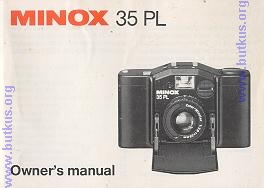
Minox 35PL
posted 2-9'03

HTML Translations - German - Italian - French - Spanish - Others
These links will not translate any PDF files

This camera manual library is for reference and historical purposes, all rights reserved.
This page is copyright© by , M. Butkus, NJ.
This page may not be sold or distributed without the expressed permission of the producer
I have no connection with any camera company

On-line camera manual library
This is the full text and images from the manual.  This may take 3 full minutes for all images to appear.
If they do not all appear.  Try clicking the browser "refresh" or "reload button" or right click on the image, choose "view image" then go back.  It should now appear.
To print, try printing only 3 or 4 pages at a time.

If you find this manual useful, how about a donation of $3 to: M. Butkus, 29 Lake Ave., High Bridge, NJ 08829-1701
 and send your e-mail address so I can thank you.  Most other places would charge you $7.50 for a electronic copy
 or $18.00 for a hard to read Xerox copy.   This will help me to continue to host this site, buy new manuals, and pay their shipping costs.   
It'll make you feel better, won't it?
If you use Pay Pal, use the link below. Use the above address for a check, M.O. or cash.

Back to main camera manual page

TO SECOND SECTION

Introduction

This detailed instruction manual will help you to make the most of your Minox 35 PL. The most important text Sections are printed in bold type.

References to parts, controls or camera signals are followed by a numeral in brackets; This is the number of that part in the annotated illustrated on pages 4 and 5.
Most handling steps work without a film in the camera So get familiar with your camera by trying it out before actually taking pictures.
Many operations of the Minox35PL are controlled electronically. The camera therefore only works with a battery.
Despite its small dimensions the Minox 35 PL is a full-frame 24 x 36 mm miniature camera and takes any standard 35mm (No. 135) cartridge.4www.butkus.org

Contents

Annotated camera views

Front view 4

Rear view 5

Handling the camera

The battery 6

Inserting the battery 6

Battery check 7

Opening and closing the camera 9

The viewfinder 9

Holding it right 10

Releasing 11

Advancing the film 12

The frame counter 13

Setting the film speed 13

Daylight exposures 15

Program automation 154www.butkus.org

The slow-speed warning 16

The backlight switch 17


Flash exposures 18

The self timer 19

The distance setting 20

Loading the film 21

Unloading the film 24

Care of the camera 25

Accessories

Special computer flash units

Minox FC 35 27

Minox TC 35 28

The ever-ready case 30

The belt and wrist pouch 31

The pocket tripod 32

Push-on filters

The skylight filter 33

The neutral density filter 33

Technical cats 34


1. Frame counter

2. Shutter release

3. Battery check button

4. Backlight switch I

5. Hot shoe I

6. Slow-speed warning LED

7. Battery check LED

8. Film rewind crank

9. Self timer LED

10. Viewfinder

11. Battery compartment

12. Aperture ring

13. Distance scale

14. Lens

15. CdS cell

16. Front cover

17. Viewfinder eyepiece

18. Self timer switch

19. Film transport lever

20. Take-up spool

21. Rewind release

22. Tripod bush4www.butkus.org

23. Film speed scale

24. Back cover lock

25. Film chamber


The battery

Certain functions of the Minox 35 PL, such as the shutter and automatic exposure settings, are controlled electronically. The camera therefore only works with a battery. It requires a 5.6 volt mercury oxide battery, for instance:

Duracell PX 27
Ucar EPX 27 
Varta V 27 PX 
or equivalents.


Inserting the battery

Open the front cover (16).
Unscrew the battery compartment cover (11) anticlockwise, with a coin if necessary.
Insert the battery so that the + end faces the inside of the compartment cover, also marked with a + sign.

Replace the cover and screw tight again.

A click on pressing the release does not necessarily indicate correct operation of the electronic shutter. So check the battery.

Battery check

Open the front cover (16), fully advance the film transport lever (19) see page12 -and check as follows:4www.butkus.org

Fully depress the small rectangular battery check button (3) between the hot shoe and the green release button. If the left-hand green LED (7) in front of the hot shoe lights up, the battery is OK.

If the green LED (7) fails to light the battery is exhausted or was inserted the wrong way around.

If the green LED (7) goes dim within 2-3 seconds, the battery is nearly exhausted - so replace it as soon as possible.

The battery check does not indicate how much longer the battery will last. To be on the safe side, replace the battery once a year by a new one, even if the battery check is still positive.
Apparent early failure of the battery may in fact be due to a poor contact. Remove the battery from the camera, firmly rub down both contact faces with a rough cloth and replace.
Never keep spent or too old batteries in the camera. Also remove the battery if you do not expect to use the camera for some time.

Note: The battery used here contains mercury compounds that could pose a health risk. So never throw used batteries on a fire; also keep them out of the reach of small children. Photo dealers usually accept spent batteries for disposal.

Opening and closing the camera
To prepare the Minox 35 PL for shooting, fully pull down the front cover (16). After shooting push the cover up again against the camera body.
Opening the front cover automatically extends the lens (14), closing the cover retracts it.

The closed cover also covers the viewfinder, blocks the release and switches off all electric circuits
With the camera closed you can still advance the film (page 12) or rewind an exposed film (page 24).

The viewfinder
The bright frame in the finder (17) outlines the field of view.
In certain light conditions a red signal appears in the finder below the bright frame at the right. This is the slow-speed warning signal (page 16).
The closed front cover (16) also blocks the finder view. So when you see nothing through the finder you must open the cover.


Holding it right

The picture at the left shows a convenient camera hold for horizontal shots, the illustration opposite a suit- l able hold for upright views.  To minimize the risk of camera shake hold your 35 PL steady while you shoot.

Keep your fingers clear of the lens (14)andoftheCdS cell (15).Preferably press your fingers flat against the front of the camera body.4www.butkus.org


Releasing

Once you have framed the view you want in the bright-line finder frame, gently depress the green release button (2). That triggers the shutter to take the picture.

On pressing the release, the self timer LED (9) briefly lights up on the camera front. During the exposure the red slow speed warning LED lights up on the camera top (6) and in the finder at the bottom right. This red signal remains lit until the shutter closes - a useful indication during long time exposures with the camera mounted on a tripod.


Advancing the film

Pull the film transport lever (19) -at the top right of the camera back fully out to the right and forward. Repeat this.

If you failed to pull the lever fully forward either time, pull once more.  If you have loaded the film and it is advancing correctly, the knob with the rewind crank (8) at the top left of the camera also rotates as you operate the transport lever. So do not obstruct this knob as you wind.

A light dot on the rewind crank (8) shows up this movement.

When the whole f ilm is exposed, the transport lever no longer swings out fully and the release is blocked.  You can advance the film with the front cover open or closed.


The frame counter

The frame counter (1) - the white window at the far right of the camera top tells you how many pictures you have taken on the film.4www.butkus.org

The frame counter returns to its start position when you remove the camera back to change the film (see page 24) or as soon as you then press the release (2).

Setting the film speed

Every film package carries an ASA speed rating (and often DIN)

To set the automatic exposure program of the 35 PL for the film speed, turn the dial (23) in the camera base to the appropriate ASA (or DIN) rating of the film.  The dial engages at every speed setting. The unmarked dots between the arrowheads indicate intermediate speeds, for instance 64 and 80 ASA between 50 and 100 ASA.

ASA speed figures are marked in red, DIN figures in green.  If you have set too high a film speed, your pictures will be underexposed; too low a speed setting yields overexposed shots.

(webmaster:  The other dots are setting for the following ASA settings *400, 333, 267, *200, 166, 133, *100, 84, 67, *50, 42, 33, *25) 

Daylight exposures

Program automation
For all shots without flash set the white arrowhead on the lens mount (12) to A (automatic control).

At this A setting the camera automatically selects a correct aperture and shutter speed combination for the subject brightness and film speed.

The F-stops, for instance 2.8 - 4 5.6 etc. on the aperture ring (12) are only used for flash shots (page 18). If you accidentally set the ring to an aperture figure instead of to A, daylight and other shots without flash e.g. bright interiors lit by artificial light - may be wrongly exposed.

The electronic program of the Minox 35 PL yields aperture/speed combinations from f/16 to f/2.8 and from1/500to4secondsat100ASA(up to 15 seconds at 25 ASA or up to 1 second at 400 ASA).


The slow-speed warning

If the camera is ready to shoot (front cover open, film advanced) at an exposure time longer than about 1/30 second, a red flashing signal warns of likely camera shake with hand-held shots.

The red signal flashes clearly on top of the camera (6) and also in the finder (at the bottom right). There it appears weaker to avoid glare in the finder image.

The automatic control of the Minox 35 PL can also generate exposures much longer than 1/30 second. The red flashing signal is thus not an underexposure warning but only a recommendation to use a flash unit (pages 27 to 29) when photographing moving subjects (e.g. people) indoors. Or -for static subjects- mount the camera on a tripod (page 32).


The slow-speed warning uses battery power. So close the front cover when you put away your Minox 35 PL.

The backlight switch

If you push the backlight switch (4) -the small rectangular button next to the hot shoe - fully forward, this automatically doubles the exposure.

A red window with 2x in white reminds you that you have switched on the backlight switch.4www.butkus.org

Apart from lightening shadows in backlit subjects, use the backlight switch also for outdoor views where predominant snow or a bright sky area could cause the meter to set insufficient exposure.

TO SECOND SECTION