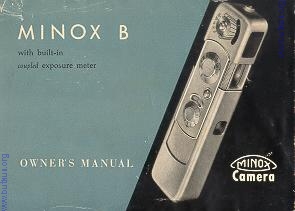
Minox B
Posted 12-27-'02

HTML Translations - German - Italian - French - Spanish - Others
These links will not translate any PDF files

This camera manual library is for reference and historical purposes, all rights reserved.
This page is copyright© by , M. Butkus, NJ.
This page may not be sold or distributed without the expressed permission of the producer
I have no connection with any camera company

On-line camera manual library
This is the full text and images from the manual.  This may take 3 full minutes for all images to appear.
If they do not all appear.  Try clicking the browser "refresh" or "reload button" or right click on the image, choose "view image" then go back.
To print, try printing only 3 or 4 pages at a time.

If you find this manual useful, how about a donation of $3 to: M. Butkus, 29 Lake Ave., High Bridge, NJ 08829-1701
and send your e-mail address so I can thank you.

Most other places would charge you $7.50 for a electronic copy or $18.00 for a hard to read Xerox copy.

This will allow me to continue to buy new manuals and pay their shipping costs.  It'll make you feel better, won't it? 
If you use Pay Pal, use the link below. Use the above address for a check, M.O. or cash.

Back to main camera manual page

TO SECOND SECTION

 
1.Exposure Meter Disc

2. Exposure Meter Button

3. Shutter Speed Dial

4. Shutter Release Button

5. Exposure Counter

6. Distance Scale

7. Depth of Field Bracket

8. Flash Plug

9. Exposure Meter Indicator Window

10. Exposure Meter Window

11. Filter Slide

12. Viewfinder (Front Window)

13. Lens Window


14. Snap lock for Back Cover

15. Film Compartment

16. Serial Number

17. Viewfinder Eyepiece4www.butkus.org

18. Sliding Back Cover

19. Exposure Meter Housing


CONTENTS

(Set also alphabetical index on page 48)

How to use the MINOX .............................................................Page

Opening the camera * Telescopic Rapid Wind * Holding the MINOX * Distance setting * Zone of sharpness * Setting the shutter * Built-in exposure meter * MINOX always works at f/3.s * Viewfinder Exposure counter * Loading ASA film speeds * Un-loading * Filters * Measuring chain * Take care of your MINOX ........2

Tips for best results

The "best" film *  Correct exposure measurement * Steady * Longer exposures Frame your subject * Close-ups of small things * How to stop moving subjects Flash is easy * It's a colorful world * Copying Changing the film type . . . 28

What happened? . . . . . . . . . . . . . . . . . . . . . 40

The MINOX Camera Clamp . . . . . . . . . . . . .44

The MINOX Pocket Tripod . . . . . . . . . . . . . 44

The MINOX Slide Projector . . . . . . . . . . . . . 45

The MINOX Enlarger . . . . . . . . . . . . . . . . . . 45

Other MINOX Accessories . . . . . . . . . . . . . .46 - 47

Subject size and depth of field tables . . . . . . . . Inside Back Cover

Congratulations--with your MINOX B you are embarking on a new, un-burdened kind of picture taking: Your MINOX B is not only exceptionally small, precise and modern, it is also far easier to use than almost any other camera. It will give you lots of pleasure!
It's easy to get fine pictures with the MINOX B but, naturally, the more you know about the camera, the better, more certain, will be the results. This little book wants to show you the way.4www.butkus.org
Read the various sections carefully--it's time well spent, and will pay off generously in fine MINOX pictures!

The first section explains the best way to hold the MINOX, how to load it and unload it, how to set it.
Part two will help you select the proper kind of film for best results, and tells about color photography, flash, filters, close-ups, and about some special uses for your MINOX.
The final pages come in handy if something goes wrong; there you will find the cause - usually a minor mistake which may occur if you have not read the first two sections carefully! And it's so easy to avoid such mistakes.

But NOW--why not get acquainted with the ease of MINOX photography?

HERE'S HOW
You are, naturally, anxious to put the first film into your MINOX and to start shooting pictures. P I e a s e hold on for little while, and get to know the most important features of the camera while it is still unloaded.

You'll be much more confident and sure of success when you know more about the "HOW".


 Opening the camera
The camera is closed when you take it out of its leather case. To open it for picture taking, grasp it with both hands as shown here, and pull it open as far as it will go. This brings out the viewfinder and lens window, and makes the MINOX ready for shooting.

Telescopic rapid wind
After you have taken a picture, 'close' the camera. Then, for the next picture, you pull it open again. That's the secret of the telescopic rapid winding mechanism of the MINOX: Each time the camera is closed and re-opened, the film is advanced for the next picture, the shutter is re-cocked, and the exposure counter moves to the next number, all automatically!4www.butkus.org

In a hurry? ONE-TWO-your MINOX is ready for the next picture. But it's important to close and open all the way every time!

The small circle in the lens window :indicates that the shutter is wound ready for the next picture. The circle disappears after you have released the shutter. That's your signal that you must 'push-pull' before you take the next picture. Clear and simple, isn't it?


Hold it steady
A steady and firm hold is the best assurance for good pictures with your MINOX. If the camera moves while you are taking a picture, you are bound to get blurred results. Hold the camera firmly, yet relaxed, with your hands steadied against the face. Keep both thumbs under the camera, other fingers on top or at the side so that the lens and exposure meter window are unobstructed. The illustrations on this and the next page show the most practical way of holding your MINOX; it's a firm and steady hold, and nothing covers the lens, viewfinder, or exposure meter window.

It's a good idea to practice this hold in front of a mirror to check yourself, You'll notice that the same hold is used for horizontal and vertical pictures.


Taking the picture

Now that you know the proper hold, look into the viewfinder and frame your picture in the luminous rectangle; when you're all set, squeeze the shutter release button gently. A little counter-pressure from the thumb underneath the camera helps to keep the MINOX steady. The shutter operates so smoothly and quietly--the picture is taken without effort!

The MINOX B requires a minimum of operating steps: Setting distance and exposure is all that's needed--and easy, too.

Above: Correct hold for horizontal pictures

Right: Similar hold for vertical pictures.


Distance setting
There are two engraved discs on the control panel of your MINOX; the smaller one is the distance scale. It is calibrated from infinity (oo) to 8 inches, with additional markings 6: 3, 2, 11/2, 1 ft., and 10 inches. A red dot indicates 12 ft., and also serves as a general "snapshot" setting.

<Setting the distance scale. Arrow points to sharpness zone bracket >

To set a given camera-to-subject distance, rotate the distance dial with your finger on the knurled centre until the desired distance number is at the black dot of the 'sharpness zone' bracket.

This little bracket is more important than the black dot in its centre:4www.butkus.org

Let's say you are taking pictures at a picnic, with the distance setting at 12 feet that's (that's the red dot between and 6'). The campfire is 12 feet away, some of the guests are sitting at a table 8 feet from the camera, while one of the youngsters is just bringing an extra log and is now l5 feet away from you. You'll get them all perfectly sharp in your MINOX picture, because it gives you a sharpness 'bonus' in front and beyond the focused distance. The zone of sharpness from nearest to farthest distance is also called "depth-of-field". The bracket along the distance scale tells you the extent of the zone of sharpness for every distance setting.

For most of your pictures, you don't have to set the distance critically. It is sufficient if the main object of your picture is within the zone of sharpness. The MINOX has exceptionally great depth of field and makes focusing very simple.

You get the greatest zone of sharpness with the red dot (Snapshot Setting); from 6 feet to infinity (a). This is your ideal choice for all pictures which require quick readiness, fast shooting. You can shoot groups, games, travel pictures, races -- whatever comes before your camera--as long as the main point of interest is at least 6 feet from the camera.

This snapshot setting (see illustration at top will take care of most of your pictures.

Use the snapshot setting for scenery only if an important part of the foreground is closer than 12 ft. Otherwise, always use the infinity (00) setting for landscape pictures (sharpness reaches from 12 ft. to infinity).


Two other settings with zones of sharpness from 4 ft. to 11 ft., and from 3 ft. to 6 ft., respectively, are shown in the illustrations on the previous page. Complete tables showing the depth of field ranges and subject sizes at various distance settings are shown on page 51. (inside back cover).

As you can see, the zone of sharpness gets smaller at closer distances, and at very close distances it amounts to inches and less. Therefore, close distances must be set carefully on the distance scale, but that is easy because the safety chain of your MINOX has small beads for distances corresponding exactly with the close distance settings engraved on the distance scale. With the chain locked in the camera sod et, held taut and at right angles from the camera to the subject, the beads are placed at 8,10,12, and 18 inches; the full length of the chain is 24 inches.

To sum up:
You need not set distances beyond 3 feet too critically - make the "sharpness zone" bracket do the work for you.4www.butkus.org

Set the distance scale so that the important part of the picture is safely within the sharpness zone.

For extreme close-ups always use the measuring chain.

The shutter

To produce a well defined, correctly exposed picture, the film must absorb a definite amount of light. The less light comes from the picture area, the longer this light must act on the film -- the shutter must stay open for a longer time. Very bright scenes require only a short shutter speed. This length of "exposure" is regulated with the larger dial on the control panel of your MINOX. You can set the shutter while the camera is still closed, or after it has been opened, whether the shutter is cocked nor not.


To set the shutter speed, place the thumb on the knurled centre of the shutter speed dial while holding the forefinger under the camera and, with the other hand, turn the camera. (See illustration). It's really very easy. The engraved figures represent fractions of a second: 2 indicates l/2 second, 1000 is 1/1000 second, etc.

But, don't let these figures worry you--you need not even look at them! Yours is a MINOX B--the built-in coupled exposure meter does the thinking for you. (See page 29 for some helpful hints on exposure measurement!)

The built-in coupled exposure meter

The coupled exposure meter distinguishes the MINOX B from the MINOX A camera. You need not estimate shutter speeds, you don't even have to refer to a table or scale, and then transfer shutter speeds from l/2 to 1/1000 second to the shutter speed dial. The exposure meter is coupled with the shutter speed dial. You simply match a pointer with an indicator needle --that's all: You have already set the correct shutter speed! Only once-- when you put the first film into the camera --do you set the exposure meter for the 'speed' of the film, and couple it with the shutter. (see page 20). You need never touch the meter setting again until you use film of a different speed.

Using the exposure meter is child's play:

Before you take a picture, look at the scene through the viewfinder - just be careful not to cover the front window of the meter with your finger - and hold down the meter button with the forefinger or third finger of your left hand. After two or three seconds, let the button go and take the camera from your eye.

Look at the scene through the viewfinder; hold down the meter button for two or three seconds: release the button and take the camera from your eye Turn shutter speed dial until open triangle (upper left arrow) points to indicator needle (upper right arrow) along connection line.  This sets exposure automatically Yare are now ready to take the picture.  Hold the camera correctly!

At one end of the camera you will see the curved indicator window of the exposure meter, and next to it--surrounding the meter button--a flat disc with an open triangle mark and a green dot. The rotating disc and indicator window are connected by thin black lines. When you turn the shutter speed dial, the meter disc with the triangle mark also turns: both are coupled. Now turn the shutter speed dial until the open triangle is set to the black line that connects with the indicator needle. If the needle is between two lines, set the open triangle between the two lines also.
By thus pointing the open triangle to the line leading to the indicator needle, you have automatically set the correct shutter speed. If the shutter speed dial happens to be set between engraved numbers, don't worry: The shutter speed scale of the MINOX B is matched with the exposure meter, providing an infinite range of speeds between 1/2 and 1/000 second.

If you are using the green filter with black and white film (see page 24), turn the green dot - instead of the open triangle - to the indicator needle. This setting automatically compensates for the exposure difference required by the green filter.

The second measuring range
Outdoor exposure with ASA as and ASA so film are usually somewhere between 1/50 and 1/1000 second. However, with faster films, and for very bright scenes (beach in brilliant sun, glaciers, snow in high mountain areas, etc.) even 1/000 second may produce overexposure.


To switch to second measuring range: push filter slide all the way in.

The shutter speed dial cannot be turned past the '1000' mark to line up the meter disc with indicator needle. Therefore, a second measuring range has been provided.

If you cannot line up the open triangle with the indicator needle, push the filter slide above the viewfinder window all the way in (see illustration). This puts a neutral density (grey) filter in front of the lens, and switches the exposure meter automatically to compensate for the exposure difference imposed by the filter.4www.butkus.org

After this "switch", proceed as usual: Look at the scene through the viewfinder - hold down the meter button two or three seconds - turn open triangle to indicator needle. The neutral density filter now puts the exposure into the normal speed scale.

Whenever the resulting shutter speed is slower than 1/50 second (1/20, 1/10, etc.), remember to brace your hands with the camera against a wall, tree, or other firm support. Otherwise a blurred picture may result. Of course, the MINOX Tripod (page 44) is ideal for this purpose; in fact, it is indispensable for longer (B and T) exposures.

B and T exposures

In addition to speeds of 1/2 to 1/1000 second, the shutter speed dial has the letters B and T engraved. What do they meant

B: The shutter opens when the shutter release button is pressed down and closes again when you let the button go;

T: The shutter opens when the shutter release button is pressed down and stays open until the button is pressed a second time.

Both settings are designed for longer exposures: 'B' for exposures from one to several seconds, 'T' for still longer exposures. For such extended exposure, the MINOX must be placed on a solid support, or mounted on a tripod with the camera clamp (page44), and released with a cable release. The MINOX Tripod (page44) comes already equipped with a cable release.

 
The exposure meter does not automatically set exposures of more than 1/2 second, but it indicates exposures up to 2 seconds.

If, after using the meter, the shutter speed scale is set to the left '2' (1/2 second) this indicates an exposure longer than ah second which must be obtained by using the B or T settings.


If the shutter speed dial points to the blue dot between '2' and B (see illustration at left), the indicated exposure is 1 second; if the dial points to B. the indicated exposure is 2 seconds. (see illustration at right). Exposures indicated by intermediate positions can be estimated. After you have determined these longer exposures, turn the shutter speed dial to B or T and hold the shutter open for the required time.

The illustrations show: top -- positions of speed dial after setting meter triangle mark to indicator needle; middle - setting of dial for making the exposure; bottom - a reminder to use a tripod or other firm support.

Flash Pictures
The shutter of the MINOX B is synchronized for flash; you can attach any type of flash unit to the MINOX B: Electronic flash units or flash guns which use flash bulbs. Attach the end of the flash cable to the flash plug of your MINOX. The flash unit is actuated when you press the shutter release button. The built-in exposure meter is not used for flash exposure; the shutter speed scale is set: for flash bulbs -- to 1/20th second or slower;4www.butkus.org

For electronic flash units: to 1/500th second or slower.

Small flash units are attached to the MINOX by means of the flash adapter; for larger units use the MINOX camera clamp and a flash bracket, which is often supplied as standard equipment with flash units.


For more complete information on flash light photography, see page 34.


To sum up:

The MINOX B has a built-in exposure meter coupled to the shutter speed dial which regulates shutter speeds from 1/2 to 1/1000 second; you simply point a triangle mark to the indicator needle of the exposure meter.

When the scene is so bright that even 1/1000 second would produce over-exposure, slide the neutral density filter in front of the lens. The exposure meter switches automatically to its second measuring range. Shutter speeds fall within the normal speed range. Exposures of more than 1/2, second are not automatically set on the shutter speed dial. However, the position of the shutter speed dial after 'matching' the indicator needle indicates up to 2 seconds exposure which must be obtained by using the B or T setting.

No F-stop setting - an important MINOX advantage

If you are an advanced amateur photographer, you may wonder why there has not yet been any mention of f-stops. It's simply because the MINOX has no f-stops! The 15mm Complan lens of your MINOX yields such extreme depth of field and, together with the slightly spherical curved design of the film gate, gives such outstanding definition over the entire film area that an adjustable lens diaphragm could be omitted --saving you an extra operation necessary with other cameras. That's another reason why the MINOX is so easy to use!

The MINOX always works at full f/3.5 lens opening.

The viewfinder
The luminous white frame within the large MINOX viewfinder shows you the exact picture area that will appear on the film. The viewfinder image is automatically corrected, at all distances, to agree with the film image. (Parallax Compensation). For extreme close-ups (8 -10 inches), the picture area lies a frame-width within the luminous frame.

The viewfinder eyepiece is so large that even spectacle wearers can observe the full viewfinder area; furthermore, they may use the MINOX viewfinder without special correction lens.

The exposure counter
The curved window next to the distance scale tells you how many exposures you have already made on a film. Before you insert a fresh film, the exposure counter must be set at the red dot between 50 and 0 (see illustration).

If you have just finished a complete 50-exposure film, the counter will already be at this setting. However, if you finished a 36-exposure film, or if the counter is at any other setting, you must set the counter by repeating a 1/4-inch 'push-pull' of the camera until it is set at the red dot.


Loading with film
Film cassettes should be shielded from bright sunlight. Always load - or un-load - the MINOX in subdued light, or in the shade. (If there is no other shade within reach, turn your back towards the sun!)

The built-in exposure meter must be set to the speed of the film when you load your first film into the camera, and if you change to a film of different speed. The necessary steps are printed in blue on these pages.

If, after completing the first film, you again use film of the same speed, you can ignore the instructions printed in blue. Just make sure that the shutter speed dial is not turned while you are changing films.4www.butkus.org

Set exposure counter at red dot (see previous page).


Set the exposure meter - while the camera is still closed - by turning the camera shutter speed dial until the ASA film speed pointer (solid triangles) of the meter disc points to the ASA number of the fill to be used: 25-50- 100, etc. (See page 22 for intermediate ASA numbers).
 

Pull the camera 'out'. Press town on crescent-shaped snap lock (white arrow in illustration 2) ant slide open the back cover until both film compartment are free.

 Turn camera shutter speed dial to '100' which is marked with a red dot. (Illustration 3).

''Close'' the camera about 1/8 inch to spread the film gate open; this occurs when the snap lock almost disappears in the camera (illustration 4). You can feel a definite resistance and see the gate open.

The film can be inserter--and taken out-- ONLY with an open film gate!

 
Drop the cassette into the film compartments. (see illustration 5). (There is only ONE way to insert the cassette--you can't make a mistake!)

Close the back cover until it snaps shut, and push the camera closed. 'Pull-push' camera once to advance the exposed film frame into take-up end of cassette. (illustration 6). If the back cover cannot be closed--this is a rare occurrence when the film take-up core is resting on the teeth of the transport wheel in the film compartment -- lift out the cassette, pull the camera open all the way, and close again until the film gate opens. This advances the film transport wheel. Re-insert the cassette, and proceed as described on page 21.

Intermediate ASA film speeds can also be set on the exposure meter by using the short lines on either side of the solid ASA triangle. as follows:

Engraved numbers: 25  50  100  200  400

LEFT LINE set on engraved number gives correct reading for: 16 32 64 125 250

RIGHT LINE set on engraved number gives correct reading for: 40 80 160 320 640

(Example: To set meter for ASA 32 -- set LEFT LINE on '50').

Un-loading
Watch the exposure counter--so is the last exposures Push-and-pull the camera twice. The exposure counter should now be at the red dot. Now open the back cover and spread the film gate open (as if to load). See page 21.

The film cassette will drop out the camera with slight tapping, or it may be lifted out by its bridge. Store the cassette in a film box, or wrap it in black paper until it is developed.

If the next film has a different ASA number, set the exposure meter for the new ASA number before opening the camera to remove the previous film. This saves you another step later on. (See page 20 about setting the meter).

* Some films have only 36 exposures -- see film package. After the 36th exposure, push-pull twice until film counter is at the red line between 37 and 38; then remove cassette. Advance exposure counter to the red dot between 50 and 0 before inserting a new cassette. 
CAUTION: Do not advance films beyond the numbers indicated above, as the film end may be pulled completely into the take-up side; this may result in light entering through the cassette slit during un-loading.

To sum up:
Exposure counter must be at the red dot before a new film is inserted. Film gate must be open when film is inserted or taken out. The exposure meter is properly coupled with the shutter speed dial, if the black triangle of the meter disc points to the correct ASA number when the camera shutter speed dial it is '100'.

What film is in the camera?
If you have forgotten the speed of the film you have in the camera--simply turn the camera shutter speed dial to '100' and read the position of the solid black triangle on the meter disc!

Built-in filter
The MINOX B has two built-in filters which can be placed before the lens by means of the filter slide: a grey (neutral density) filter, and a green filter.


Filter slide pushed half-way in: green filter in place.

Both filters have basically different tasks. The grey filter cuts down the light when even 1/1000 second would produce over-exposure in brilliant sunshine with fast film. With the grey filter before the lens, the exposure meter is automatically switched to its second measuring range. You may use the grey filter with black-and-white or color film.

The green filter, on the other hand, is intended to improve the tonal reproduction of natural colors in black and white pictures -- regardless of light conditions. You will find it particularly helpful in sunny landscapes: Green foliage, lawns, meadows, etc. will show better modulation in the print, the sky will be slightly darkened so that clouds stand out better. But, don't use the green filter with color film; it will turn the whole scene green!


The green filter absorbs some light and calls for slightly longer than normal exposure: Simply turn the green dot of the meter disc (instead of the open triangle) to the meter indicator needle; that takes care of correcting the exposure when you use the green filter.

Make sure that the filter you use fills the lens window completely.

Remember to push back the filter slide after use, if you want to take the next picture without a filter!

To sum up:
The grey filter prolongs exposure if the normal shutter speed range is insufficient. You may use it with black-and-white or color films.
The green filter is used with black and white film for better landscape and cloud pictures. It must not be used with color film.

TO SECOND SECTION