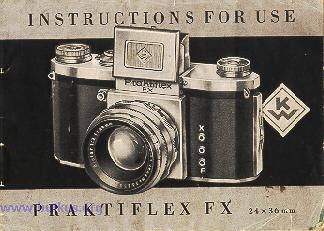
Praktiflex FX
posted 7-20-'03
HTML Translations - German
- Italian
- French
- Spanish
- Others
These links will not translate any PDF
files
This camera manual library is for reference and historical purposes, all
rights reserved.
This page is copyright by
, M. Butkus, NJ.
This page may not be sold or distributed without the expressed
permission of the producer
I have no connection with any camera company
On-line camera manual library
This is the full text and images from the manual. This may
take 3 full minutes for all images to appear.
If they do not all appear. Try clicking the
browser "refresh" or "reload button" or right click on the image, choose "view
image" then go back. It should now appear.
If you find this manual useful, how about a donation of $3
to: M. Butkus, 29 Lake Ave., High Bridge, NJ 08829-1701
and send your e-mail
address so I can thank you.
Most other places would charge you $7.50 for a electronic copy or $18.00 for
a hard to read Xerox copy.
This will help me to continue to host this site, buy new manuals, and pay their shipping costs. It'll make you feel better, won't it?
If you use Pay Pal, use the link below. Use the above address for a check, M.O. or cash.
![]() |
CLICK HERE FOR PDF FILE from this page
CLICK
HERE FOR PDF FROM
|
CONTENTS Page
| Introduction . . . . 3 Inserting the film . ... 6 Changing the film .. . ... 8 Shutter and film transport .. . ... . 9 |
Lens and Shutter ... . 11 The Prismatic Finder . 13 Electronic and Regular Flash Connection ... 16 Closeup Tubes (Macro-photography) . . 18 |
INTRODUCTION
The Praktiflex FX is a one-lens reflex camera taking the perforated 35 mm cine film. The size of the picture is 24 x 36 mm.4www.butkus.org
The Praktiflex FX possesses all the advantages of a modern precision miniature camera, e. g. shutter winder coupled with film advancement, lock against double and blank exposures, interchangeability of the lenses, and adaptability to micro. photography.
Focusing is performed by means of a light-collecting lens which produces a clear, bright image.
The Praktiflex FX takes all current daylight film cartridges for 36 exposures in black-and-white and color film. The Praktiflex FX is sure to give
perfect results and mechanical safety if the instructions for use are closely followed and carried out.
EXPLANATION OF SIGNS
![]() |
1 = Release knob
2 = Knob for winding the shutter and trans. porting the film
3 = Picture counting disc 4 = Knob for setting the shutter speeds 5 = Knob for setting the speed groups 6 - Film rewind-knob
|
| 7 = Loops to hold the neck-strap
8 = Interchangeable lens with rotatable rings for setting distance and diaphragm, and with distance, diaphragm and depth-of focus scales 9 = Light-hood 10 = Magnifying lens 11 = Rear flap of the light-hood 12 = Latch button for light-hood |
13 = Release knob for rewind mechanism
14 - Film spool 15 = Sprocket wheel for transporting the film 16 = Picture level 17 = Camera back 18 = Catch for camera back 19 = Film pressure-plate |
I. Inserting the film
![]() |
The camera back is unlocked by pushing the knob No. 18 in the direction of the arrow. Open the camera back and take it oft, and pull out the rewind
knob No. 6.4www.butkus.org The film cartridge must be placed into the empty chamber with the beginning of the film projecting in the direction of the picture level. Pull the film
from the cartridge and fix it into the empty spool on the right-hand side of the camera. It is of importance that the sprocket teeth catch both perforated edges of the film. Wind the shutter by rotating the knob No. 2. |
![]() |
Make sure that the film lies evenly on the film. guide and sprocket wheel, link the camera back into the right-hand groove and close it down.
The film pressure-plate must be perfectly clean before the camera back is closed. After having bolted the camera back, make two blank exposures. The rewind-knob (6) must hereby turn in the opposite direction of the arrow mark. When all these manipulations have been performed, the counting mechanism has to be set to stroke No. 1. The camera is now ready for the first exposure. |
II. Changing the film
![]() |
36 exposures having been made, a certain ret sistance will be noticed in winding the shutter a sign that the whole film is
exposed and has to be rewound into the cartridge. This is done by pressing down the little button No. 13 and at the same time turning the rewind. knob No. 6 in the direction of
the arrow.4www.butkus.org The beginning of the film will audibly slip out of the cartridge, and the rewinding procedure is completed.
|
The camera back must now be opened and the cartridge with the exposed film taken out.
Do not change the film in bright sunlight, but if possible in the shade. It is advisable, before taking the film to be processed, to
deposit it in light-tight paper or in the packing material in which it was delivered. The new film can now be loaded as
described in section I.
III. Shutter and film transport
![]() |
a) Winding the shutter A full rotation of the knob No. 2 as far as it will go to the right (clockwise) winds the shutter, advances the film to the next picture, and swings the reflex mirror into the light. ray level of the lens. Take care that the release knob No. 1 is not pressed in while the shutter is being wound up.
|
b) Setting the speeds
The speeds are set by means of the adjusting knob No. 4 and the supplementary knob No. 5. The speed disc is engraved with black figures for the short speeds from 1/500th to 1/25th second, with red figures for the long speeds from 1/10th to 1/2
second, and with "B" setting for time exposures of any desired length.
When set to the speeds of 1/500th to 1/25th second, the red triangle on the supplementary knob No. 5 must point towards the
black triangle on the camera top.
When set to the speeds of 1/10th to 1/2 second, the red triangle on the supplementary knob must point to the red triangle
on the
camera top.
The "B" setting can be employed in both positions.
To set the speeds, lift the outer ring No. 4, turn it to the desired number and click it in. There is only one rest-hole for 1/2 and
1/25th second, marked by a dot between the speed numbers 1/2 and 1/25.
c) Releasing the shutter
![]() |
The exposure is made by gently pressing in the button No. 1. In order to avoid blurring the picture, the knob should not be let loose until the shutter has run down. When set at "B", the shutter must be pressed as
long as the exposure is to last. For the use of a wire release, the knob is provided with a thread into which the release can be
screwed. A special wire release is supplied with the camera for long time exposures in the T.setting (e. g. in night
photography).4www.butkus.org
|
IV. Lens and Shutter
![]() |
a) Press the button No. 12, and the light.hood will spring up, uncovering the finder lens. When the shutter is wound up, a
bright, clear picture will appear on the ground~glass surface of the finder. By turning the distance meter ring on the lens
mount, the lens is focused to the greatest possible sharpness. Focusing should be performed with the diaphragm set to the
widest aperture, and the lens stopped down to the desired aperture immediately before making the exposure.
The camera is equipped with a magnifying lens for easier focusing. It is swung into operating position by means of the lever No. 10. When using the magnifying lens, a distance of 15 to 25 mm. between the eye and the glass should be observed. Only then will the image on the ground glass be perfectly clear. |
![]() |
The direct-vision vision view finder in the light. hood is very handy for sports snapshots.
In order to disengage this finder, the flap in the front of the light-hood must be swung in, whereupon the magnifying lens is brought into working position. In this way the flap is held level, and the sports finder can be used. To close the light-hood, first swing in the magnifying lens. Then push in the rear flap with the forefinger and close down the light. hood.4www.butkus.org
|
b) The Prismatic Finder
![]() |
A Prismatic Finder is available as an accessory to the Praktiflex FX. At eye-level, this finder gives a ground glass view of the image - upright, correct-sided, and free from parallax error.
The Prismatic Finder is attached to the top of the camera light-hood by fixing the nose marked "N" into the spring catch (12) of the light hood (9) and
pushing the two spring tacks marked "S" underneath the light hood cover (9).
|
c) The lens scales
![]() |
The front ring on the lens mount is engraved with the diaphragm scale and the index point, the middle ring with the distance scale in meters or feet,
and the back ring with a diaphragm scale showing the depth-of focus.
According to this scale, for instance, the Biotar lens f/2 with a focal length of 58 mm (2 1/4"), at a distance setting of 12 ft. (4 meters) and an F/11 aperture, gives a sharpness reaching from 7 6" to 30 (2.5 to 10 meters).
|
d) Changing the lens
The lens in the camera body is interchange. able within its threaded flange. By being turned to the left (anti-clockwise) the lens can be removed from
the camera body. Should the camera be loaded when the lens is being screwed out, take care to shield the aperture from glaring light.4www.butkus.org
e) The mirror
The mirror is a very sensitive element in the camera, and it must be protected even from the slightest damage. It is advisable, before exchanging the lenses, to swing the mirror up.
Only use a very soft haired brush to remove any possible uncleanliness from the mirror.
f) Lenses with the diaphragm-presetting device
![]() |
To preset the aperture desired for the exposure, draw the milled ring directly behind the diaphragm scale backward, holding the diaphragm ring - which has before been adjusted to the desired number - with the other hand and setting the red index dot against the diaphragm number chosen. The milled ring, when springing back into position, will get coupled with the diaphragm ring. For focusing, the diaphragm ring can now be set to the full aperture and, without changing the position of the camera, turned back until it stops at the preset diaphragm number. |
(Webmaster: These are the old preset lenses. There are still some new
long telephoto lenses being sold that work like this. Slightly newer
cameras than this model used the preset to set your shutter speed and aperture
setting with the built in meter then open wide to focus and see the image. This
preset was used to just be able to view the image and provide light to focus)
V. Electronic and Regular Flash Connection
On the front of the camera are three contact sockets. The socket marked "X" takes electronic flashes, whereas the "F" mark is for regular flash
synchronization.
![]() |
a) Electronic flashes (X synchronization)
To be employed for all kinds of electronic devices acting without delay. Synchronization allows for exposures up to 1/50 th second. The central socket is the mass contact for both flash and strobe. b) Flash guns (F synchronization) |
(Webmaster: This camera can use any modern flash if it has a PC wire. You would also need to purchase a flash holder. There are also flash holders that have a hotshoe and PC wire, though they are usually for professional or these types of older cameras)
The following chart gives the shortest shutter speeds in connection with the most popular flash lamps. The flash bulb must never be put info the flash unit before the shutter has been wound up.4www.butkus.org
CLICK HERE TO SEE THE FLASH BULB CHART
The figures in parentheses signify that synchronization is possible, but that a certain diminution of light on one, or both, of the narrow edges of the film has to be taken into account. This is caused by the differences existing in the ignition and pre-ignition times.
VI. Close-up Tubes (Macro-photography)
![]() |
The lenses in the Praktiflex FX make it possible for you to approach your object up to about 70 cm (28 in.). For exposures at shorter distances you
will have to use intermediate tubes. The table on the next page shows the numbers and lengths of the intermediate tubes, the distance of the object, measured from the rim of the lens and the size of the object. also the proportionate time of exposure. |