This camera manual library is for reference and historical purposes,
all rights reserved.
This page is copyright by
. M. Butkus, N.J.
This page may not be sold or distributed without the
expressed permission of the producer
This is the full text and images from the manual.
This may take 2 full minutes for all images to appear.
If they do not all appear. Try clicking the
browser "refresh" or "reload button".
If you find this manual useful, how about a donation of $3 to: M.
Butkus, 29 Lake Ave., High Bridge, NJ 08829-1701
This will allow me to continue to buy new manuals and pay their
shipping costs.
It'll make you feel better, won't it?
Back to my main Chinon/Ricoh information page
Problems opening PDF files or printing problems - click here
Click
here for PDF version of this manual - better printing
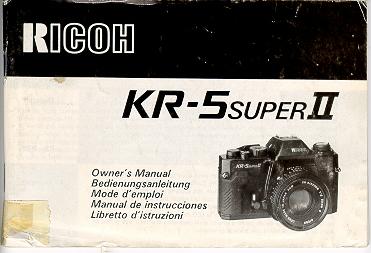
Congratulations on your selecting of RICOH KR- 5 SUPER II. This is a compact and lightweight SLR camera with full open aperture TTL exposure metering. Enjoying good photography becomes far easier with this camera. It just requires releasing the shutter on your focused subject at the setting which the LED displays green. With carefully reading this booklet, you can enjoy easy-to-take highest quality photography for the years ahead.
DESCRIPTION OF PARTS
1. Shutter Speed Dial
2. Shutter Release Bettors
3 Film Advance Lever
4. Frame Counter
5. Strap Hook
6. Hand Grip
7. Self-timer Lever
B. Lens Release Button
9. Hot Shoe
10 Film Rewind Crank
11. Film Rewind Knob/Film compartment
Opening Knob
12. Film Speed Dial
13. Film Speed Index
14. Aperture Ring
15 Depth-of-field Scale (Not on all lenses)
16 Distance Scale
17 Focusing Ring
18. Viewfinder Eyepiece
19. Rewired Shaft
20. Film Chamber
21. Battery Compartment Cover4www.butkus.org
22. Tripod Socket
23 Film Guide Bars
24. Sprocket
25. Back Cover
26 Film Pressure Plate
27. film Rewind Button
28. Film Take up Spool
Inserting Batteries
|
1. Turn the battery compartment cover
(21 ) counter clockwise using a coin or something similar.
2. Two LR44 type alkaline batteries or two SR44 type silver batteries are used with this camera. 3 Place the batteries so that both positive (+) sides are at the top of the compartment 4. Turn the battery compartment cover clockwise until it closes firmly.4www.butkus.org
|
Battery Check
2. Partly press the shutter release button (2) Now the exposure metering system is switched on. Next, look through the viewfinder When one of three LED lamps ( +, 0 or - ) lights, then battery condition is satisfactory. If no lamp lights, the batteries need replacing or have been (loaded incorrectly.
3. Renew both batteries as necessary.
4. When not using of the camera, always return the film advance lever to the original position to prevent accidentally releasing the shutter.
Loading film
|
1. To open the back cover (25), fold
out the film rewind crank (10), then pull knob (11 ) out. When the back
cover opens, the frame counter (4) automatically resets to "S''.
2. Insert the film cassette into the film chamber so that the projecting end of the film cassette is downward. Do this in a place away from direct sunlight. 3. Fold out and lift up the film rewind crank (10) Then rotate the crank carefully while pushing it down lightly until the film locks on the film rewind shaft (19)4www.butkus.org 4. Return the film rewind crank to its original position 5. Insert the film leader into the groove of the take-up spool (28) and place it so that the film perforations engage with the spool teeth. |
|
6. Check that the film perforations engage properly with the teeth of sprocket (24) and the film slides smoothly along the film guide bars (23) by operating lightly the film advance lever (3) to advance the film. 7. Turn the film rewind crank gently in the direction of the arrow to properly tension the loaded film, Stop turning the crank when it becomes stiff, and return the crank to its original position. 8. Close the back cover and push it until a click is heard.4www.butkus.org 9. Advance the film a couple of frames, pressing the shutter release button each time until the frame counter indicates ''1'' between 0 and 2. (In this case, the film advance lever should be at the ready position, because the shutter release is interlocked when the lever is in the stored position). The film rewind knob rotates each time the film is advanced meaning that the film is advancing properly. |
|
1. Film speed is indicated on the outside
of the film package or in the film instructions
|
![]() |
2. Set the film speed index (13) by turning the film speed dial (12) according to the value indicated by the film. |
|
1. Place the film advance lever (3) in the ready position and turn the shutter speed dial so that the indicator white line aligns with the desired shutter speed value. If the dial is set at the intermediate positions of the index, shutter speed will be incorrect Be sure that the dial clicks at the position where the white line aligns with the desired value. With setting at "B" (bulb) position, exposure monitoring is impossible. |
![]() |
2. With brighter subjects, fast moving subjects or with the higher value film speed of the film used, it is recommended to use higher shutter speeds. 3. In photography using telephoto lenses, use the highest shutter; speed possible to avoid camera movement affecting your pictures. Generally selecting a higher shutter speed value than the focal length of the lens is recommended, i.e. 1/250 sec shutter speed is recommended for a telephoto lens with 135 mm focal length, and 1/500 see for 300 mm focal length. |
4. Recommended shutter speed with ISO 100/21° film and standard 50mm focal length lens under typical situation is as follows:
| Subject | Shutter speed | ||
| Stationary subjects | 1 to 1/15 | ||
| In subdued light | 1 to 1/15 | ||
| Indoors in normal conditions | 1/30 to 1/60 | ||
| Outdoors on a fine day | 1/125 to 1/250 | ||
| Seaside in midsummer | 1/500 to 1/2000 | ||
| mountain area with snow | 1/500 to 1/2000 | ||
| Fast moving subjects | 1/500 to 1/2000 | ||
|
5. To monitor exposure, partly press the shutter release button (2), turn the aperture ring (14) until the green "0" mark lights in the viewfinder. |
When the red mark (+)
lights, meaning that the exposure is too great, turn the aperture
ring in the direction to greater (higher number) F-stop. If the red
( - ) mark shows, exposure is below what is
necessary, so turn the aperture ring (14) to a smaller (lower number)
F-stop value.4www.butkus.org
Exposure setting (Aperture
priority)
|
1. Place the film advance lever (3) in
the ready position and turn the aperture ring (14) until the index on the
lens barrel indicates the desired f/value.
2. The suitable aperture value changes
according to the brightness of the subject, the depth-of-field desired
or film speed of the film in use, and typical settings of the aperture
with ISO 100/21°
|
| Subject | F-value |
| In subdued light | F/1.4 to F/2 |
| To narrow depth of-fieId | F/1.4 to F/2 |
| Indoors in normal condition | F/2 to F/4 |
| Outdoors on a cloud day | F /4 to F /8 |
| Outdoors on a fine day | F/8 to F/11 |
| Seaside in midsummer | F/11 to F/16 |
| Mountain areas with snow | F/11 to F/16 |
3. To monitor the exposure, partly press the shutter release button (2) and turn the shutter speed dial until the green ( 0 ) mark lights in the viewfinder. If the red ( + )mark lights, turn the shutter speed dial to the higher shutter speed setting and if the red ( - ) mark lights, then turn the shutter speed dial to the lower setting. When the green ( 0 ) mark lights at intermediate positions between click, first set the dial at a click on either side and make fine control by operating the aperture ring afterwards.
Holding Camera
|
1. Hold the camera in the palm of the
left hand so as to turn the (lens focusing ring (17) easily with fingers.
2. Hold the camera body lightly by holding grip (6) and place your right forefinger lightly on the shutter release button.
3. Press your left elbow lightly against you, body and look through the viewfinder eyepiece (18) to steady the camera against your face. Then relax your right arm holding the grip. 4. With telephoto lenses or lower shutter speeds, it is recommended to use a tripod and/or remote shutter release control cable.
|
Focusing
|
1. Focusing is done by observing through
the circled area in the center of the viewfinder screen Within the circle
is the split image spot prism and around the circle there is the microprism
collar.
2. In focusing through the split image spot, when the image divided horizontally is brought into alignment by focusing, focus in correct. When the upper and lower half images do not align, it is out-of-focus. |
|
3. To focus through the microprism collar outside center spot, a broken shimmering image is seen when it is out-of-focus and correct focus is at the setting in which the image becomes clear and sharp.
|
5. Choose the most effective focusing method from the above according to the shooting situation, such as the lens used, the subject, etc.
Rewinding the film
|
1. When the film advance lever no longer
operates smoothly, check the frame counter (4) display. If the frame counter
shows that the all frames of the loaded film have been exposed, replace
the film.
2. Press the film rewind button (27) on the camera base. 3, Fold out the film rewind crank (10) and turn it in the direction of the arrow, 4. Once the pressure eases, the film is completey wound into the cassette. |
5. Lift up the film rewind knob (11 ) and pull it out to open the back cover (25). Now the film cassette can be taken out.4www.butkus.org
6. Do this in a place away from direct sunlight,
"B" (bulb) Setting
![]() |
1. With the shutter speed dial ( 1 )
set at "B" position, the shutter will remain open for as long as the shutter
release button (2) is pressed. (Fig. 22)
2 This setting is useful when an exposure longer than one second is required, such as in landscape photography at night. Or it can be used for the special effect photography by employing the flash test button together with very dim light conditions 3. Be sure to use a tripod and/or remote shutter release control when using this shutter speed setting.
|
2. Press the shutter release button (2)
and the self-timer operates to release the shutter in
approximately 10 seconds
later.
3. Once the sef-timer becomes ready it
is impossible to return it manually. So operate it only
when you really need
it.
4. The self-timer is very useful when you
wish to include yourself in a picture, or, you can use it
in order to prevent
camera movement in shutter releasing instead of using the remote
shutter release control.
2 Set the shutter speed dial (1 ) at 1/125 sec. or lower.
3. Set the corresponding aperture value
from the Guide Number (G N.) of your flash unit by operating the aperture
ring (14). For details on how to determine the correct aperture value to
use, follow the instructions given in the manual of your flash unit.
(Mike: If you have an Auto flash, place
the flash in Auto and the flash should have an indicator as to what to
set the F-stop on the lens to. This F-stop will be useful to the
auto distances located on the flash.)
|
1. When you are focusing on a given subject, objects in the foreground and background will appear acceptably sharp in the picture. The range in which all objects appear acceptably sharp in the picture is called ''depth-of-field.'' |
2. To obtain the depth-of-field range
at different aperture settings, the depth of-field scale (15)
is used. The depth-of-field
scale is positioned between the focusing ring (17) and aperture
ring (14) The
distance covered by the range between pairs of the same f/stops on the
depth-of-field scale
as the f/value used is the depth-of-field. To obtain the actual distance
values of the depth-of-field,
read the values within the range off the focusing scale
3. For instance, when the lens
is focused on a subject at a distance of 3 m (9 8 ft.) with the aperture
set at f/8, the depth-of-field
can be obtained by using the depth of field scale as follows the values
on the distance scale
corresponding with the f/values shown on the depth-of-field scale are
approximately 2 4 m
(7.9 ft.) and 4 5 m (14.8 ft.) respectively. This means that all objects
within
the range between 2
4 m (7 9 ft ) and 4.5 m (14 8 ft ) distance can be reproduced acceptably
sharp in the picture
with the aperture set at fl8.4www.butkus.org
Infrared Photography
|
1. The dot mark engraved in red on the
depth-of-field scale (15) is the infrared distance indicator. This is used
for reading the distance scale in infrared photography using infrared film
and filters. [Mike: this applies to Black and White IR films, color
focuses as regular film.]
2. First, secure focus in the normal manner Then, read off the subject distance on the normal distance scale (16), then align it with the infrared distance indicator.4www.butkus.org 3 For instance, when you focus on a subject at 3m in the normal manner, read off the value ''3" on the focusing scale and move the focusing ring until the infrared distance indicator points to ''3''. |
4 Always use the red filter when attempting infrared photography. For other details concerning infrared photography, follow the instructions of the infrared film used.
|
1. The lens mounting of this camera is
the ''K'' mount All other lenses with a ''K" mount can be mounted on this camera.
[Mike: as with the other K-mount KR-5's you can use any type of K-mount lens. 2. To mount the lens, after matching the red mark on the camera body with the red mark of the lens barrel, insert the lens in the camera body and turn the lens clockwise until it clicks. |
3. To remove the lens from the camera body,
turn the lens all the way counter clockwise while
keeping the lens release
button (8) pressed, then lift it straight out of the mount.
SPECIFICATIONS
| Type: | 35mm SLR camera with focal
plane shutter and TTL metering
with 3 LED display, exposure setting obtained by matching "0" mark. |
| Film format: | 24mm x 36mm |
| Mount type: | Bayonet "K" mount |
| Shutter release: | Metal focal plane shutter operating vertically - B to 1 - 1/2000 sec. |
| Flash Synchronization: | Hot-shoe, X contact, synchronized at l/125 or lower shutter speed |
| Viewfinder: | Eye-level finder with
use of pentaprism image magnification ratio on the finder 0.86x (with standard 50mm focal length lens at infinity field-of-view 93°0 horizontally and vertically to the actual picture area. Focusing method; Matching the divided image through horizontal split image prism center spot, Focusing through microprism collar or entire matte surface is also possible |
| Displays in viewfinder: | red ( + ) mark LED overexposure warning;
green " 0 ", mark LED good exposure indication, red ( - ) mark LED underexposure warning |
| Exposure metering: | Full aperture
TTL metering system. Center weighted area measurement Display overexposure, underexposure warnings and good exposure indication Desired setting is obtain by matching " 0 " Mark, (zero method} Measurement range: ISO 100/21° EV5 (F2,1/8s) - EV19 (F16,1/2000s) |
| Film speed setting: | ISO 25/15° 1600/33, by 1/3 steps |
| Film advancing: | One frame advance by single-lever action with 135° throw and 30° stand-off Safety mechanism prevents double-frame advance or double exposure, shutter release button is interlocked with the advance lever stored at unused position |
| Film rewinding: | by operating the film rewind knob and film rewind crank, the button returns automatically to the original position at the completion of film winding |
| Frame counter: | Progressive type with auto reset by opening the back cover |
| Self Timer: | Mechanical self-timer, approx. 10 sec duration |
| Power source: Two | 1.5V alkaline batteries (LR44} or silver batteries (SR44) 4www.butkus.org |
| Size and weight:} | 133 x 85 x 50mm, 410 9 (camera body only) |