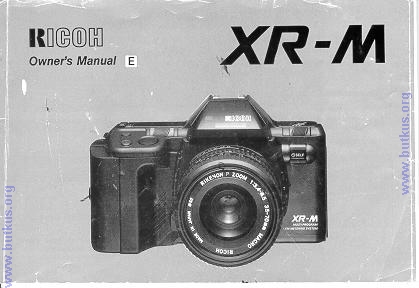
Ricoh XR-M/XR-X
The these two cameras are identical, the XR-X is European

HTML Translations - German - Italian - French - Spanish - Others
These links will not translate any PDF files

This camera manual library is for reference and historical purposes, all rights reserved.
This page is copyright by . M. Butkus, N.J.
This page may not be sold or distributed without the expressed permission of the producer
This is the full text and images from the manual.  This may take 3 full minutes for all images to appear.  If they do not all appear, try clicking the browser "refresh" or "reload button".

If you find this manual useful, how about a donation of $3 to: M. Butkus, 29 Lake Ave., High Bridge, NJ 08829-1701 ?  
This will allow me to continue to purchase new manuals and their shipping.  It'll make you feel better, won't it? 


If you use Pay Pal, use the link below. Use the above address for a check, M.O. or cash.

Back to main Chinon site


GO TO SECOND SECTION  THIRD SECTION


TABLE OF CONTENTS

1. Attaching the Strap - 9

2. Inserting Batteries - 11

3. Mounting and Removing the Lens - 12

4. Setting Lens to the "P" Position - 14

5. Power On/Off Switch - 15

6. Monitoring Condition of Batteries - 16

7. Loading the Film - 18

8. Setting the Film ISO Speed - 21

9. Indications in Viewfinder - 23

10. How to Hold Your Camera - 24

11. Setting the Program for AE Photography

12. Focusing

13. Depth-of-Field Preview

14.  Infrared Mark

15. Rewinding the Film

16.  Self-timer Photography

17.  Programmed Flash Photography (Using the Optional Speedlite PX)

18.  Safety Lock (Up or Down Button)

19.  How to Use the Multi-programs

20.  Aperture-priority AE Photography

21.  Shutter-bias Program AE Photography

22.  Full Manual Photography

23.  TV Mode

24.  Exposure Metering Systems


25.  Reset Button

26.  AE Lock

27. Exposure Compensation - 58

28. Interval Timer Photography - 60

29. Left Hand Shutter Release - 61

30. B (Bulb) Setting - 62

31. More Exciting Applications for the Camera with Speedlite PX/300P/260P - 64

32. Flash Photography with Other Ricoh Flash Units - 66

33. Flash Photography with Speedlite PX plus 300P - 67

34. Flash Photography with Non-dedicated Flash Units - 68

35. Flash in Daylight - 69

36. Shutter Bias Flash AE - 73

37. P-mount Adapter - 74

38. Dioptric Lenses - 75

39. Super Data Back 4 - 76

40. Data Back 3 - 76

41. Interchangeable Viewfinder Screens - 77

42. Speedlite PX - 78

43. XR Speedlite 300P - 78

44. Speedlite 260P - 79

45. Speedlite 200 - 79

46. Care of Batteries - 80

47. Proper Care of Your Camera - 81

48. Major Specifications - 82


 <<< update - I have been told a Olympus and Pentax eyecups and other accessories will work on XR cameras >>>


1. ATTACHING THE STRAP
1. Remove the Battery Holder by turning the Battery Holder Screw counter clockwise with a coin. (Fig. 1)

2. Slip the Viewfinder Cap on to the strap. (Fig. 2) Slip Cap over Viewfinder. (Fig. 3)
Adjust strap so that it extends about 25 cm (10 I) from Viewfinder.

3. Run the strap down through the Upper Strap Lug until it protrudes about 8 cm (3") from the lug. Then feed the end through the Buckle. (Fig. 4.)

4. Remove Viewfinder Cap off camera, straighten out strap and attach other end to Lower Lug in a similar manner.4www.butkus.org


5. Adjust the strap length as desired.

2. INSERTING BATTERIES
1. Insert four fresh batteries into the Battery Holder, first checking that the + and - on each battery are lined up correctly according to the polarity diagram inside the Battery Holder. (Fig. 5)

2. Secure the Battery Holder to the camera body by turning the Battery Holder Screw clockwise with a coin. (Fig. 6)
  Battery Choices: * Four Penlight (AA/AAA) manganese batteries, alkaline batteries or nickel cadmium batteries. (We recommend Alkaline batteries.)

* Condition of batteries should be monitored frequently. See Section 6 for details.


3. MOUNTING AND REMOVING THE LENS
1. Pull off the Back Lens Cap to remove it from the lens. (Fit

2. Pull off the Camera Body Cap. (Fig. 8)

3. Align the red dot on the camera with the red dot on the 1' and mount the lens on the camera (Fig. 9)


4. Turn the lens in the direction shown by the arrow until it clicks into place. (Fig. 10)

5. To remove the lens, depress Lens Release Button, then turn the lens in the direction shown by the arrow. (Fig. 11)

* Conventional K mount lenses can be used in Aperture priority and Manual Modes but cannot be used for Programmed AE Photography.

* For best results, use Ricoh original equipment lens. Proper performance of camera may not always be assured with other lenses.


4. SETTING LENS TO THE P (PROGRAM) POSITION
1. While the P Lock Button is pressed, turn the F-stop Ring. (Fig. 12)

2. Set it to the locked P position for programmed automatic exposure photography. (Fig. 13) I
* To unlock the F-stop ring from P. turn it while the P Lock | Button is depressed.
  5. POWER ON/OFF SWITCH

1. Slide the Power On/Off Switch to ON. (Fig. 14)

* If you slide the Power On/Off Switch to the sound mark ·1)), a beep will be heard whenever the mode is changed, the self- timer is used, etc. Then you can audibly know that your operation has been made correctly. (Fig. 15)

* The camera is designed to shut off the main power supply automatically to save battery energy when the camera is not in use for about 30 sees. even if the Power On/Off Switch is left ON. This will turn off the top LCD Display, but the information contained in camera memory will be retained. Lightly press the Shutter Release Button to turn on the power and update the LCD Display. For maximum battery life, always turn the Power On/Off Switch to the OFF position when the camera is stored.4www.butkus.org


6. MONITORING CONDITION OF BATTERIES
1. Batteries are in good condition when the (full battery icon) symbol appears on the top LCD Display Panel. (Fig. 16)

2. When the batteries are nearly exhausted, the (blank battery icon) symbol | will be displayed on top LCD. (Fig. 17) Replace with fresh batteries.

* If a Non-DX film is in camera when the (blank battery icon) symbol is displayed, you may have to rewind the film manually
(see section 15) when you reach the end of roll.


3. When the batteries are almost exhausted, the interval winding starts to conserve the batteries remaining life by winding for 2 sec. and shutting off for 0.5 sec. in sequence. The (blank battery icon) symbol will blink in LCD Display Panel. (Fig. 18) If the battery outline ~ is flashing do not use flash until batteries are replaced. (Fig. 19)

4. When the batteries are virtually dead, the c symbol will appear in the LCD Display Panel. Replace with new batteries. (Fig. 20)

* If the c symbol lights for about one minute, then disappears, the battery is only capable of retaining camera memory. However, do not remove old batteries until you are ready to replace them with fresh ones.


The memory of the photography mode will be retained for about 30 minutes without batteries. If you replace with new batteries within that 30 minutes, the display of the photography mode left in the camera memory will again appear in LCD Display Panel.

* Cold temperatures will reduce battery efficiency. In freezing weather, the symbol may turn off and only the (low battery icon) symbol may show on the LCD Display Panel. If you are taking pictures in cold weather, keep the batteries warm and insert them just before shooting. 7. LOADING THE FILM

Always avoid direct sunlight when loading the film.
1. Depress the Back Cover Lock Release (Red) Button and slide the Back Cover Latch down. (Fig. 21)

2. Load the Film Cassette into the Film Chamber and pull out enough film leader to extend just beyond the green mark, against the Take-up Spool. (Fig. 22)

3. Make sure that the film is within the Film Guides, and that the upper sprocket edge is under the Guide Plate. (Fig. 23)

4. Close the Back Cover so that the Back Cover Latch snaps shut. (Fig. 24) The film will now automatically advance until number "1" appears on the top LCD Display Panel. (Fig. 25)


5. As soon as you close the Back Cover, the film speed appears on LCD Display Panel for 1—2 seconds. Then the LCD Display Panel will show the following signs (Fig. 26):

(1) Program mode

(2) Total number of exposures on film roll loaded

(3) DX verification

(4) Shutter SPEED

(5) Film advance mode (C/S)

(6) Film taken up onto Film Take-up Spool

(7) Film advance symbols (these symbols will flash in sequence toward the right to tell you the film is winding)

(8) Film Cassette loaded symbol

(9) Exposure Counter


* If display shuts off, lightly press Shutter Release Button to update LCD.


* LCD display data can be verified by checking the information visible through Film Loaded Window on camera back. (Fig. 27)


6. If the film has not advanced correctly or was not taken up onto the Film Take-up Spool, the Film Cassette loaded symbol will blink until the film has been loaded correctly. Reload the film by repeating steps 1 - 5 shown above.

If Non-DX films are loaded in the camera, no LCD warnings will be observed.
(The film ISO speeds must also be set manually. See next section.)4www.butkus.org


8. SETTING THE FILM ISO SPEED
DX coded films are provided with black-and-silver patterns corresponding to film speed and number of exposure on roll. The camera reads this pattern and automatically sets itself for DX films with speeds ranging from ISO 12 to 6400. (Fig. 28)


DX films

1. The film speed and the "DX" verification symbols are briefly displayed on LCD Display Panel. (Fig. 29)

* For advanced applications, you may wish to raise or lower the ISO speed of a DX coded film. This may be done by using the Exposure Compensation Adjustment Button. See Section 27 for details.


Non DX films
1. Press the ISO Button (under cover on top left of camera) to display the film ISO speed in the LCD Display Panel. (Fig. 30)

2. While keeping the ISO Button depressed, press the Up or Down Button until the desired film speed appears on the LCD Display panel. (Fig. 31)

* The digits of the film speed shown on the LCD Display Panel can be changed fast by keeping the Up or Down Button depressed.


9. INDICATION IN THE VIEWFINDER


1. Blinking AE Lock Indicator

2. Subtractive Film Counter Display (displays the last 9 frames with DX-coded films)

3. Blinking Exposure Compensation Indicator

4. Blinking Underexposure Indicator

5. Blinking Overexposure Indicator

6. Shutter Speed Scale

7. Slow Shutter Speed Zone (orange)

8. Manual Mode

9. Aperture Priority Mode

10. Program Mode

11. TV Mode

12. Shutter Speed Indicator

13. Flash Ready Indicator (lights)

14. Correct Auto Flash Indicator

15. Aperture Readout (Program Mode)

16. (Box with image of sun on right): Auto Backlight Indicator

17. (Box with dot in center): Spot Metering Indicator

18. (Box, empty): Averaged Metering Indicator

19. (Box with sun on left side): Fill Flash Indicator

* Viewfinder illumination

An auxiliary light turns on automatically when finder LCD is dark and difficult to see. If you can not easily see the LCD information in the Viewfinder, the light is also available by pressing the Depth-of-field Preview Button.

10. HOW TO HOLD YOUR CAMERA

(FOR SHARPER PICTURES)

1. Lightly put your right-hand forefinger on the Shutter Release Button while holding the camera body with other fingers.

2. Make your right arm comfortable, but keep it as close to your body as possible.

3. Cradle your camera and lens in the palm of your left hand, holding it so that the Focusing Ring can be easily turned with your fingers.

4. Brace your left elbow against your body and hold the camera comfortably against your face. Look through the Viewfinder to compose your picture.


* It is important to practice correct shooting position to avoid blurred or tilted pictures. (Figs. 33, 34)


11. SETTING THE PROGRAM FOR AE (PROGRAMMED AUTOMATIC EXPOSURE) PHOTOGRAPHY

In program AE photography, the camera automatically selects the F-stop and the shutter speed according to subject illumination. Programmed exposures are best suited for general photography of people and scenery. Special-effects shooting, etc., can best be done using the camera's many override options. Please keep in mind however that for most shooting you can just focus and shoot.
1. Set the shutter speed to AUTO by pressing/holding the Up or Down Button. (Fig. 35)

2. Set the lens to P. (Fig. 36)4www.butkus.org

3. Set the Program Selector to P (normal program setting). (Fig. 37)


4. Set the Exposure Mode Selector Switch to AUTO BLC. (Fig. 38)

* Refer to the Sections 19 - 23 for more advanced shooting modes.


12. FOCUSING

Look through the Viewfinder and turn the Focusing Ring until you obtain the sharpest possible image. (Figs. 39-A, 39.B)

1. Split image focusing spot: When both images in the split-image spot form a single, clear image, the subject is in focus.

2. Microprism focusing collar: When the subject loses its shimmering appearance, the subject is in focus.

3. Matte screen focusing field: When the subject loses its blurred appearance, the subject is in focus. Long focal length lenses and/or lenses with small maximum apertures may black-out part of the central focusing aids. When using these lenses, you must rely on the matte screen for accurate focusing.


13. DEPTH OF FIELD PREVIEW

In the Viewfinder you can visually observe the depth-of-field provided by the automatically or manually selected F-stop.

1. Manually adjust the Lens Aperture to the desired F-stop (or allow the meter to do it for you).

2. Press the Depth-of-field Preview Button. (Fig. 40)

3. Observe the results of increased sharpness on the (darkened) image in the Viewfinder.

General Guide Lines

When you focus on a specific subject often subjects in the near foreground and in the distance are also in focus. The region
of good focus has some measurable depth or depth-of-field. (Figs. 41, 42)

1. Depth-of-field is always greater on the far side of the subject you focus on, and shallower on the near side.

2. Depth-of-field is greater around a subject that is further away from the camera than one that is close to it (at a given aperture F-number) setting.


On many lenses, your depth-of-field can be checked in the following way:
 
1. Focus the lens on the subject.
2. The main indicator line opposite the lens focusing scale will show the actual distance to the subject.

3. A pair (or pairs) of lines alongside the main indicator will now show the range of subject sharpness on either side of the subject that will also be in acceptable focus at one or more aperture (F-number) settings.

For example, if you are using a 50 mm normal lens, set to f/16 and focused to 3.0 m (10 ft.), the two depth-of-field indicators (for f/16) will show a range of sharp focus from about 1.8 m (6 ft.) to 7.6 m (25 ft.). Subjects within this range will be in good focus. (Fig. 43)
 

14. INFRARED MARK

Always re-adjust your focus to the infrared focusing mark when

using infrared films and an R60 (or equivalent) filter. This is necessary because the image forming, invisible IR rays have longer wave lengths than the visible light rays you see and focus with, and the camera lens focuses them slightly further back inside the camera. Therefore, visual focusing can not be accurate without some compensation.

1. Attach the R60 fiIter and visually focus on the subject. Read the indicated distance off the lens barrel. (Fig. 44)

2. Shift that distance setting over to the red infrared index mark. (Fig. 45)

* Many lenses do not provide separate IR indicator, in which case some "Bracketing" of distance settings may be necessary.

3. Set the exposure in accordance with operating instructions | for the film. I

* Always refer to film instructions for special precautions and procedures when any infrared film is used.


15. REWINDING THE FILM
1. DX coded films will rewind automatically when you reach the end of the roll.

* Film rewinding is indicated by a series of three dashes flashing in sequence from right to left, while the Exposure counter is counting down. (Fig. 46)
 

2.  When the film is fully rewound, the motor stops automatically and "E" appears on the LCD Display Panel. (Fig. 47) You can now open the Back Cover to unload the film.


* The Shutter Release is locked when "E" is displayed.
3. If you wish to rewind the film before the end of roll is reached, push the recessed Manual Rewind Button on the back of the camera with a pen, etc. for about 2 seconds.  (Fig. 48)
* When the DX symbol does not appear (such as when a rolI of Non-DX film is in the camera), the camera will usually sense the end of the roll and rewind the film when it is no longer able to advance to another frame. If it does not, then you must rewind the film manually.


16. SELF TIMER PHOTOGRAPHY

The Self-timer is used to include yourself in your pictures and normally provides a delay of 10 seconds, other times are available and may be changed as follows:
 

1. Switch to single exposure mode. (Fig. 49)

* If full display information is not showing, lightly touch the Shutter Release to make the information reappear.

2.  Press and hold the INT Button to display the interval time on the LCD Display Panel.

3. While keeping the INT Button depressed, press the Up or Down Button until the desired delay time is displayed on the LCD. (Fig. 50)

The LCD will automatically return to the normal display within seconds after the INT Button is released, and INT will blink to indicate that a special delay time has been set.

  4. Press the Self-timer Button. The Self-timer Green Indicator lamp will blink and the Self-timer audible beep (if switched on) will be heard. (Fig. 51) For the last 3 seconds before the shutter releases, the red lamp (and continuous beep) will warn you that the shutter will release soon. 5. To cancel the Self-timer after it has been started, press the Self-timer Button again or turn the Power Switch OFF.  
* The LCD will display the actual count down. (Fig. 52)


* When using the Self-timer in all modes other than manual always use the Viewfinder Cap attached to the strap to covet the Viewfinder Eyepiece to avoid incorrect exposure due to stray light entering the Viewfinder Eyepiece. (Fig. 53)


* The Self-timer sound can be eliminated by setting the Power Switch to the ON position. (Fig. 54)


17. PROGRAMMED FLASH PHOTOGRAPHY (USING THE OPTIONAL SPEEDLITE PX)

The RICOH Speedlite PX is a powerful, but highly compact electronic flash that, when attached to the XR-M, become an integral part of the camera system. If provides a Guide Number of 12 m (Guide Number 40 in ft.) at ISO 100, and will cover the field of a 35mm lens, thus making it ideal for use with normal, wide-angle and compact zoom lenses such as 35—70 mm.

When the Speedlite PX is used on the camera, and the camera is set to program AE photography, the shutter speed and F-stop are automatically set.

Flash photography is a direct metering system and light is measured off the film plane to control the flash duration. This makes possible a world of special applications, as well as the ultimate in point and shoot simplicity.
 
 1. Carefully align the Guide Pin with the Guide Holder while inserting the hook of the Speedlite PX into the holder of camera. Push the flash in the direction of the arrow until it clicks into place. (Fig. 55)

2. Set the shutter speed to AUTO by using the Up or Down Button (or the Reset Button). (Fig. 56)

3. Set the F-stop to P. (Fig. 57)


4. Set the Program Mode Selector to P. (Fig. 58) (See Section 31 for additional details.)

5. Turn the Flash Power Switch on. This will also flip up the flash head. (Fig. 59)

6. When fully charged, the Flash Ready Indicator ( ~ ) lights in the Viewfinder and the Flash Ready Lamp on the back of the flash lights. (Fig. 60)

7. Focus on your subject and press the Shutter Release Button to take your picture automatically. (Fig. 61)


8. If the flash exposure is correct, the Flash Ready Indicator blinks for about one second. (Fig. 62)

If exposure is not correct when it does not blink. Change conditions (F-stop, distance, etc.) and try shooting again.

9. To remove the flash, depress the Lock Release Button and pull the flash in the direction of arrow.   (Fig. 63)

* When you are close to your subject, very little flash power is needed, therefore the flash recycle time will be very fast. If your subject is very far away, it will take more flash power to be properly illuminated, and require longer re-cycle times.

* The Speedlite PX contains no batteries. It obtains its power from the batteries in the camera's handgrip. If the flash recycle time becomes excessive, replace the camera batteries as soon as possible (using the battery indicator on the LCD to monitor battery condition).


* Do not use the Speedlite PX in combination with the Continuous Exposure Mode because the flash will be unable to recycle fast enough to make three exposures per second.

* Refer to the PX Flash Operating Instructions for more creative techniques and technical details.
 

GO TO SECOND SECTION    THIRD SECTION