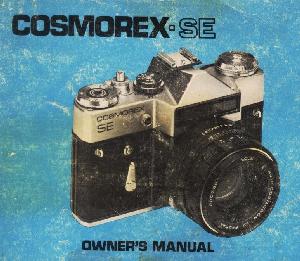
PREFACE
For more than a century, photography has served as the world's first truly universal language . . . for the message of a photograph is instantly understood by men of every race and every tongue. Historically, photography began in France, with important contributions from Britain, Germany, America, Japan, and many other nations. Originally developed in Germany,
35mm single-lens reflex cameras are today produced in many other lands - with new sources standing on the threshold, ready to meet the increasing needs of the world's photographers for a broad variety of camera systems. The Cosmorex SE is the latest in a series of 35mm SLR cameras made in the U.S.S. R. and fully reflects the rugged construction, superb optics, and functional design which European photographers have prized for years in the products of this increasingly sophisticated and internationally-respected industry.
 |
Thank you for selecting the Cosmorex. We are confident that, after reading the instructions that follow, you will embark upon a life time of genuinely fine photography with your new camera ....
Welcome ... to the Cosmorex world of single-lens reflex photography! Your new Cosmorex camera is a precision 35mm SLR camera that gives you . . .
Through-the-lens viewing and focusing . . . your brilliant eye-level viewfinder shows the exact image transmitted by your lens. |
*Interchangeable 58mm f/2.0
Auto Cosmogon Lens ... with a fastworking automatic diaphragm mechanism that gives you an always bright image in your viewfinder. The coated, color-corrected 6-element optics provide superior sharpness, too.
Low-Noise Focal-Plane Shutter ... highly accurate, with speeds to an action freezing 1/500th second plus "B'".
Built-in Exposure Meter ... ends guesswork by showing you the correct lens opening and shutter speed for well-exposed pictures ... and more!
Because of its many unique features, operation of this camera is probably somewhat different from other cameras you may have owned. For this reason, it is strongly recommended that after carefully reading these instructions, you shoot a "test" roll of film, have this film processed, and examine the pictures before exposing additional rolls. This test roll will verify that you are using your new camera correctly, and allow you to make any necessary changes in camera operation; additionally it will confirm that all camera controls are functioning perfectly.
Now ... Please fold out the front and back pages showing the operating parts of your Cosmorex, and, with the camera at hand, follow the operating instructions step by step. You will be rewarded by fine pictures right from the start - and for many, many years to come ...
CONDENSED OPERATING INSTRUCTIONS
If you are familiar with 35mm single-lens reflex cameras from previous experience, and wish to use your new camera immediately, please turn directly to the Condensed Operating Instructions on page 33.
*If this is your first 35mm or single-lens reflex camera, please take the brief period needed to learn your new camera thoroughly by reading the more detailed instructions beginning on the next page .. .
| |
|
TABLE OF CONTENTS |
|
Preface 2 |
|
Operating Controls 3 |
|
Introduction 4 |
|
Loading Your Camera 6 |
|
Using Your Camera's Exposure Meter 9 |
|
Viewing and Focusing 12 |
|
Taking the picture 1a |
|
Unloading 15 |
|
Taking Flash pictures 17 |
|
Using Long Exposure Times (Time Exposures).20 |
|
Using Self-Timer 22 |
|
Changing Lenses 23 |
|
Choosing Shutter Speeds and Lens Openings. .25 |
|
Using Depth-of-Field for Greater Sharpness . .26 |
|
Caring for Your Camera & Lenses 29 |
|
Trouble Shooting Chart 31 |
|
Condensed Instructions 33 |
|
Advanced SLR Photography 36 |
| |
OPERATING CONTROLS OF COSMOREX SE
LOADING YOUR CAMERA
Find a spot where the light is subdued (if you're outdoors, look for a shaded area or shield the camera from direct sunlight with your body or coat). Then ...
 |
1. Open Camera Back (38) by raising Back Lock Latch (22) and swinging back open. Make sure Rewind Release Ring (3) is turned clockwise fully.
2. Push up Film Cassette Spindle (29) from inside camera; drop in 35mm film cassette. Pull out enough film to insert film end in any slot in Take-Up Spool (36).
|
 |
3. Alternately press Shutter Release Button (2) and move Film Transport Lever (1) until Film Sprocket Wheels (35) engage sprocket holes in film. Make sure film cassette lies flat. Close Camera Back (38) by pressing firmly. |
 |
4. Press Rewind Knob (24) downwards firmly and twist it counterclockwise slightly; the Rewind Knob is now raised slightly above the camera body. Slowly, turn Rewind Knob (24) clockwise until resistance is felt (this takes up excess slack of film within the cassette). |
 |
5. Twist Rewind Knob counter-clockwise slightly, then press it down fully and lock in place by twisting clockwise. Press Shutter Release Button (2). |
 |
6. Move Film Transport Lever (1) through two or more short strokes (letting it return to the starting position after each stroke) until no further movement is possible. Press Shutter Release Button (2).
7. Move Film Transport Lever (1) through a second series of short strokes until further movement is impossible. Now, turn Exposure Counter Dial (4) until the number "0" is shown by the red Exposure Counter Indicator (34).
|
8. Once more press Shutter Release (2), and wind Film Transport Lever (1) fully ... and your first film frame is in position, as shown by the Exposure Counter Indicator (34).
When moving the Transport Lever as described above, the Film Rewind Knob (24) will rotate counter-clockwise by itself. This provides positive assurance that your camera is correctly loaded, and that film is being wound through the camera.
IMPORTANT "REPEATS" FROM COSMOREX MANUAL
1. When loading, first wind shutter all the way, then set counter to 0 (See Page 7, No. 7). If you don't, counter will not function properly.
2. To wind shutter properly move transport lever through one long or "two or more short strokes until no further movement is possible. (See Page 8).
3. Make sure rewind release ring (around shutter button) is turned
clockwise all the way (See Page 6, No.
1)
If the Rewind Knob does not rotate as you move the Transport Lever, and you
have taken up the "slack" in the cassette as described in Step No. 4, open camera back to check that film is securely attached to Take-Up Spool.
Always make sure the Transport Lever (1) has been fully wound. This is easiest when you move this lever in two short strokes. When the lever stops during the second stroke, you are assured that the camera's film, shutter and exposure counter are all ready for exposure. Failure to fully wind the Transport Lever may result in a "blank" exposure.
USING YOUR CAMERA'S EXPOSURE METER
 |
Your Cosmorex SE incorporates a sensitive built-in Exposure Meter. It contains a photoelectric (selenium) cell (25) that converts the light reflected by your subject into electrical energy, which activates the Meter Needle (17). Because the "selenium" meter cell generates its own electrical energy, no batteries are needed! Here's how to use your exposure meter: |
1. Adjust Meter for ASA Film Speed. Move the Aperture Indicator Dial (20) until the ASA number for your film type is shown by the black Index Mark in the ASA film
Speed Indicator Window (19).
Your camera's meter has marked numerals for films rated at ASA 25, 50, 100, 200, 400, and 500: this speed range encompasses virtually all general-purpose black-and-white and color films. Should your film be rated at an intermediate ASA speed, such as ASA 64 or 80, simply position the ASA Index Mark so that it is between the next larger and smaller numbers. (For example, for ASA 64 or 80 film position the index mark `been 50 and 100.) When this is done, your
meter will operate well within the tolerances of all film types.
NOTE: If you are using film marked only in "DIN" (European) film speed, enter this number in the DIN Film Speed Indicator (18). Should the film be marked in an intermediate speed number, position indicator midway between the next larger and smaller numbers as described above.
See also pages 31 and 32 PLEASE READ ENTIRE OWNER'S MANUAL
2. Aim Meter Cell (25) at your subject. (For a practice "reading", aim meter at a brightly-lit scene or if you are indoors, at a nearby lamp.) As you do so, you'll note the Exposure Meter Needle (17) moves to a certain position, then stops. Holding your camera in this position, you now .. .
3. Match the Needle (17) by turning the Shutter Speed Indicator Ring (21) until the Exposure Meter Circle (16) is centered over the Needle (117).
4. Your light measurement or "reading" has now been taken! Any combination of
lens opening (f/number) and shutter speed appearing in black on the Aperture Indicator Ring (20) and Shutter Speed Indicator Ring (21) will give a perfectly-exposed picture. For example, in the illustration shown, these scales show that correct exposure will be obtained with a shutter speed of 1/125th second and a lens opening of f/5.6, or a speed of 1/250th second and lens opening of f/4, or, any other combination shown on the scales.
5. Now, set the Shutter Speed Dial (5) to the desired speed by lifting the dial and turning it until the desired shutter speed
is indicated by the red dot in the center of the dial. (If the dial won't move in one direction, turn it in the other
direction to reach the desired speed,) Then, let the Shutter Speed Dial return
to 'down' position.

6. Turn the Lens Aperture Ring (26) until
the indicated lens opening is lined up with the red Distance/Aperture Index mark (12).
HELPFUL HINTS FOR BETTER EXPOSURES
For outdoor photography, a shutter speed of 1/125th second (or, if possible, faster) is recommended whenever possible. This speed is fast enough to prevent most "blur" due to camera or subject movement, yet is slow enough to permit picture-taking in a wide variety of lighting conditions with today's
sensitive films. If it's necessary to shoot at
1 /60th or 1 /30th second, hold the camera as steady as possible - ideally by using a tripod, or by bracing your arms on a nearby table or other support.
*Remember that your exposure meter measures all the light that reaches the meter cell (25). If your subject is much lighter or darker than the background, it's a good idea to move up to your subject
for a "close-up" reading. This simply means aiming the meter cell (25) as close as possible to the most important part of the subject - for example: the face of a person whose picture you are taking.
 |
When shooting landscapes or other outdoor pictures where a large part of the sky will appear, aim your camera's meter cell downwards slightly when taking your "reading". This prevents the exposure reading from being adversely influenced by the bright light of the sky. |
• In extremely dim lighting, the Exposure
Meter Needle (17) may rest near the
right hand edge of the transparent window. Should this occur, place your hand in front of the Exposure Meter Cell (25) and watch the needle carefully. If the needle moves when you block the Meter Cell, the exposure meter is able to function in the existing light; remove your hand from the cell, and determine exposure in the normal way. However, if no needle movement occurs when you pass your hand in front of the Meter Cell, the existing light is insufficient and the exposure meter cannot
be used. In this event, either a time exposure or use of an electronic flash are recommended.
VIEWING AND FOCUSING
Make sure your lens is securely attached to the camera. If not, turn lens clockwise until no further movement is possible.
• Frame your picture by looking through the Viewfinder Eyepiece (32). You're looking through the same lens that will actually take the picture exactly as you see it.
• Focus to bring the image in clearly. To do this, just turn the Focusing Ring (13) in either direction until the subject is sharp in the viewfinder. (If the image in the viewfinder appears dark, make sure the Auto/ Manual Switch for Lens Diaphragm [14]
is in "Auto" position - so that the green letter "A" is visible on the switch.)
• Your Cosmorex offers two alternative focusing methods. The microprism spot in the center of your viewfinder is composed of literally hundreds of tiny prisms which accentuate out-of-focus images, then seemingly disappear into a single, clear image when you're at the point of sharpest focus. (If you aim your camera at this instruction book, from about two feet away, you'll see how it works.) This focusing method is best for a majority of subjects and conditions, especially when using your standard f/2.0 lens.
Around the microprism spot is a clear ring of fine ground-glass. This also tends to accentuate out-of-focus images, showing a clear, sharply-defined image at the point of greatest sharpness. (Again, aim the camera at this instruction book to see how it works.) You'll find this groundglass area helpful when focusing on subjects which lack contrast or color; it's quite handy when using wide-angle and long telephoto lenses, too.
 |
The Distance Scale (28) of your lens is calibrated both in feet (white numbers) and meters (yellow numbers). Generally, there's no need to check distance except
when taking flash pictures (see page 17) or when depth-of-field is important (see page 26).
|
The Red "R" next to the Distance/Aperture Indicator (12) shows the correction required for Infra-red films. When using infra-red films, first focus in the normal manner, and note the indicated distance. Then, move the Focusing Ring (13) so that that distance is now aligned with the Red "R". Remember - this is needed only when using infra-red films, which are sensitive to light rays which focus at a slightly different plane than ordinary light rays.
TAKING THE PICTURE
 |
Hold your camera steadily, using both hands. You'll probably find it most convenient to grip the camera firmly with your right hand, and trip the shutter release button with your forefinger; here, your left hand can easily turn the focusing ring and lend extra support at the same time. For vertical shots, you may experiment to see in which position the camera feels most secure and the controls (focusing ring, shutter release) most accessible.
|
And now ... press the Shutter Release Button (2) in a smooth, firm stroke. You've just taken your first picture!
FOR SUCCEEDING EXPOSURES .. .
You are ready for your next picture in an instant - just move the Film Transport Lever (1) until fully wound, and you're set: just frame, focus, and shoot. As lighting may change, it's a good idea to check the Exposure Meter Needle (17) from time to time, to make sure it's still lined up with the Exposure Meter Circle (16). If it is not, just take a new exposure "reading" of your subject, move the Lens Aperture Ring (26) to the new aperture shown on the Exposure Meter Aperture Indicator (20) - and continue shooting!
UNLOADING
When you've finished your roll of film, the film must be re-wound back into the cassette so it may be removed and processed. Here's how:
 |
1. When you have taken the last exposure (number 20 or 36, depending on the length of cassette used), turn the Rewind Release Ring (3) all the way to the left so that the Red Dot points at the "R" engraved on the camera's top. Be sure the Rewind Release Ring has been moved fully towards the left until no further movement is possible. |
(In some instances the film transport lever [1 ] will stop
before it has been fully wound to position the last frame.
 |
This indicates that you have reached the end of the film. Should this happen, put on the lens cap, supplied with your camera, and then turn the Rewind Release Ring [31 to the left fully. This will insure that no portion of the
last frame is exposed to light as the shutter is released by the Rewind Release Ring.)
|
2. Raise the Film Rewind Knob (24) by gently pressing against the top of the Knob with a counter-clockwise movement. When the knob springs up, grip it firmly and turn it clockwise tin the direction indicated by the
arrow). While resistance is felt, you are rewinding the film back into the cassette. When film has been fully rewound, the knob will turn freely without resistance.
3. Lift up the Camera Back Latch (22) and open the Camera Back (38). Pull the Film Rewind Knob (24) upwards fully , and let the film cassette drop out of the Film Cassette Chamber (30). Your film is now ready for developing.
4. Push down Rewind Knob and lock in place. Close Back. Move Rewind Release Ring (3) clockwise fully so your camera's ready for your next roll of film.
TAKING FLASH PICTURES
Your Cosmorex single-lens reflex camera operates perfectly with any of the excellent electronic flash units now available. Today's compact electronic flash units give dozens or even hundreds of flashes on a single set of batteries; some also permit use of rechargeable batteries. In addition, the most advanced electronic flash models incorporate a computer mechanism which measures the
light of the flash, and automatically regulates brightness for perfect exposure.
With any electronic flash unit, follow these simple steps:
1. Make sure the Flash Synch Selector Dial (6) has its White Indicator Line pointing to the letter "X" on the camera top. If Dial is not at "X" position, the shutter will not synchronize correctly with the flash unit.
2. Set Shutter Speed Dial (5) to 1/30th sec.
 |
3. Slide flash on your camera's Accessory Shoe (15). (If your flash is made for use with a separate mounting bracket, attach bracket screw to camera's Tripod Socket [111 ).
4. Plug flash cord into camera's Flash Cord
Outlet (7). Push tip of cord in firmly.
|
5. Select correct lens opening for film/flash combination. The short burst of light produced by electronic flash (often 1 /1000th second or faster) is too brief for your camera's Exposure Meter to measure. For this reason, all electronic flash units have calculator dials or scales which indicate the correct lens opening.
A. With Computer (Automatic) Flash Units. Set calculator dial of flash to correct ASA film speed. Your flash dial will now indicate the correct lens opening for photography at a wide range of distances.
Set lens Aperture Ring (26) to the aperture indicated by your flash dial. You can now take pictures at any distance within the range indicated by your flash without further adjustments.
B. With Manual (Non-Automatic) Flash Units. Set calculator dial of Flash to correct ASA film speed. Your flash dial will now indicate the correct lens openings for various distances. Focus, and set lens Aperture Ring (26) to the aperture indicated by your flash for the actual camera-to-subject distance, as shown by your lens' distance scale (28). All photographs taken at this flash-to-subject distance will be properly exposed.
Different makes of electronic flash units use different calculator dials or scales; for exact information, please consult the instruction manual for your flash or check with your camera dealer.
•In the event the flash unit does not fire when you press the Shutter Release Button (2), check to see that the flash cord is securely plugged into Flash Cord Outlet (7), and that On/Off switch of flash unit is in "ON" position. Finally, make certain the Selector Dial (6) is at "X" position.
Do not press down on Shutter Release Button (2) unless actually taking a flash picture. Pressing this button down fully will fire the flash whether or not the Film Transport Lever (1) has been wound. Should this happen, however, no loss of film will occur.
Always remember to set Shutter Speed Dial (5) to 1/30th second, and Flash Synch Selector Dial (6) to 'X' position for electronic flash photography. At other speeds or settings, the flash will not synchronize fully with the shutter.
USING FLASHCUBE OR FLASHBULB GUNS
In general, flashcubes and bulbs are more costly than electronic flash, and less convenient to use as the bulbs must be replaced after each picture (with flashbulbs) or each four pictures (with flashcubes). Should you wish to use these light sources, however, follow Steps 1-5 above, with this exception:
For flashcubes or flashbulbs, move the Flash Synch Selector Dial (6) to "M" position. This adjusts the timing mechanism of your camera to insure that the shutter opens when the flash of the bulb is at its' brightest. Leave the Shutter Speed Dial at 1/30th second for all flash pictures.
Determining exposure with flashcubes or bulbs is done the same way as with manual (non-automatic) electronic flash units, as described above.
USING LONG EXPOSURE TIMES (TIME EXPOSURES)
Time Exposures are exposures of one second or longer. At these extra-long exposure times, you can photograph city streets at night, dimly-lit interiors, and many subjects too faintly illuminated for normal picture-taking.
To take a time exposure with your Cosmorex, set the Shutter Speed Dial (5) to "B", press the Shutter Release Button (2) ... and simply hold it down until the desired number of seconds has elapsed. When you release the Shutter Button, the shutter will close.
4www.butkus.org/chinon
For extra steadiness, use of a locking Cable Release and a sturdy Tripod are recommended when taking time exposures.
In the event a locking cable release is not available, you can keep your camera's shutter open for extended periods quite simply. With the shutter at "B" position, press down the shutter release firmly. Hold it down, and rotate the Release Button (2) counter-clockwise (towards the left) until it stops. Now, the shutter remains open as long as desired. To close the shutter when the exposure is completed, press down on the Release Button and turn Release clockwise until it stops.
After a time exposure using this method, always make certain the Shutter Release Button (2) and Rewind Release Ring (3) are both turned fully towards the right: this will insure correct operation of shutter and exposure counter in subsequent pictures.
•Under certain conditions, your camera's exposure meter may be used when making Time Exposures. First, make sure that the existing light is sufficient for use of the meter (p. 12); then, "match the needle" and read the correct exposure time in full seconds from the Red numbers 30, 15, 8, 4, 2, 1, which appear furthest from the Black numbers 30-500 on the exposure meter Shutter Speed Indicator Dial (21).
The Red numbers 15, 8, 4, 2, appearing next to the Black numbers 30-500, represent fractions of a second: "15" is 1 /15th second, and so on. These numbers appear for information purposes only, when using your camera's meter to determine exposure with cameras lacking a built-in exposure meter.
USING SELF-TIMER
 |
Your Cosmorex camera is equipped with a built-in self-timer. This trips the shutter after
a 10-second delay (approximate), thus enabling you to get in your own photographs! To use it, here's all you have to do:
|
1. Mount camera on a tripod or other firm support such as a nearby table or shelf, with transport lever fully wound.
2. Frame, focus, and adjust camera for correct lens opening and shutter speed - exactly as you always do.
3. Move Auto/Manual Switch (14) on lens to "M" position (so the red "M" is visible).
This closes down the lens to the correct aperture, and is required when the
self timer is used.
4. Move Self-Timer Lever (10) counter-clockwise until no further movement is possible. (As you move it, you'll notice the "M" sticker underneath the Self-Timer Lever. This is simply a reminder to move the lens to "M" [Manual] position as described).
 |
5. Press Self-Timer Release Button (9). You'll hear a "whirring" noise, which indicates that the timer is functioning. Now, walk away from the camera into the scene being
photographed - the shutter will fire automatically in about ten seconds.
|
*
Make sure you have moved the Self-Timer Lever as far as it will go before pressing the Release Button. If the Lever has not been fully wound, the shutter will not operate. (Should this happen, just move the Self-Timer Lever downwards again - fully this time - and press the Release Button again.)
4www.butkus.org/chinon
*
If you decide not to use the Self-Timer after moving the lever down, simply take your next picture by pressing the Shutter Release Button (2). Then, before moving the Film Transport Lever, press the SelfTimer Release Button (9) and the Timer will return to normal position. Do not leave the Self-Timer Lever in "wound" position for extended periods.
CHANGING LENSES
 |
Your Cosmorex SE single-lens reflex camera accepts literally hundreds of fine lenses in the popular "Universal" (42mm) thread mount. To remove your lens, just grasp firmly, and turn it to the left (counter-clockwise) about three turns. To attach a lens, simply screw it into the camera's lens mount by turning it clockwise until no further movement is possible. |
After changing lenses, check that the Auto/ Manual Switch (14) is on "A" position before picture taking. This insures that you will be able to frame and focus easily.
•Always screw the lens in firmly; when it stops, give it a slight extra twist to insure that it is securely attached.
Thread-mount lenses, particularly lenses of different manufacture, may sometimes "seat" with the aperture and distance scales slightly to the right or left of "center" position. This does not indicate any defect in your camera or lenses, and in no way affects camera/lens operation.
Take care not to expose your camera's interior to dust, dirt, or moisture when the lens has been removed. Always replace the lens on the camera body as soon as possible.
When removing or storing lenses, protect them from accidental damage by placing the lens face down and, if possible, attaching a rear lens cover (available from your dealer, and usually included with accessory lenses).
Your Cosmorex accepts interchangeable thread-mount lenses from 16mm
wide angle to 1000mm ultra-telephoto.
Standard automatic lenses of this type incorporate a single metal pin (illustrated) through which your camera actuates the lens' automatic diaphragm mechanism.
 |
NOTE: Thread-mount lenses specifically designed for SLR cameras of a particular model other than the Cosmorex may incorporate special "keying" levers (illustrated). Such lenses should not be used on your camera. |
CHOOSING SHUTTER SPEEDS AND LENS OPENINGS
For the majority of outdoor subjects, a shutter speed of 1/125th second is suggested. This speed is fast enough to prevent blur due to slight movement of the camera during exposure, and also fast enough to "freeze" most normal movement of the subject - people walking, moving cars, etc. For situations when the subject is really moving fast - children at play, sports events, racing cars, for example - shoot at 1/250 or 1 /500th second if there's enough light to allow this.
Conversely, shooting at 1/60th or 1/30th second is recommended only when there is
no appreciable movement of the subject (a landscape, for example), or when the use of small lens openings (f/11 or f/16) is desired to give the deepest zone of sharp focus.
Shutter speeds may be selected before or after the Film Transport Lever (1) has been wound. However, always lift the Shutter Speed Dial (5) before turning it to another speed, and return it "down" before shooting. Finally - always turn the Shutter Speed Dial (5) to one of the marked speeds (B, 30, 60, 125, 250, or 500). Do not move to positions between marked speeds.
CHOOSING DIFFERENT LENS OPENINGS
 |
Your 58mm automatic standard lens has openings (apertures) from f/2 to f/16. At f/2, the greatest amount of light is transmitted to the film; at f/16, the amount of light transmitted is least. Each marked number represents a 50% change in light transmitted. |
The Aperture Ring (26) of your lens may be set at any marked lens opening (f/2, f/2.8, etc.) or at positions in between marked lens openings. If the Exposure Meter Aperture Indicator Dial (20) indicates a lens opening between two f/numbers (lens openings), turn the lens to the in-between position.
USING DEPTH-OF-FIELD FOR GREATER SHARPNESS
All photographic lenses, when focused on a given subject, will show some objects in front of, and in back of, that subject more or less sharply. This "zone" of extra sharpness is called "depth-of-field", and varies with different lenses; it's greatest with wideangle lenses, and least with telephoto lenses. With any lens, you'll find your depth-of-field is always greater (more things in focus) at small lens apertures such as f/11 or f/16, and lesser (fewer things in focus) at larger lens apertures such as f/2.8 or f/2.
In most picture taking, this phenomenon is of no particular importance, as the subject will, in most cases, appear equally sharp at all lens openings. However, the area of sharp focus or "depth-of-field" does become important in certain situations.
Example: you're taking a picture of a landscape - and you want everything needlesharp from the foreground, all the way to the background. Your Cosmorex lets you achieve this easily and reliably, in several ways:
A. Using Depth-of-Field Scale (27). Here's how:
1. Focus on the closest object which will appear in the picture. (Example: ten feet away as indicated by the white number on your Distance Scale [28] .)
4www.butkus.org/chinon
2. Now, focus on the most distant object which will appear in the picture. (Example: "Infinity" as indicated
by your distance scale [28] .)
3. Move the Focusing Ring (13) of your lens until the greatest distance (infinity) and the closest distance (ten feet) appear in front of the same lens aperture numbers on the Depth-of-Field Scale (27) of your lens. (Example: f/11). Set aperture ring (26) to this opening.
4. Use your camera's built-in exposure meter to determine the correct shutter speed for an exposure at this lens opening. (Example: shutter speed of 1/60th second for lens opening of f/11.) Set Shutter Speed Dial (5) to this speed.
5. Take the picture! Everything between the two distances (10' and infinity) shown by the matching f/11 numbers on the Depth-of-Field Scale (27) will appear sharply.
It's a professional technique - but you don't have to be a professional to use it for better photographs.
The second way:
B. Using Viewfinder at Taking Aperture. Move the Auto/Manual Switch (14) on lens to "M" position. This closes down the lens to whatever opening has been set on the Aperture Ring (26). You'll be able to see how distant and nearby objects "sharpen up" at smaller lens apertures such as f/11 or f/16.
 |
Naturally, when the lens is "stopped down," less light enters the viewfinder, and it is more difficult to see or focus clearly. The principal benefit of this technique is that it gives you a fast,
accurate "preview" of what will and will not be sharp in the finished photograph - for example, that telephone pole in back of your subject. |
If it appears sharply when the lens is "stopped down" to the intended aperture, it will appear sharply in the final photograph. By 'previewing' your depth-of-field in this way, you'll soon learn to select the aperture required for the depth-of-field you want .
Either of these techniques will prove valuable in the great majority of picture taking situations. For extremely critical applications, a printed depth-of-field chart is available on request.
CARING FOR YOUR CAMERA AND LENSES
Your Cosmorex camera is a ruggedly-built camera, designed to provide many years of dependable performance. To get the longest service, and best performance, always treat your camera and lenses as you would any precision instruments - carefully!
Keep your camera within carrying case whenever possible. This protects your camera and lens from dust, dirt, moisture, and knocks against hard surfaces - the natural enemies of all cameras.
The Case is designed to permit all camera functions except loading to be performed while the camera is inside. So, if you're at the beach, by all means take lots of pictures with your camera - then, as soon as you're done, close the front cover and your camera is now safely protected from the environment.
Should you prefer to carry your camera outside the case, your dealer can supply you with an accessory neckstrap, which attaches to your camera's neckstrap eyelets (8) and (23). Be sure to guard the camera from bumps and jolts when using it outside the case.
* Protect your camera from extreme heat or humidity. Never leave your camera inside a car trunk or glove compartment - on a hot day, temperatures well over 1000 can build up!
When your lens is removed from the camera, avoid pressure on the metal pin (at rear) which controls the automatic diaphragm mechanism by using a rear lens cap and case (available from your dealer) or storing the lens so that it rests on the front.
Never touch your camera's mirror directly.
•Protect your camera's Exposure Meter Cell (25) from prolonged exposure to direct sunlight for a period of several hours or more. When storing your camera, either place it in its case, or put in a drawer or other location out of the sun. Prolonged exposure to intense sunlight can adversely affect the selenium cell which powers your meter. Additionally, take care not to damage the meter "windows", which house the meter cell and indicator needle.
Do not rotate Shutter Speed Dial (5) between "B" and "500", or set at positions between marked speeds.
Protect the Shutter. Your camera's
focal plane shutter (33) is a precision mechanism made to give accurate, trouble-free operation through thousands of exposures. You'll insure utmost dependability by following these two simple rules:
a) Never touch the shutter curtains.
b) Whenever storing your camera for an extended length of time (several days or more) always release the shutter prior to storage. When wound, the shutter mechanism is under strong spring tension; by releasing the shutter, you've eliminated the tension and the shutter mechanism is completely at "rest".
When you build a "system", consider a compartment case. Your dealer can show you several different kinds: any one will hold your camera, several lenses, basic accessories such as your flash, and even filters and film. When you have your entire outfit with you, you'll probably find yourself using your different lenses and accessories much more ... and getting better pictures because of it.
TROUBLE-SHOOTING
Your Cosmorex camera is designed to give you thousands of pleasurable photographs. Like any precision instrument, your camera's controls must be operated correctly for best results. Should you at any time experience any apparent malfunction with your camera, check this handy trouble-shooting chart ... and chances are, you'll be able to solve your own problem on the spot!
| |
|
If this happens ... Here's Why ... And how to correct it .. . |
|
Shutter Release Button
(2) does not trip shutter. |
Film Transport Lever
(1) not fully wound. |
Always operate Transport
Lever in 2 strokes. It will stop
mid-way during the 2nd stroke assuring you that shutter is completely wound.
|
|
Exposure Counter (4)
"skips", counting in correctly.
|
See Above. |
See Above. |
|
Film Transport Lever (1)
does not stop after 2 or or more strokes.
|
Rewind Release Ring
(3) and/or Shutter Release Button (2) not turned fully to right (clockwise).
|
Turn Release Ring (3) and Release Button (2) completely to
the right, till further movement is impossible.
|
| |
| |
|
If this happens ... Here's Why ... And how to correct it .. . |
| |
In loading, Film Sprockets
(35) do not turn and film does not take up.
|
Rewind Release Ring
(3) and/or Shutter Release Button (2) not turned fully to the right (clockwise).
|
Turn Release Ring (3) and Release Button (2) completely to
the right, till further movement is impossible.
|
|
| |
After loading, Exposure
Counter (4) skips two or more numbers after being set to "0" position.
|
Film Transport Lever
(1) not fully wound before counter is set to "0" position.
|
Advance Transport Lever fully
before setting counter to "0".
|
|
| |
Self-Timer does not trip
shutter.
|
Self-Timer Lever (10)
not fully wound.
|
Wind Self-Timer Lever fully
until lever points downwards, with no further movement
possible.
|
|
| |
Lens does not close down
to indicated aperture when Self-Timer is used.
|
Auto/Manual Switch (14)
on lens not set on "M"
|
Move Auto/Manual Switch
(14)' to "M" whenever Self Timer is used.
|
|
| |
Flash Unit fires when
Shutter Release is partially pressed, or does not fire.
|
"X" or "M" Indicator (6)
not aligned correctly.
|
Move Indicator (6) to "X"
position for electronic flash, or "M" position for flash cubes and bulbs.
|
|
CONDENSED OPERATING INSTRUCTIONS
Load Film
Press Shutter Release Button (2) and turn Rewind Release Ring (3) clockwise fully. Lift Camera Back Latch (22) and swing Back open. Push Film Cassette Spindle (29) upwards and drop in film cassette. Insert film end into any slot on take-up spool (36).
Move Film Transport Lever (1) to verify that film is advancing and Sprockets (35) are engaged. Close Back; press Rewind Knob (24) downwards.
When knob is flush with Aperture Indicator
Dial (20), lock it in place by pressing down ward with clockwise motion.
Press Shutter Release Button (2); now, move Transport Lever through two strokes again. Set Exposure Counter Dial (4) to "0". Release Shutter and wind film again to bring frame number 1 in place.
Determine Exposure