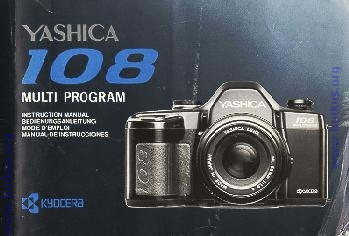
Yashica 108
posted 9-12-03

HTML Translations - German - Italian - French - Spanish - Others
These links will not translate any PDF files


This camera manual library is for reference and historical purposes, all rights reserved.
This page is copyright © by , M. Butkus, NJ.
This page may not be sold or distributed without the expressed permission of the producer
I have no connection with any camera company

On-line camera manual library
This is the full text and images from the manual.  This may take 3 full minutes for all images to appear.
If they do not all appear.  Try clicking the browser "refresh" or "reload button" or right click on the image, choose "view image" then go back.  It should now appear.
To print, try printing only 3 or 4 pages at a time.

Back to main on-line manual page

If you find this manual useful, how about a donation of $3 to: M. Butkus, 29 Lake Ave., High Bridge, NJ 08829-1701
and send your e-mail address so I can thank you.

Most other places would charge you $7.50 for a electronic copy or $18.00 for a hard to read Xerox copy.

This will allow me to continue to buy new manuals and pay their shipping costs.  
It'll make you feel better, won't it?
 
If you use Pay Pal, use the link below. Use the above address for a check, M.O. or cash.

Click here for PDF file made from above file - better printing

TO SECTION TWO

Thank you for purchasing of this camera. This auto exposure single-lens-reflex (SLR) camera offers you many sophisticated features such as two types of programmed auto exposure, aperture-priority auto exposure, fast 1/2000 second shutter and automatic film advance.

Please study this manual thoroughly before using so as to ensure proper operation and years of trouble-free use.

The manual is illustrated with reference to the YASHICA ML 50mm f1.9c lens.

If you use other interchangeable YASHICA or CARL ZEISS lenses on this camera, they are also applicable and can be used in the same manner as described in this manual.


NAME OF PARTS ....................... 6

BASIC PROCEDURES
Lens Changing .......................................... 10
Batteries Loading ....12
Turning ON and OFF the camera .................. 14
Film Loading ......16
Shutter Dial/Drive Selector 22
Holding the Camera ......................................... 26
Display in the Viewfinder 28
Focusing the Lens .............................. ......... 30
Rewinding the Film.... 34
TAKING PICTURE
Programmed Auto Exposure .. 36

Aperture-priority Auto Exposure .... 40
Manual Exposure ..................... 42
Bulb Exposure ....................... 44
Backlight Compensation ....... 46
Self-timer 48
Flash Photography . .. 50
Depth-of-field ...56
Infra-red Compensation Mark ...58
Release Socket/Interchangeable Camera Back ......... 60
Attaching the Accessories ...62
Battery Check ...64
Battery Precaution ................................. 66
Camera Care/Storage 68
Specifications ........ 72


1. Exposure Counter
2. Shutter Release
3. Self-timer Button
4. Shutter Dial
5. Shutter Dial Index
6. Flash Ready Signal Contact
7. Direct X-Contact
8. Accessory Shoe
9. Lens Mounting Index
10. Film Rewind Crank
11. Film Rewind Knob
12. Drive Selector4www.butkus.org
13. Self-timer LED
14. Lens Release Button
15. Backlight Compensation Button


16. Strap Lug
17. Release Socket
18. DX Contacts
19. Viewfinder Eyepiece
20. Sprocket
21. Spool
22. Film Check Window
23. Camera Back Release Knob
24. Data Back Contacts
25. Tripod Socket4www.butkus.org
26. Film Rewind Button
27. Battery Compartment Cover


Lens Changing

< Mounting the lens > First, remove the camera body-cap and lens rear-cap by turning them counterclockwise. Then align the red dot on the lens with the Lens Mounting Index on the Mount of the camera body, gripping the lens barrel firmly and turn the lens clockwise until it locks with a click.

· Using a lens cap of snap-on type, attach or remove it from the lens by pressing the two side-tabs.

< Dismounting the lens > While pressing the lens release button, turn the lens counterclockwise as far as it will go, gently remove it from the camera body-mount Replace caps on the camera body and the lens mount to protect them.

* When mounting and dismounting the lens, avoid touching the lens , surface and the interior of the body

* Avoid direct sunlight when changing the lens with film loaded in the camera.4www.butkus.org

Batteries Loading


This camera is battery powered to perform all necessary functions, including film winding, shutter and display in the viewfinder. Therefore, make sure that batteries are installed correctly before using the camera. It will not operate without batteries

1. Open the Battery Compartment Cover by pushing it in the direction of arrow.

2 Insert four alkaline AAA-size batteries as indicated by the battery label inside the battery compartment following the "+" and "" - "" sign illustration.

· Do not force in the batteries. Let them drop-in the battery compartment.

· The batteries packed with the camera are supplied as tester. It can be used only for testing all available camera functions.


Turning ON and OFF the Camera
The power switch of the camera is turned on and off by means of the Shutter Dial. If you set the Shutter Dial at any position other than "OFF", it will turn on the power switch of the camera. If you are not taking pictures, set the Shutter Dial at "OFF" to prevent the shutter from tripping accidentally and save the battery power.


Film Loading

Set the Shutter Control Dial to any position other than "OFF", open the Camera Back and load the film. Open the Camera Back by pushing down the Camera Back Lock while pressing in the button on it. To insert the film, first fit the recess of cassette to the shaft on the top of the film chamber and push in the film cassette smoothly.4www.butkus.org

· Always load and unload film in subdued light.
· Use DX-coded film. If non DX-coded film is used, the camera will set its film speed to ISO 100 automatically.

2. Insert the film leader under the orange mark
 "" -- "" and close the Camera Back.
Engage the film perforations with the teeth on sprocket and insert the leader of film in the slot under the orange mark "" -- "" at the end of the film channel. Make sure the film lies flat on the film channel as shown.

· If the leader of the film is too long, adjust its length by rewinding it back into the film cassette.

3. Slightly depress the Shutter Release and the film will automatically advance to the first frame. If you depress the Shutter Release, the film will automatically advance and the Exposure Counter will switch from "S" to "1". After the film has advanced, take up the film slack by erecting the Film Rewind Crank, follow the direction of arrow and turn it gently as far as it will go. Reset the Film Rewind Crank to the original position after taking up the film slack. The camera is ready to take pictures. If the Film Rewind Knob turns after you have depressed the Shutter Release, the film is advancing properly.


< Exposure Counter > 
The exposure counter advances every time the automatic winding mechanism operates, and returns to "S" (Start) when the camera back is opened, regardless of whether or not there is film in the camera. The exposure counter starts with "S", then "1", followed by even numbers from "4" through "36". The odd numbers are indicated by dots marked between the even numbers. The orange-colored numbers "12", "24" and "36" correspond to the number of exposures in standard 35mm film cartridges.4www.butkus.org

The Shutter Dial is used as the power switch of camera, it is also used for seeing auto exposure modes and shutter speeds in case of manual exposure. Turn and set the dial to your desired exposure position.

< Shutter Dial Setting >
"PROGRAM" - standard programmed auto exposure The camera will automatically select the correct combination of shutter speed and aperture from its program according to the brightness of the subject. "HP" High-speed Programmed auto exposure This mode will give a priority to a fast shutter speed for providing correct exposure. This mode is useful for shooting quick sports scenes or sharp portraits against a blurred background. It is also good for avoiding camera shake when taking pictures with a telephoto lens.

"AV" Aperture-priority auto exposure If you set your camera at the desired aperture, the camera will automatically control the shutter speed according to the brightness of the subject to provide correct exposure. This mode is suited for shooting with lens with depth-of-field emphasis. 

"2000,1000 - 2, 1"
"In the manual exposure mode, choose your desired shutter speed on this dial. "2000" means 1/2000 second, "1000" means 1/1000 second, , and "1" means 1 second.


"B" Bulb
As long as the Shutter Release is held depressed, the shutter will remain open to expose the film. 

"X" Flash synchronizing speed Set the Shutter Dial to "X" it pictures are taken with flash units other than dedicated flash (CS-140 FLASH or CS-220 AUTO FLASH). The synchro socket of the camera is a direct "X contact" type and the shutter will trip at 1/90 sec. "OFF" Camera OFF The power switch of the camera is turned off.

* Intermediate setting are not available on the Shutter Dial index. Do not set in-between positions.

< Drive Selector >

With the Drive Selector, you can set the film drive mode at either "S" (Single) or "C" (Continuous). Switch it to suit your purpose. "S" Each time the Shutter Release is depressed, the shutter trips to expose one frame, then the film will advance to the next frame, before it will stop.

"C" As long as the Shutter Release is held depressed, the shutter will trip in succession to take pictures one after another. If you take your finger off the Shutter Release, then the film will advance to the next frame, before it will stop.4www.butkus.org


Holding the Camera
To take sharp picture, it is important to hold the camera still. Because the main cause of blurred pictures is camera shake, it is recommended to learn how to hold the camera and find the best position that suits you. Place the camera in the palm of your left hand, hold the len's focusing ring so that you can turn it with your fingers; grip the camera with your right hand and put the forefinger lightly on the Shutter Release. Stick the left elbow to your body, press the camera lightly against your face and look through the viewfinder. Always depress the Shutter Release slowly and gently. To accommodate objects of different shapes, the camera can be used both in the horizontal and in the vertical position. In either case, choose the position that suits you best.  Sometimes you could gain stability and support by leaning against a building or tree when pictures are taken.


Display In the Viewfinder

If the Shutter Release is lightly depressed when the camera switch is on, the relevant display in the viewfinder will light up or blink for about 8 seconds showing the following shooting information's.


" " Lights up: When the Shutter Dial is set to an auto exposure mode ("HP", "PROGRAM ", or "AV").

" " Blink: When the control range of the program is narrow. The lens cannot be adjusted down to the "HP" or "PROGRAM" mode. In this case, adjust it to its minimum aperture (or the largest f-number).

"" Lights up: When the exposure is correct in the manual exposure mode.

""Blinks: When the Shutter Dial is set to "B" (Bulb).

"" or "" Lights up: In manual exposure, when the exposure is over " "" " or under "" within 1 EV relative to the correct exposure.

"" " or " "' Blinks: In manual exposure, when the exposure is over " " or under " " by more than 1 EV relative to the correct exposure. In aperture-priority auto exposure (AV), when the set aperture is not within the camera exposure control range.

"" Lights up: When it is fully charged on a dedicated flash (CS-140 FLASH or CS-220 AUTO FLASH).

" " Blinks: When the shutter speed is slower than 1/30 second in an auto exposure mode, this sign is to warn you of a risk of camera shake In this case, use a flash unit or support the camera with a tripod.


Focusing

Focusing is done with the split image in the center of the viewfinder, the microprism collar around it, or the surrounding matte screen.

<Horizontal Split-lmage Spot> 4www.butkus.org
While looking through the viewfinder, turn the focusing ring until the upper and lower halves of the split image coincide. If the image is not in properly focused, the two halves do not coincide.


< Microprism Collar and Matter Screen > Turn the focusing ring until the image on the microprism or mane screen appears sharpest. If the subject is not in sharp focus, the image on the matte screen unsharp.

·If you are using a "slow" lens or taking close-up with a high magnification, you may not be able to focus properly. In such case, focus with the surrounding mane screen.

·If you are far-sighted or near-sighted, use an optional FL type diopter lens. There are eight types available, (-5, -4, -3, -2, O. +1, +2 and +3), which can be attached to the Viewfinder Eyepiece.


TO SECTION TWO