HTML Translations - German
- Italian
- French
- Spanish
- Others
These links will not translate any PDF
files
On-line camera manual library
This is the full text and images from the manual. This
may take 3 full minutes for all images to appear.
If they do not all appear. Try clicking the
browser "refresh" or "reload button" or right click on the
image, choose "view image" then go back. It should now appear.
To print, try printing only 3 or 4 pages at a time.
If you find this manual useful, how about a donation of $3 to: M. Butkus,
29 Lake Ave., High Bridge, NJ 08829-1701
and send your e-mail address so I can
thank you. Most other places would charge you $7.50 for a electronic copy
or $18.00 for
a hard to read Xerox copy.
Click here for PDF file made from above file - Better printing
(posted 3-28-02)
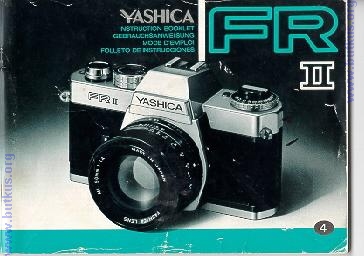
Congratulations on purchasing the FR 11. This camera was designed with maximum ease of operation in mind and features fully automatic exposure control.
Siliconphoto-diode metering has been employed for instantaneous exposure readout and an exposure compensation dial is provided for adjustment in special
lighting situations.
However, the FR 11 doesn't stop at being merely one of the finest automatic SLR cameras on the market. It is part of a whole system of Contax and Yashica
accessory equipment to make possible and endless variety of uses. To begin with, it features the Contax/Yashica mount for accepting a wide range of Yashica
and Zeiss T* interchangeable lenses. It's feather-touch electromagnetic shutter release, in addition to making possible blur-free pictures, also enables use with a
variety of remote control release systems such as cable switches and the wireless Infrared Controller Set. In addition, its electromagnetic release system permits
use with the highly advanced RTF 540 electronic flash unit. And when both the RTF 540 and the Yashica Winder are used jointly with the FR 11, it is capable of
sequential flash up to 2 frames per second. These are just some of its uses. Be sure to look into the countless other advantages and special uses for your FR 11
to enable you to enjoy hour after hour of virtually unlimited photographical enjoyment.
* FR is a licensed trademark of Cine Magnetics, Inc.
Specifications ... ... ..
Description of Parts ....
How to Mount and Remove the Lens .
Battery Installation ......
Battery Checking .......
Film Loading ..........
Film Rewind ........
Shutter Control Dial . . .
Viewfinder . .
Focusing .........
Shooting Posture . . .
Automatic Exposure . . .
Exposure Compensation
Self Timer ........
Flash Exposure . .
"B" (Bulb) Exposure/Release Socket .
Infrared Photography . .
Depth of Field .......
Ambient Temperature . .
Camera Care . . .
Precautions ....
Type: TTL metering fully automatic exposure 35 mm SLR camera
Standard Lenses: Yashica Lens DSB 50 mm f/1.9, Yashica Lens ML 50 mm f/1.7, Yashica Lens ML 50 mm f/1A, Yashica Lens ML 55 mm f/1.2 (each with
automatic diaphragm).
Lens Mount: Contax/Yashica mount. Negative Size: 24 x 36 mm
Shutter: Electronically Controlled horizontal run focal plane shutter. Shutter speeds automatically varied between 4 sec. to 1/1000 sec. at AUTO setting, Bulb
setting (B) for long exposure and electronic flash synchronization setting (I) for manual operation.
Self Timer: Built-in lever type; releases in 7 sec.
Shutter Release: Feather-touch electromagnetic release release socket on camera body for auxiliary shutte; release.4www.butkus.org
Exposure Meter: TTL aperture-preferred fully automatic exposure control. Center-weighted full aperture light metering via SPD cell.
Exposure Check Button: Push Button/slide type; lockable with film advance lever slightly cocked.
Exposure Range: Between EV 1 - 18 with f/1.4 standard lens using ASA film.
Exposure Compensation: +2 EV
ASA Filrn Speed Settings: ASA 12 - 3200
Power Source: 6 V silver oxide battery (Eveready 544 Ucar 544, Mallory PX-28 or equivalent).
4www.butkus.org
Viewfinder: Through-the-lens reflex viewfinder; shows a field of approx 92% of the actual picture area with an image magnification of 0.87X. Shutter speeds
indicated by pointer from 1/1000 sec. - 1 sec.
Focusing Screen: diagonal split-image centerspot with microprism collar.
Film Advance: single-frame advance via film advance lever with 140 degree full stroke, or multiple short ratchet stroke advance; frame count registers on
exposure counter. Sequential film advance to 2 fps with optional Yashica Winder unit.
Film Rewind: via film rewind crank.
Back Cover: Standard back opens by lifting out on film rewind crank.
Other Features: Battery confirmation lamp; lens release button, memo holder, direct X contact accessory shoe.4www.butkus.org
Size and Weight: 142.5 x 87 x 50 mm 650 grams (body only)
DESCRIPTION OF PARTS
1. Exposure Counter/Battery Confirmation Lamp
2. Magnetic Release Button
3. Film Advance Lever
4. Shutter Control Dial
5. Direct X Contact
6. Accessory Shoe
7 Battery Checker Button
8. Exposure Compensation Dial
9. Film Rewind Knob4www.butkus.org
10. Film Rewind Crank
11. ASA Film Speed Ring
12. Lens Release Button
13. Self-Timer
14. Self-Timer Start Lever
15. Aperture ring
16. Focusing Ring
17. Film Rewind Stud
18. Film Chamber
19. Shutter Curtain
20. Viewfinder Eyepiece
21. Sprocket Wheel
22. Exposure Check Button
23. Film Take-Up Spool
24. Release Socket
25. Camera Back
26. Film Pressure Plate 4www.butkus.org
27. Motor Drive Coupling Terminal
28. Tripod Socket
29. Film Drive Coupling
30. Film Rewind Release Button
31. Battery Compartment Cover
32. Memo Holder
HOW TO MOUNT AND REMOVE THE LENS
| How to Mount the Lens
After removing the camera body cap, set the lens in the mount by matching the red dot on the lens barrel with that on the camera body. Then, while gripping the lens barrel firmly, give it a right turn until it self-locks with a click The method of mounting is the same with all lenses. Improper mounting will result in poor focus and/or exposure. |
![]() |
| How to Remove the Lens
While keeping the lens release button depressed, turn the lens barrel all the way to the left and lift the lens straight out of the lens mount. · Avoid touching the I inkage systems on the camera body and the lens. · Avoid direct sunlight when interchanging lenses. · To remove or reset the lens cap, press the knobs on both sides of the cap. The lens cap can be set even when a filter is in use. |
![]() |
BATTERY INSTALLATION
![]() |
Make sure the battery is installed properly. Without the battery, the shutter system and the exposure control of
Your Yashica FR 11 will not function.
|
![]() |
[3] After ascertaining that the battery is installed properly, tighten the battery compartment cover securely. · Always use a 6 V silver oxide (Eveready 544, Ucar 544, Mallory PX-28 or equivalent) or 6 V alkaline (Eveready 537, Ucar 537 or equivalent) battery. |
Webmaster: these batteries are special order batteries but are available.
BATTERY CHECKING
|
The shutter will not function when batteries are low. To prevent this, check the battery on the following occasions.
· The battery comfirmation lamp also functions to illuminate the exposure counter in poor lighting conditions. |
![]() |
FILM LOADING
|
|
![]() |
|
Avoid direct sunlight when loading film. Always use a standard 135 film cassette (12, 20, 24 or 36 exposure
load).
|
![]() |
|
[4] Slide the film advance lever out past the ridge of the camera with your thumb and advance the film slightly until the
sproket teeth properly catch the perforations on the edges of the film.
|
![]() |
![]() |
|
[6] Wind the film advance lever and trip the shutter alternately until the exposure counter reaches '1' (The film rewind
knob will rotate counterclockwise when turning the film advance lever if the film is advancing property.)
|
![]() |
![]() |
|
Memo Holder
To Set: Lift the ASA film speed ring (surrounding the exposure compensation dial) and turn it until the figure
corresponding with the speed rating of the film in use aligns with the orange index. Various ASA film speeds ratings are
as follows.
|
![]() |
![]() |
FILM REWIND
|
When the exposure counter registers the number
equivalent to the exposure load of the film in use, avoid
advancing the film forcibly. If the perforations of the film
tear or the film pulls away from the cassette, it will
become impossible to rewind the film.
|
![]() |
![]() |
SHUTTER CONTROL DIAL
|
Shutter speeds are fully automated with the Yashica FR 11. For normal shooting without flash the control dial is
set to AUTO. Including AUTO, the dial has the following three settings.
|
![]() |
VIEWFINDER
![]() |
[1] split-image [2] Microprism Collar [3] Shutter Speed I ndex [4] Shutter Speed Pointer [5] Overexposure Zone [6] Long exposure Zone
|
Split-image Microprism
This camera features a dual focusing spot for easy
focusing which consist of a diagonal splitimage
center with a microprism collar. (See page 34 for
focusing details.)
Shuter Speed Pointer
When the exposure check button is depressed, the
pointer will indicate the shutter speed to accord
with the f-number in use. Exposure is correct if the
pointer registers between the 1/1000 sec. and 1
sec. extremes of the index. (See page 40 fo;
exposure setting details.)
Overexposure Zone
When the pointer climbs into this zone, the shot
will be over-exposed. For adjustment, refer to page
40.
Long Exposure Zone
When the pointer is in this zone light will be
sufficient for up to a 4 sec. exposure. (See page
40.)
FOCUSING
|
Turn the focusing ring while observing the subject in the split-image center spot, microprism collar or matte
area of the viewfinder.
|
![]() |
![]() |