and historical purposes, all rights reserved.
This page is copyright© by
 , M. Butkus,
NJ.
, M. Butkus,
NJ.
This page may not be sold or distributed without
the expressed permission of the producer
I have no connection with any camera company.
Click here for PDF
version of manual
created from this HTML file
Click
here for Chinon CM-3 PDF
created from original manual
This camera manual library is for reference
and historical purposes, all rights reserved.
This page is copyright© by , M. Butkus,
NJ.
This page may not be sold or distributed without
the expressed permission of the producer
I have no connection with any camera company.
On-line camera manual library
If you find this manual useful,
Back to my main Camera Manual page
This camera functions much like the CM-5, click here to review the CM-5 manual
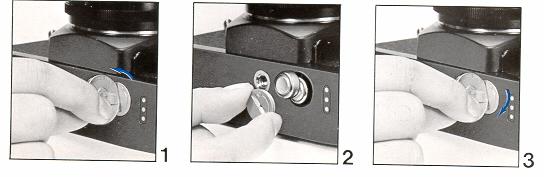
Use a quarter to unscrew the battery holder. It takes 2 MS76 or SR44 batteries. Note both the battery "bumps" (negative) go towards the cap.
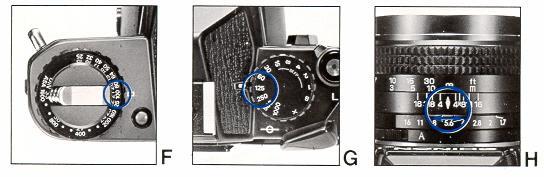
Turn the ASA dial and match the film inserted to the numbers on the ASA dial. Use the suggested starting position of the shutter speed
of 1/125 (125) and the F-stop of 5.6 to start adjusting the light meter.
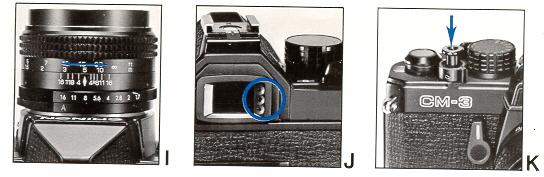
Focus on the subject, press the shutter halfway, the LED's just outside the will operate. ONE will light up showing the batteries are functional.
If one of the light does NOT glow, try new batteries.
Illustration of changing the battery. Note the direction the batteries go in, the small bump of the battery goes towards the cap.
The button by the ASA dial is a battery check, pressing it should turn on the Green (center) viewfinder LED.
Make sure the film sprockets are in the right location. Use the end of the film pack to insert into the back holder.
You must wind the lever and fire two "blank" shots to get the exposed film past the shutter. There is a shutter lock, move it off the "L"
to allow the camera to fire. The lock does not prevent you from winding the camera. A camera should not be left in a wound mode for extended
periods of time.
Set the ASA to match the film in the camera, try a setting, when outdoors, of 1/125 and F-5.6 to start adjusting the setting to get a correct exposure.
Press the shutter button slightly.
Adjust the F-stop to get the green (center LED) to light. You may need to adjust the shutter speeds if the lens aperture is all the way
closed and the top (overexposed LED) is still lit or the aperture is open all the way and the bottom (underexposed LED) is lit. Certain lens
have an "A"uto (aperture of lens is always open unless the shutter is firing)
and "M"anual (aperture size varies in accordance to F-stop set. This setting is sometimes useful when checking actual depth of field in viewfinder),
you should have the lens set to A unless doing some specialty photography.
The split image viewfinder becomes clear on the subject when in correct focus. The exact center top and bottom half also will match when
in focus.
Use the aperture and shutter speeds to obtain correct exposures for you pictures. When you are finished with the roll the film will not
advance fully. Do not try to advance any more, just press the rewind button.
Flip the rewind bar and turn the rewind knob to wind the film back in the container. Pull up on the rewind knob to release the back door
when the rewinding becomes easy (you may feel a greater strain as the film comes out of the advance slot)
Image 25 shows how to unscrew the lens, counter clockwise. Image 26 and 27 show the differences in depth of field by lens aperture.
Image 26 shows a small depth of field (notice the bricks) and 27 a great depth of field.
Image 28 shows the depth of field scale on the lens. At 10 feet at F8 will provide an in focus image from 8 feet to13 feet, at F16 from
6.5 feet to F18 feet. Remember you can always use the scale to extend you depth of field by finding the distance of the item you want in focus
and then moving the distance setting to the closest or furthest on the scale. For example a picture taken at F16, you set the 10 foot camera
setting at the far right F16 depth of field mark. You will then have everything in focus from 5 to 10 feet but directly behind the 10 foot mark
will be out of focus. You can do the opposite and have everything from 10 feet to 30 feet in focus but everything in front of 10 feet is
out of focus.
To use a flash, set the shutter speed to X. The hot shoe will accept any standard flash. Do not use dedicated flash units with extra pins.
The metal shoe will short the pins and could damage the flash. If you have an ancient flash with a flash cord or a powerful hand held unit
with grip, use the flash contact on the side of the lens.
The power winder shown mounted to the camera, the integrated chip that controls the functions and the available remote relay for the power winder.
The winder with the interval timer, image 37 shows the continuous mark when firing more than one frame or using the interval times. Image
38 shows the dial for the number of frames you wish to fire up to 24 frames and image 39 show the length of time between those number shots up to 30
seconds. There is a winder with just an single advance.
how about a donation of
$3 to:
M. Butkus, 29 Lake Ave.,
High Bridge, NJ 08829-1701
and send your e-mail
address
so I can thank you.
Most other places would charge
you $7.50 for
a electronic copy
or $18.00 for a hard to read Xerox copy.
This will help me to continue to host this site,
buy new manuals, and pay their shipping costs.
It'll make you feel better, won't it ?
If you use Pay Pal, use the link below.
Use the above address for a check, M.O. or cash.
Click here for
Chinon CM-3 PDF
Instruction manual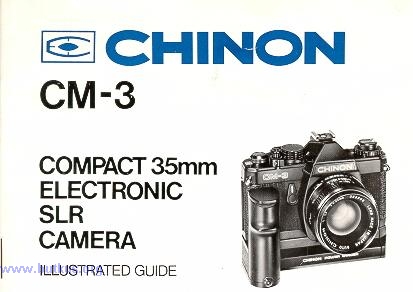
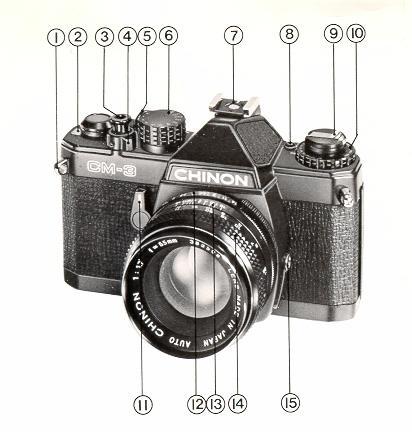
1. Camera lugs for the strap.
2. Film counter
3. Shutter button
4. Lock dial
5. Lock mark
6. Shutter speed
7. Hot shoe
8. Battery check
9. Rewind knob
10. ASA knob
11. Self timer
12. F-stop ring
13. Depth of field and focus marks
14. Focus ring
15. Flash contact for older style flashes
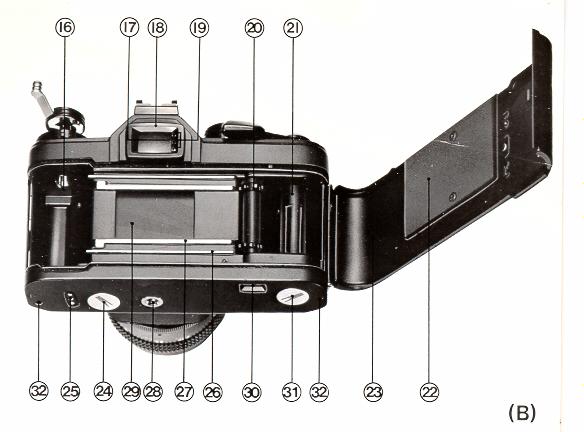
16. Rewind knob notch (must fit in film canister by adjusting knob slightly
when pressing down after inserting film)
17. Green (good exposure) LED
18. Viewfinder
19. Red (over and under exposed LED's)
20. Advance sprockets (make sure film is in these sprockets)
21. Film leader sprocket (insert cut film leader into on of the slots
to lock the film on this roller)
22. Rear film plate (presses against film to make sure it lies flat)
23. Read door (rewind knob is pulled up to release door, NEVER open
door unless film is completely rewound)
24. Battery door (unscrew counter clockwise with quarter, use erase on battery contact areas to clean)
25. Power winder contacts (use eraser when mounting winder)
26. Bottom edge of film guide (film should be above and below these guides)
27. Film guides (film will slide along this area to keep it flat)
28. Tripod screw hole.
29. Shutter curtain (never touch, clean or do anything to this delicate part)
30. Rewind button (Used at end of roll or if you must rewind mid roll.
Should you rewind mid roll you must cover the lens and fire one or two
extra shots past the number previously exposed pictures.
Tell your processor you did this as most processing is automated and the printing
machine expects the frame spacing to be even)
31. Cap for motor drive connection area.
32. Two holes for holding the winder in correct position.
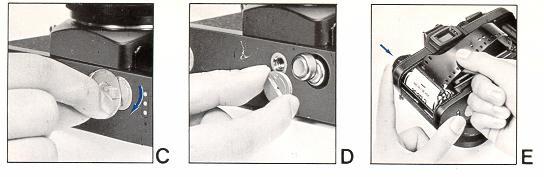
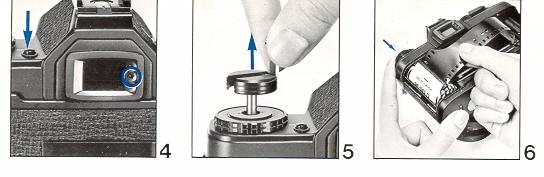
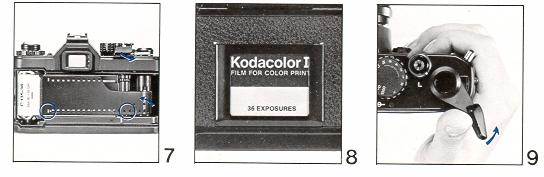
Wind the film.
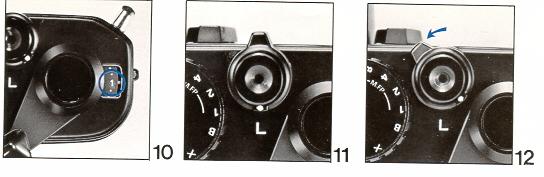
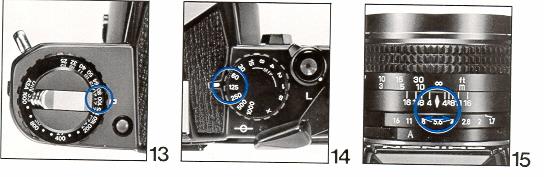
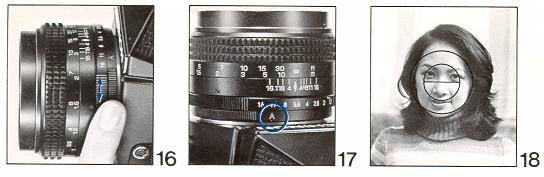
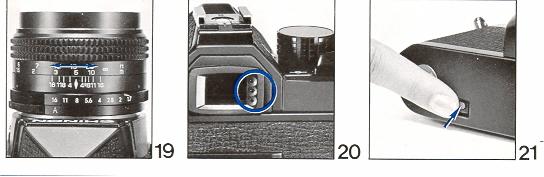
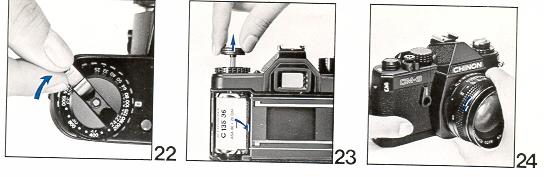
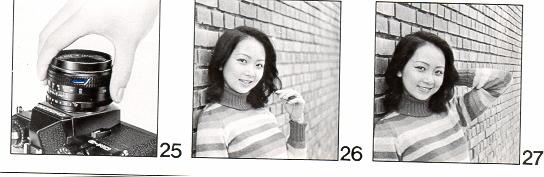
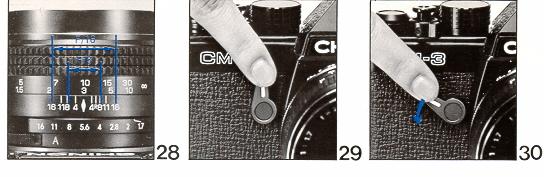
Image 29 shows the self timer lever. Press the lever all the way down to delay the shutter 10 seconds or so. After pressing the lever
down you must depress the shutter to let the self timer activate.
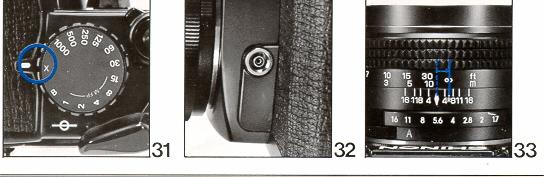
Image 33 shows the Infrared Film mark. With Black and White IR film you first focus, then move the distance found on the lens to the RED
IR mark. Usually a Red or IR filter is used to cover the lens. Exposure film according to the IR package. Color IR film does not need to
be refocused.
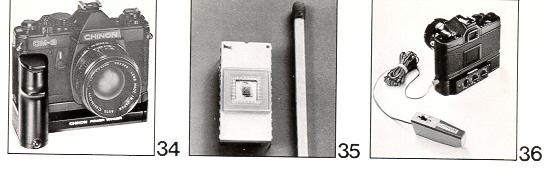
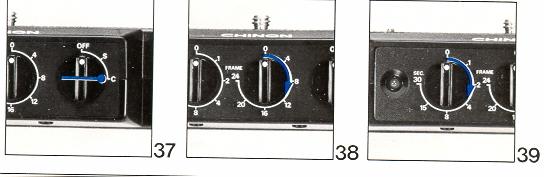
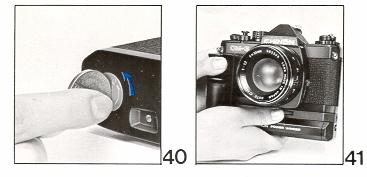
Fig 40 shows the cap needed to be removed to add the Chinon Power Winder, I believe there is a place to screw the cap on the bottom of the winder
body to keep it from getting lost.